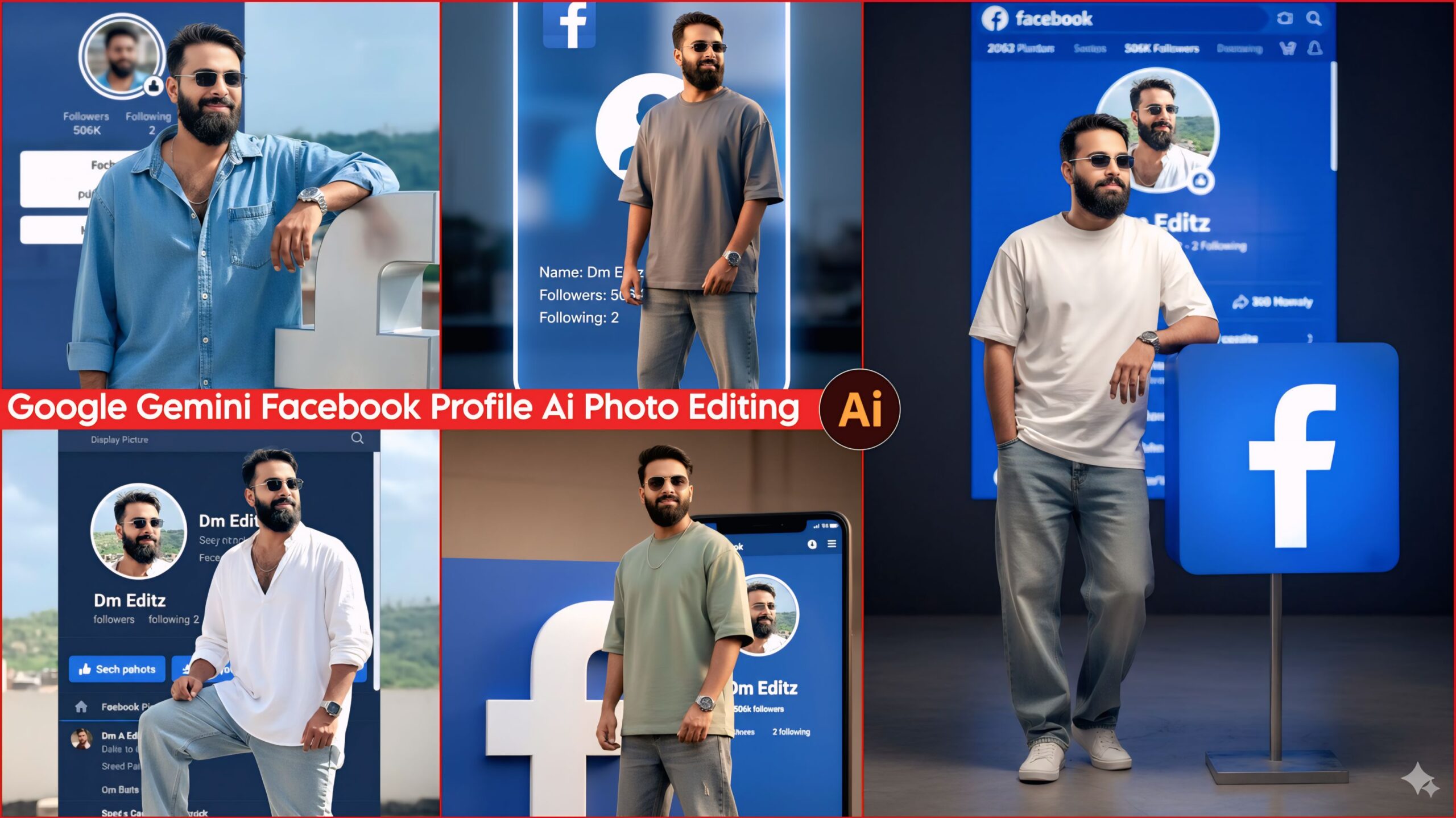
Trending Facebook Profile AI Photo Editing Prompts: Friends, in today’s article, I’ve brought you some amazing and unique prompts that you can use to create stunning Facebook profile pictures with your name. These days, everyone wants their photos to look great so that people will like them. Keeping this in mind, I’ve created some unique Facebook profile prompts that you won’t find on any other website. So, be sure to subscribe to my website so that you receive all the new prompts and articles as soon as they are published.
About trending Facebook profile AI photo editing prompts
In this article, I have provided some excellent prompts for you, including ideas for great outfits and unique colors, stylish Instagram poses, and suggestions for Facebook pages, profile pictures, usernames, and much more. You can see examples below. You won’t find prompts like these anywhere else! Create your own trending Instagram logo AI photo edits now and share them with your friends so they can create them too. Everyone uses phones these days, and since the advent of AI, it has become even easier. Download the Google Gemini app and create your own with just one click! Choose the prompts you like, copy them, and create your own amazing images.
Trending Facebook Profile Ai Photo Editing Prompts

A photorealistic image of a young man with a subtly changed, yet realistic-looking face. He is wearing casual, baggy, free-size clothing (baggy jeans and a free-size shirt). He is accessorized with a wristwatch, shoes, and sunglasses.
The young man is posed, standing and leaning against a large, realistic Facebook logo box which is placed prominently in the foreground.
Facial Expression & Quality: He is giving a light, subtle smile.
The face should be extremely clear and highly detailed, appearing completely real (HD quality). Background & Composition:
The background features a realistic Facebook profile page visible on a screen/wall.
The profile details on the background page must clearly display:
Profile Picture (DP): The same clear photo of the young man shown in the foreground.
Name: "Dm Editz"
Followers: "506K"
Following: "2"
The entire profile must look absolutely real and authentic.
Style & Lighting:
Style: Photorealism, Ultra HD, Highly Detailed.
Lighting: Cinematic lighting, soft shadows, sharp focus on the man and the Facebook details. Prompt Summary:
Photorealistic image of a young man with a realistic, slightly altered face, giving a light smile. He is wearing baggy, free-size casual clothes, a watch, shoes, and sunglasses. He is leaning against a large Facebook logo box. The background features an ultra-realistic Facebook profile screen showing the same man's DP, Name "Dm Editz", 506K Followers, and 2 Following. HD quality, clear face, cinematic lighting. Don't change faces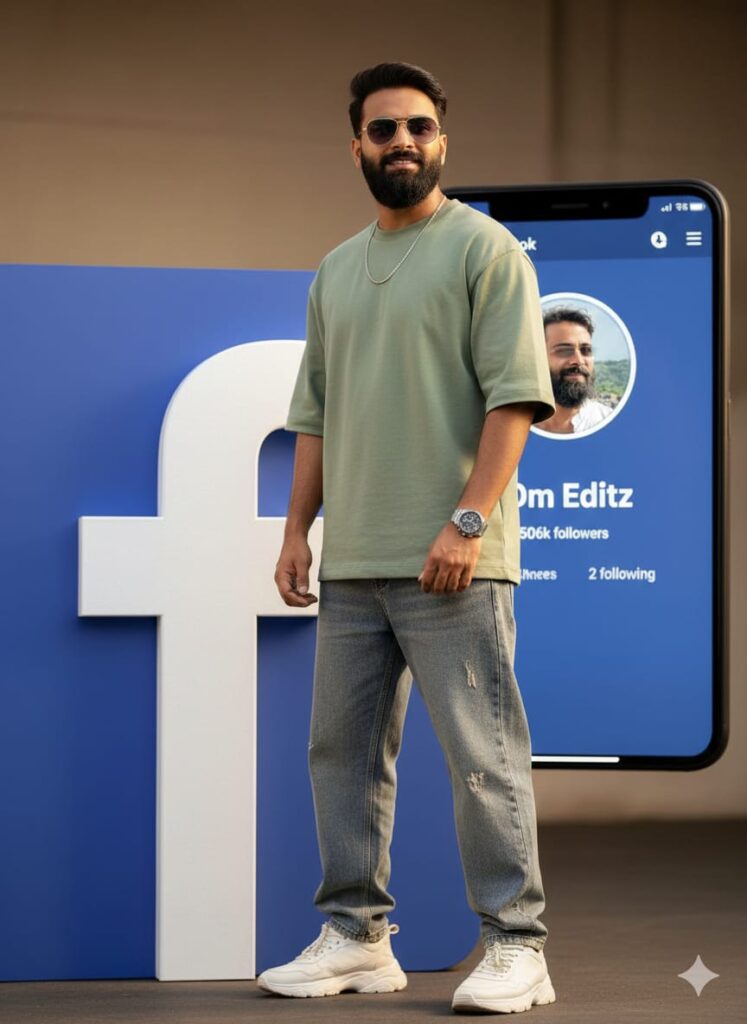
A highly realistic, cinematic portrait of a young man with a clear, transformed face. He has a subtle, light smile.
Attire and Accessories:
He is dressed in trendy, casual attire: an oversized, free-size shirt and baggy, free-size jeans. He is also wearing a stylish watch, shoes, and sunglasses.
Setting and Scene: The man is standing/leaning against/interacting with a large, prominent, three-dimensional (3D) Facebook logo.
Background Detail: In the background, a photorealistic, illuminated Facebook profile page is clearly displayed. The profile must contain the following text, appearing exactly as it would on a real screen:
Name: "Dm Editz"
Followers: "506k"
Following: "2"
The profile picture (DP) on the screen is the exact, clear image of the man in the foreground.
Quality and Style:
Ultra-detailed, photorealistic, 8k, cinematic lighting, sharp focus, real, vivid, clear face, dramatic depth of field. Don't change faces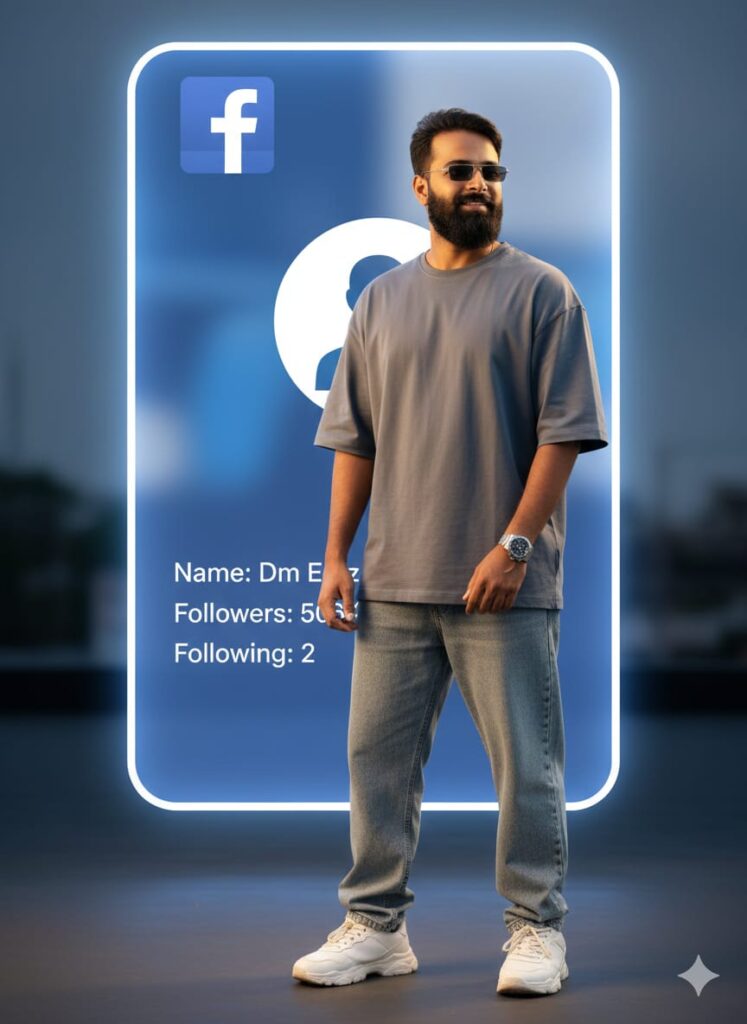
A highly realistic and cinematic full-body portrait of a young man with a clear, subtly altered face and a gentle smile. He wears baggy jeans, an oversized shirt, a watch, sunglasses, and stylish shoes. He is posing next to a giant, photorealistic Facebook Profile interface in the background. The profile details must read: Name "Dm Editz," Followers "506K," and Following "2." Prominent Facebook logo. Cinematic lighting, deep depth of field, 8K, ultra-detailed. Don't change faces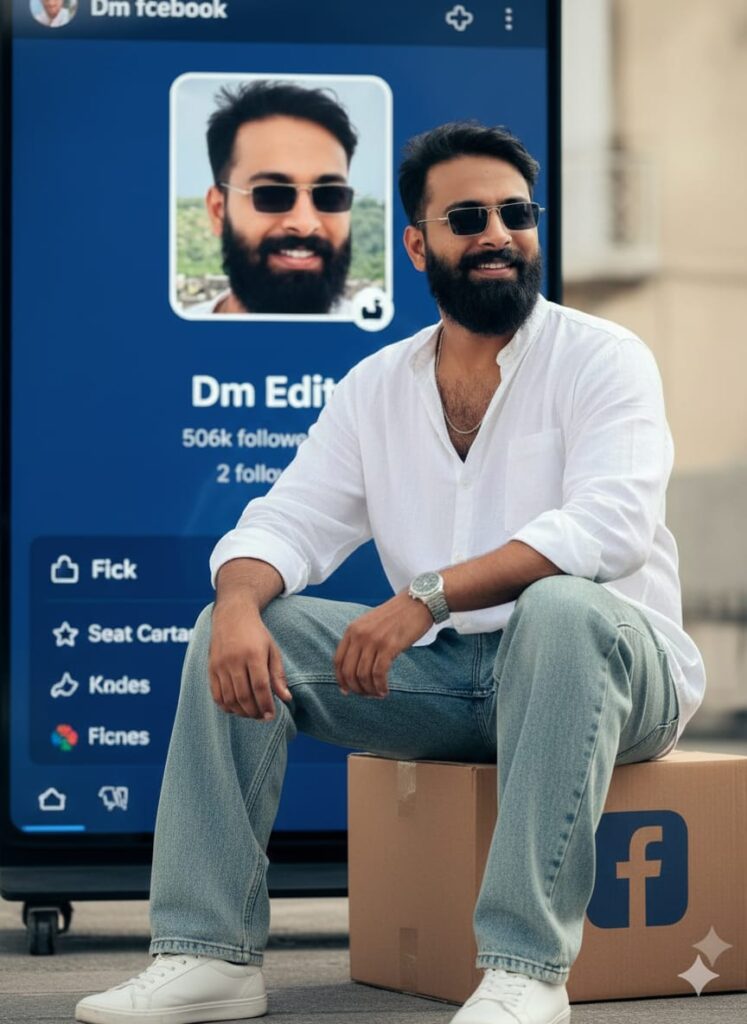
"A photorealistic 8K cinematic portrait of a young man with a naturally altered, subtle smile and an extremely clear, realistic face. He is wearing baggy, free-size jeans and shirt, a watch, shoes, and sunglasses. He is sitting in a relaxed pose next to a box with a Facebook logo. In the background, a perfectly rendered Facebook profile page is visible, featuring his clear photo as the DP, with the name 'Dm Editz,' '506k followers,' and '2 following.' Ultra-HD, cinematic lighting, dramatic effect." Don't change faces
A hyper-realistic photograph of a young man with a subtly altered, yet completely natural and realistic-looking face. He is standing in a confident pose: one foot resting on a large, three-dimensional, stylized Facebook logo, and the other foot on the ground. He has a slight, engaging smile.
He is wearing casual, oversized clothing: a baggy, free-size shirt and loose, free-size denim jeans. Accessories include a wrist watch, stylish shoes, and sunglasses.
In the background, there is a realistic representation of a Facebook profile page. The profile features: A clear, visible Display Picture (DP) showing the exact same young man's photo.
The name "Dm Editz" prominently displayed.
Stats reading: "followers 506k and following 2".
High-definition (HD) quality, extreme clarity, with a focus on making the face and all elements look absolutely real. Utilize cinematic lighting to enhance the realism and depth.
Style: Hyper-realism, Photography, Cinematic. Don't change faces
Note –
Please enter all your details here. Sometimes the prompts don’t work, but don’t worry. Just open a new page, go to Google Gemini, and upload your photo again. It will be created on the new page.
How to Use Trending Facebook Profile AI Photo Editing Prompts
Let me explain how to use it so you don’t have any trouble. First, you need to download Google Gemini. Since Google Gemini is now available on almost everyone’s mobile phone, you can simply browse through the AI photos on my website. Below the photo you like, you’ll find the best trending Facebook profile AI photo editing prompts.
You need to copy it, then paste the Trending Facebook Profile AI Photo Editing Prompt that you copied earlier, and post it. It’s very easy. Then you will have to wait for 1 to 2 minutes. Your photo will be generated. If you want to make it even clearer, you can use Remini.
Conclusion
Friends, in this article, I have provided you with trending Facebook profile AI photo editing prompts with 100% face matching. I have also explained how to use them, so please do try them out. If you liked it, you can let me know by leaving a nice comment. I have explained every step in detail, and if you didn’t understand anything, please let me know, and I will explain it to you.
Google Gemini Link Click And Use