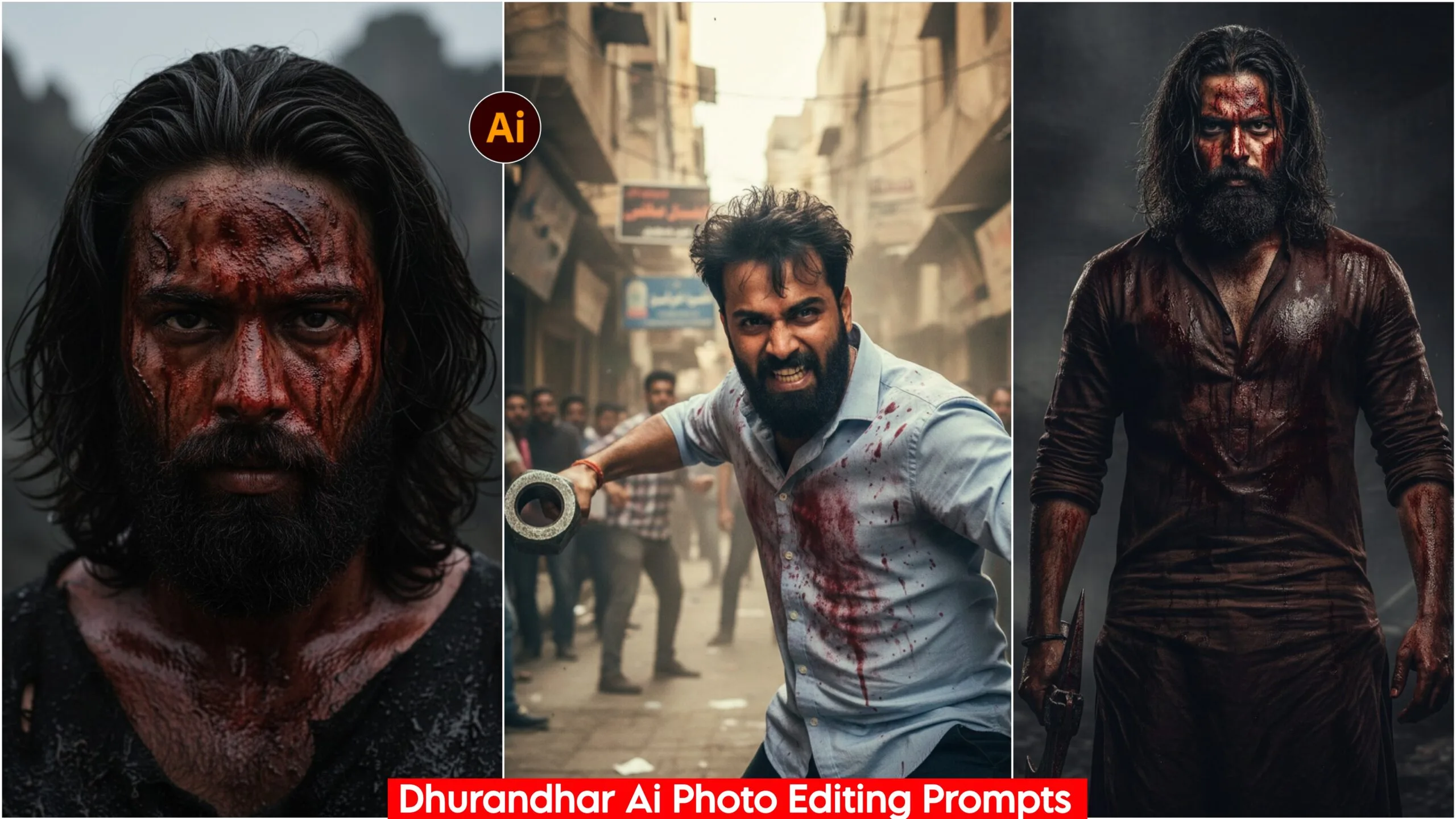
Google Gemini Dhurandhar AI Photo Editing Prompts: We have brought you some amazing prompts based on the new movie Dhurandhar. These are excellent and unique prompts that you can use to edit your photos. Yes, this movie is very good and people are loving it, and many are going to see it. It’s considered one of the biggest hit films of 2025. You should definitely watch Dhurandhar! We have created each pose in these prompts with great attention to detail and time.
Everyone wants to create photos like the ones the hero made in the movie; you can create the exact same ones with these prompts. So, be sure to give it a try! It’s not complicated at all, it’s very easy. We’ve provided the prompts, and you can use them to create the images with Google Gemini. You won’t find these prompts anywhere else.
About Google Gemini Dhurandhar Ai Photo Editing Prompts
With this, you can create photos that are exactly like those of the skilled fighters. We’ve created versions for both face and full body shots. All the scenes are fighting scenes, as you can see below. This film has a lot of action scenes, and people are really liking those scenes. So, I’ve created prompts based on them so that people can create similar photos and post them on their Instagram and Facebook. You get 5 prompts in different poses and colors. So go ahead, copy them, and paste them into Google Gemini along with your photos.
100% Faces Matching, Google Gemini Dhurandhar Ai Photo Editing Prompts
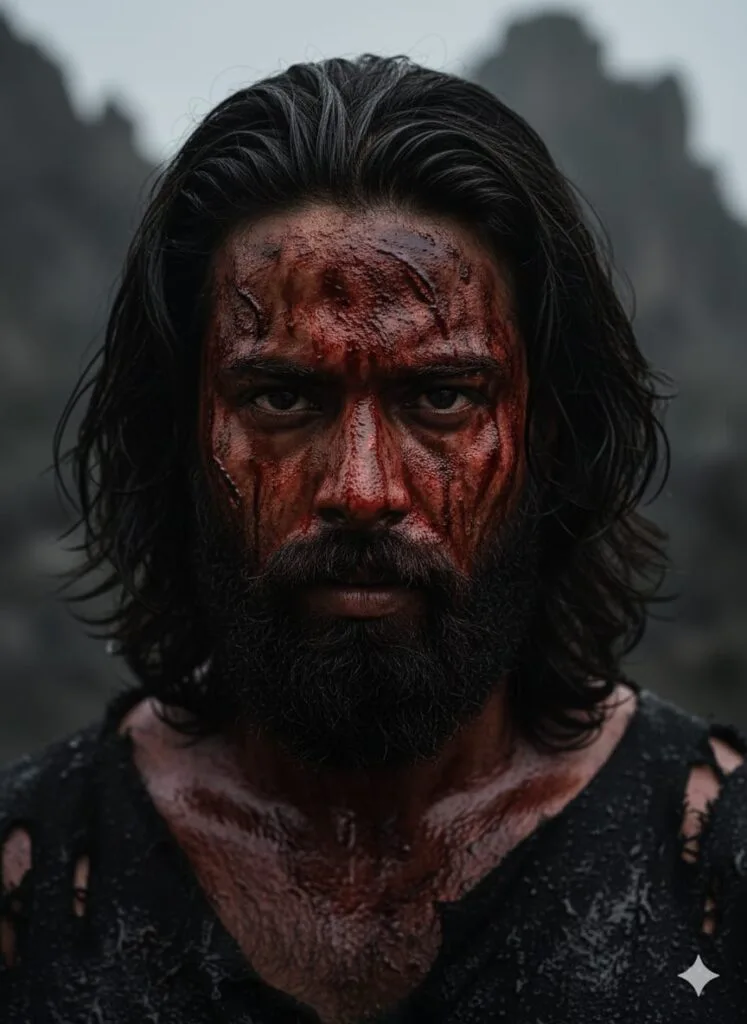
A close-up, dramatic portrait of a ferocious, heavily bearded man with long, dark, matted hair. His face is smeared and covered in copious amounts of dark red blood and several deep, bloody scratches and wounds. He has a direct, intense, and menacing stare, with dark, burning eyes. The lighting is low and moody, emphasizing the grit and violence. Cinematic, high detail, dark fantasy aesthetic. Don't change faces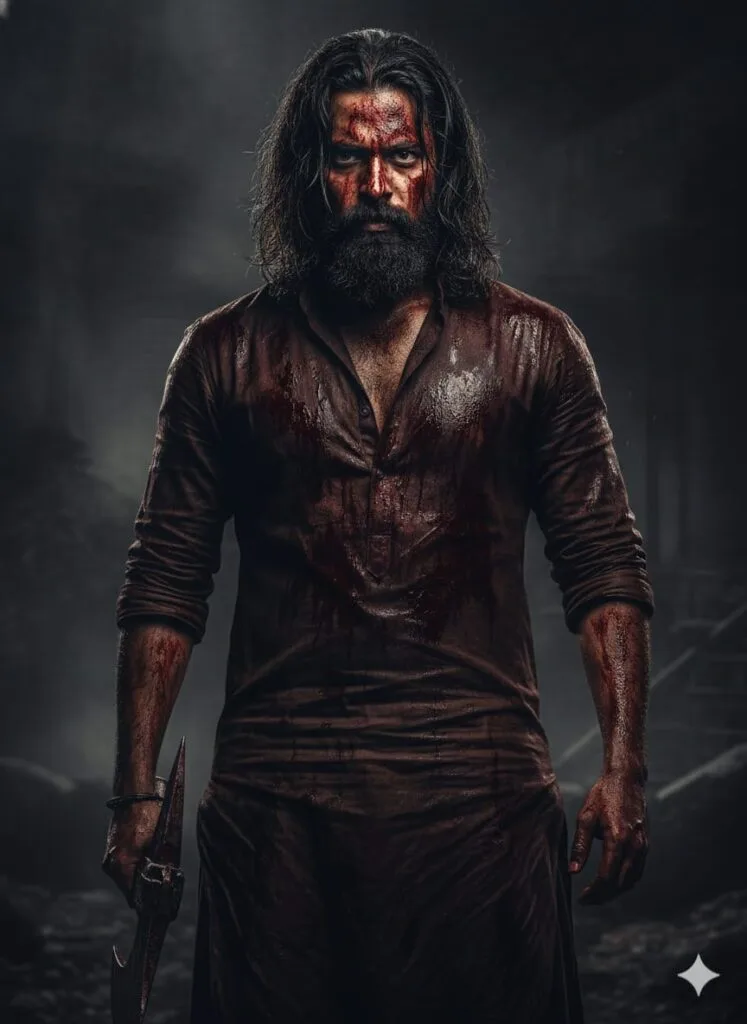
A full body, bearing pajama kurya pathani , dramatic portrait of a ferocious, heavily bearded man with long, dark, matted hair. His face is smeared and covered in copious amounts of dark red blood and several deep, bloody scratches and wounds. He has a direct, intense, and menacing stare, with dark, burning eyes. The lighting is low and moody, emphasizing the grit and violence. Cinematic, high detail, dark fantasy aesthetic. Don't change faces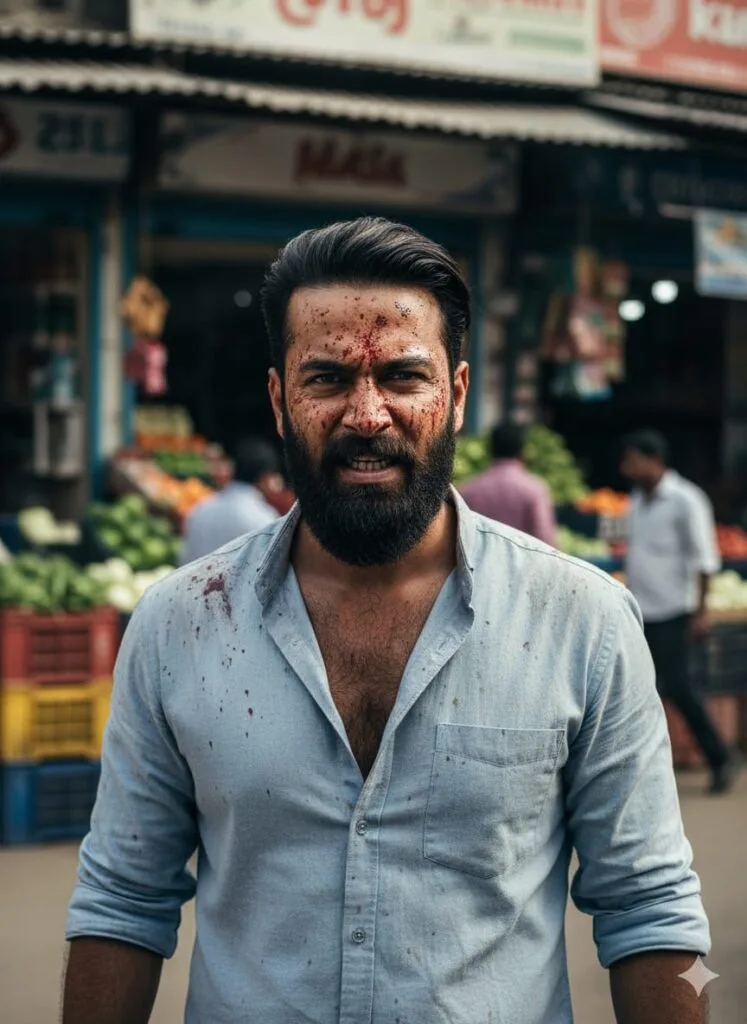
A full body, portrait of a gritty, intense-looking man in his late 40s/early 50s. He has dark, swept-back hair and is wearing a light blue, textured collared shirt. His skin is covered in small, dark reddish-brown splatters (suggestive of blood or full dirt) across his forehead, cheeks, and nose, indicating a recent violent or stressful event. And background in some peoples and vegetables shops open. His expression is one of fierce determination and slight pain, with his jaw clenched and his teeth slightly visible in a snarl or grimace. The lighting is dramatic and moody, with a slightly overexposed background creating a stark contrast. The overall mood is raw, intense, and cinematic, suggesting a scene from a thriller or crime drama. Don't change faces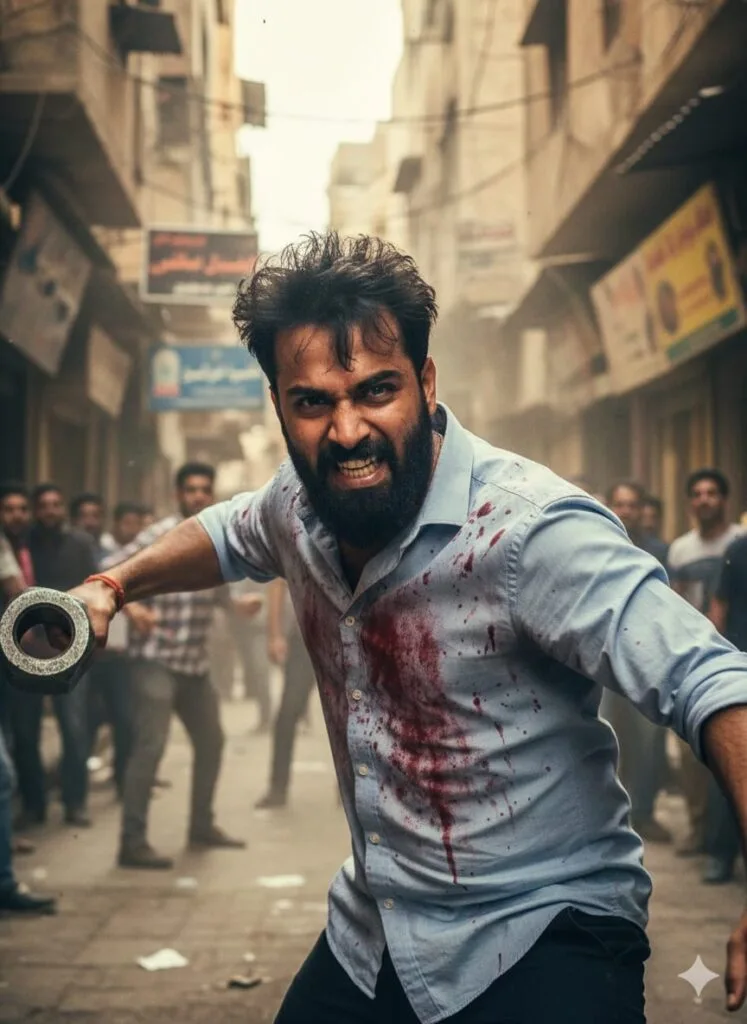
A highly intense, action-packed a rugged, middle-aged man with disheveled dark hair, dressed in a blood-splattered, light-blue button-down shirt. He is lunging forward in a crowded, dusty, narrow Middle Eastern or South Asian street, forcefully swinging a massive, heavy, hexagonal metal nut or bolt with his right hand as a weapon. His expression is one of grim determination, rage, and pain, teeth gritted, with a desperate, frantic energy. The background is a chaotic street scene with onlookers and old, densely packed buildings with shop signs (some in Arabic/Urdu script). Cinematic lighting, high-contrast, wide-angle lens, film still quality. Don't change faces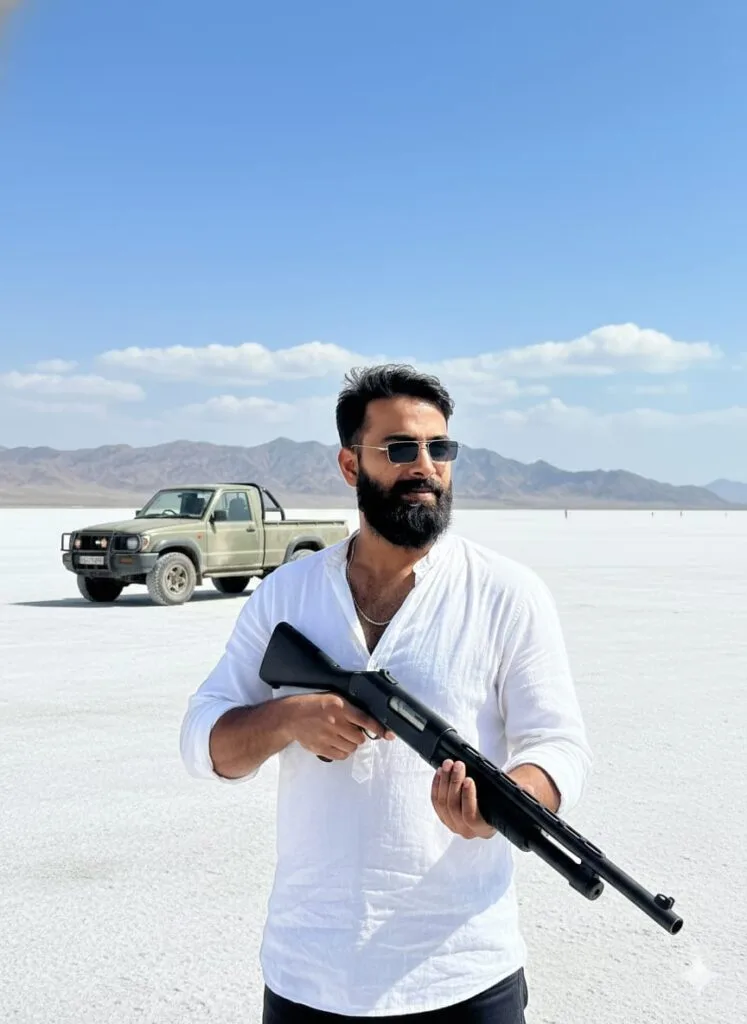
A weathered, middle-aged man with a thick beard and sunglasses, wearing a white shirt, stands in a vast, desolate, bright white salt flat or desert. He is holding a black pump-action shotgun. A green, rugged pickup truck is parked behind him to the left. In the background, there are arid, low mountains under a clear blue sky with some scattered clouds. Cinematic, wide shot, action film aesthetic. Don't change facesNote –
Please enter all your details here. Sometimes, the Dhurandhar prompts don’t work, but you don’t need to worry. Just open a new page, go to Google Gemini, and upload your photo again. It will be created on the new page.
How to use Google Gemini Dhurandhar AI Photo Editing Prompts
Let me explain how to use it so you don’t have any trouble. First, you need to download Google Gemini. Since Google Gemini is now available on almost everyone’s mobile phone, you can simply browse through the photos on my website. Below the photo you like, you’ll find the best Dhurandhar AI Photo Editing Prompts with 100% face matching.
You need to copy it, then paste what you copied into your Google Gemini Dhurandhar AI Photo Editing Prompts, and then post it. It’s very easy. Then you’ll have to wait for 1 to 2 minutes. Your photo will be generated. If you want to make it even clearer, you can use Remini.
Conclusion
Friends, in this article, I have provided you with Google Gemini Dhurandhar AI Photo Editing Prompts and explained how to use them. So please use them, and if you liked it, you can let me know by leaving a nice comment. I have explained every step in detail, and if you didn’t understand anything, please let me know, and I will explain it to you.
Google Gemini Link Click And Use