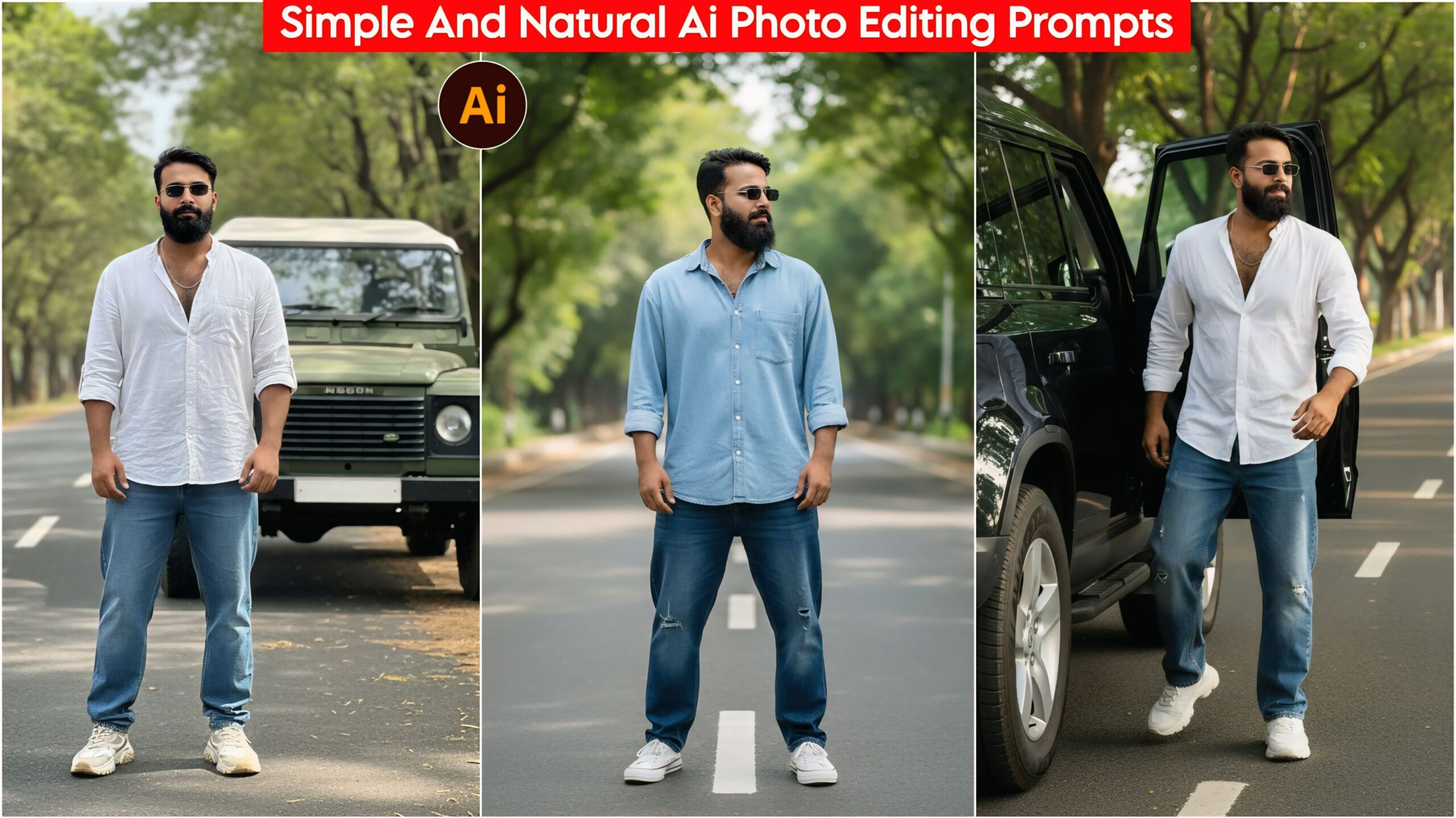
Simple and Natural AI Photo Editing Prompts: In today’s article, I’ve brought you some completely real and unique AI photo editing prompts that create a subtle blur and natural DSLR camera-like effect. You can easily use these prompts, and everyone is using them these days to edit their photos with Google Gemini. You’ll find even more such prompts on our website; simply click on the home button, and you’ll find a wide variety of prompts. Choose the ones you like and use them to enhance your photos. Friends, if you like the prompts in our article, please leave a short comment.
Google Gemini is being used by everyone these days. Ever since AI came along, people have been using it for everything from studying to editing photos and videos easily. However, many people are struggling to create effective prompts. But don’t worry, we’ve created some prompts for you that you can use and share with your friends. Everyone wants their photos to look great and unique, and they want to get their work done quickly. Keeping this in mind, we’ve made it easy for people to enhance their photos.
About Simple and Natural AI Photo Editing Prompts:
This set of prompts contains a total of 5 unique prompts that you can easily use. These prompts are very simple and natural, just like taking and editing photos with a camera. You can create similar photos with just one click by copying and pasting. The prompts include different poses and cars. Previously, editing photos took a lot of time, but now people can create them in just one click. Just like you used to click photos with a camera and then edit them in various apps, AI has now been introduced to make things easier for people.
Simple And Natural Ai Photo Editing Prompts, Google Gemini 100% Realistic

"A hyper-realistic, high-definition photograph of a confident young man standing on a main road. He is wearing baggy jeans, a free-size shirt, and sneakers, with sunglasses. Lush green trees line the road with a clear white dividing line. Shallow depth of field with a slightly blurred background. Cinematic lighting, natural HD quality, clear face. Shot with a professional DSLR camera." Don't change faces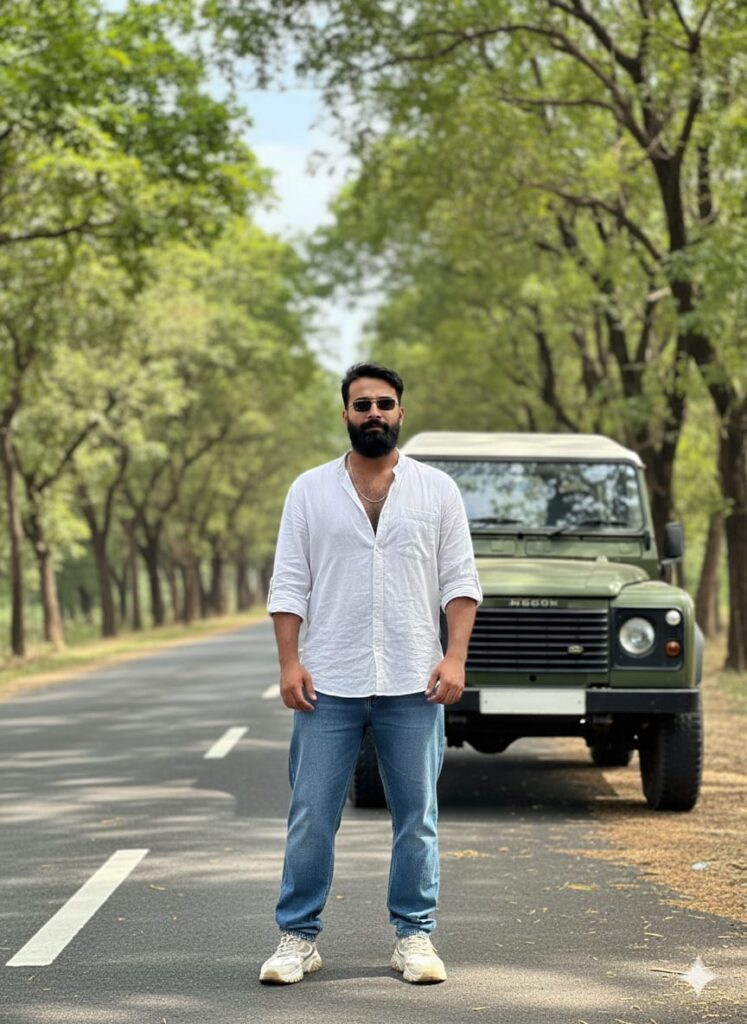
"A photo-realistic, cinematic portrait of a young man standing on a main road. He has a unique, altered face that looks genuinely realistic, as if naturally occurring. He is dressed in casual, trendy attire: a free-size, slightly oversized shirt, baggy jeans, and fashionable sneakers, paired with stylish sunglasses. He is looking directly forward. Behind him is a classic off-road vehicle (like a Defender car), positioned as if he has just taken a break from it. The road is lined with lush, green trees on both sides, and clear white lane markings are visible. The background is slightly blurred (shallow depth of field) to emphasize the subject. The image should have cinematic lighting and natural high-definition (HD) quality with a perfectly clear face. Professional photography, ultra-realistic." Don't change faces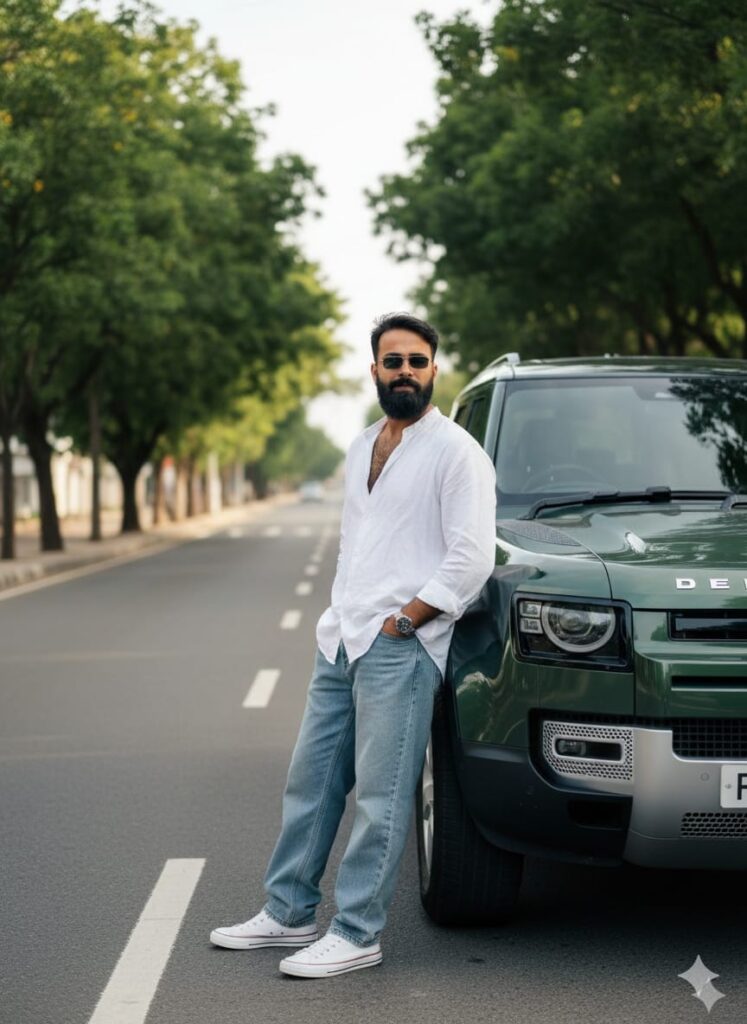
Highly realistic cinematic photo of a young man with a subtly altered, realistic face. He wears a free-size shirt, baggy jeans, sneakers, and sunglasses. He is leaning against a Defender car on a main road lined with green trees and white markings. Shallow depth of field, subtle golden side light, ultra-HD, crystal clear face, professional DSLR photograph. Don't change faces
"A hyper-realistic, high-detail photograph of a young man with a unique, realistically altered face, wearing casual street fashion (baggy jeans, oversized full shirt, sneakers, sunglasses). He is stepping out of a Land Rover Defender on a main road lined with lush green trees and white lane markings. Cinematic lighting, natural golden side effect, HD quality, clear sharp face. Shallow depth of field/slightly blurred background, taken with a professional camera." Don't change faces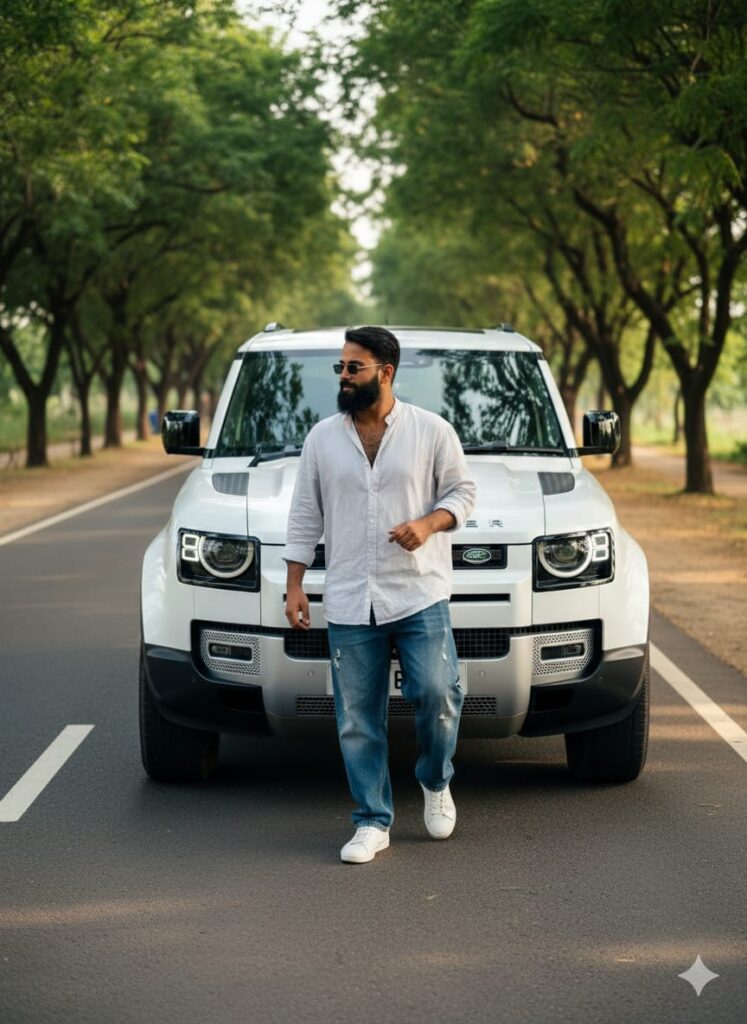
A hyper-realistic photograph of a handsome young man (distinct, unique face) stepping out of a Land Rover Defender on a main road. He is wearing a free-size shirt, baggy jeans, sneakers, and sunglasses. The road is lined with lush green trees and features clear white lane markings. Cinematic lighting, natural side golden hour effect, shallow depth of field (slight background blur/bokeh). Ultra-detailed, 8K, photorealistic, captured with a professional DSLR camera. Don't change facesNote –
Please enter all your details here. Sometimes, the Winter Simple And Natural AI trading prompts don’t work, but don’t worry. Just open a new page, use Google Gemini, and add your photo again. It will be created again on the new page.
How to use Simple and Natural AI Photo Editing Prompts
I’ll explain how to use it so you don’t have any trouble. First, you need to download Google Gemini. Since Google Gemini is now available on almost everyone’s mobile phone, you can find any AI photo you like on my website. Below the photo you choose, you’ll find the best Simple and Natural AI Photo Editing Prompts.
You need to copy it, then paste what you copied into your Simple And Natural AI Photo Editing Prompts, and then post it. It’s very easy. Then you’ll have to wait for 1 to 2 minutes. Your photo will be generated. If you want to make it even clearer, you can use Remini.
Conclusion
Friends, in this post, I have given you simple and natural AI photo editing prompts and explained how to use them. So please use them, and if you like it, you can let me know by leaving a nice comment. I have explained every step, and if you don’t understand anything, please let me know, and I will explain it to you.
Google Gemini Link Click And Use