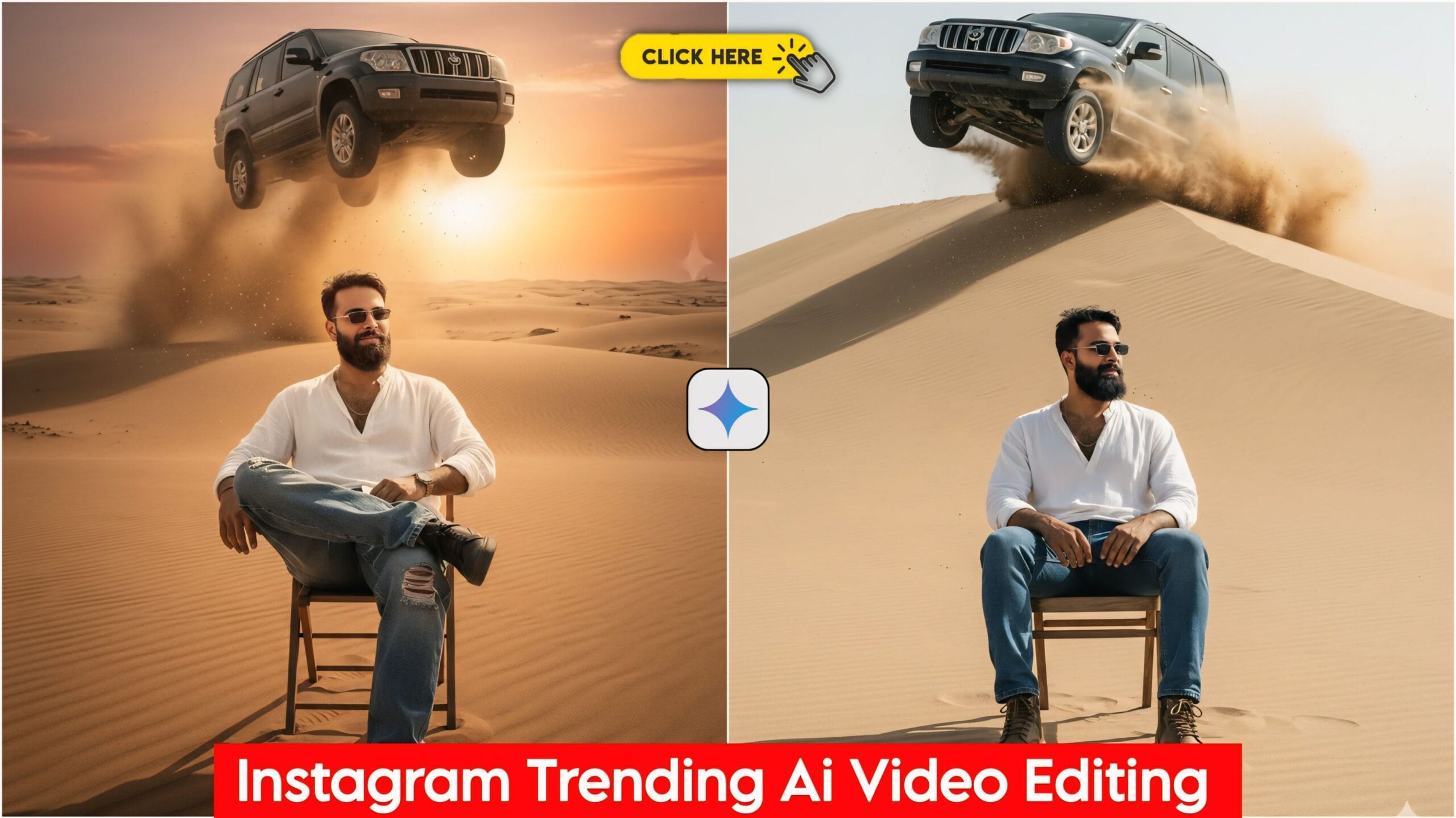
Instagram Trending Car Jumping Ai Video Editing: Friends, today I’ve brought you a fantastic video editing tutorial that’s currently going viral on Instagram. Seeing its popularity, we’ve created this guide. Many people are talking about it, but they’re having trouble doing it themselves. So, we’ve made this tutorial for you so you can easily create this effect and upload it to your social media. Everyone wants their editing to stand out. The whole world is crazy about video editing these days, and people want to create the best possible videos. I will help you every step of the way.
These days, practically everyone uses a mobile phone; you’ll find one in the hands of every child and adult. And now, the age of AI has arrived, with many AI apps available. People are using them to create their photos, and I’ve also used Google Gemini to create mine. You can create yours too, with just one click! This prompt provides you with prompts for both photos and videos, which you can use in Google Gemini to create your own photos and videos. It’s very easy, and I’ve explained it to you step by step.
About Instagram Trending Car Jumping AI Video Editing
Here you will find both photo and video prompts. We have provided 5 prompts for you; you can copy the prompt you like and use it to create your photo. You will also find video prompts below, which you can copy and use. It’s very easy; you will only need one app, which we have provided below.
Instagram Trending Car Jumping Ai Photo Prompts

"A young man with a dramatically altered, realistic face sits nonchalantly on a chair directly beneath a large, dust-kicking SUV mid-jump over a vast desert landscape. The setting is an endless expanse of sand dunes. He is dressed in casual, stylish attire: baggy jeans, an oversized shirt, shoes, and sunglasses. The scene must be rendered with an ultra-realistic aesthetic, featuring cinematic, dramatic lighting and high-definition clarity. The focus should be on a clear, HD face that looks genuinely real despite the change." Don't change faces
An epic, wide-angle shot of a young man with a clear, HD, and hyper-realistic face, seated on a simple chair in a scorching, endless sand desert. He is dressed in casual clothing: a comfortable, oversized shirt, durable jeans, shoes, and aviator-style sunglasses. The moment is frozen as a powerful SUV (XUV) is perfectly silhouetted, making a spectacular jump just above the man. Massive amounts of sand and dust are billowing and swirling realistically around the figure. The atmosphere features bright, dynamic daylight, clear focus, and a cinematic color grade. Photorealistic, action scene, captured with a wide-angle lens. Don't change faces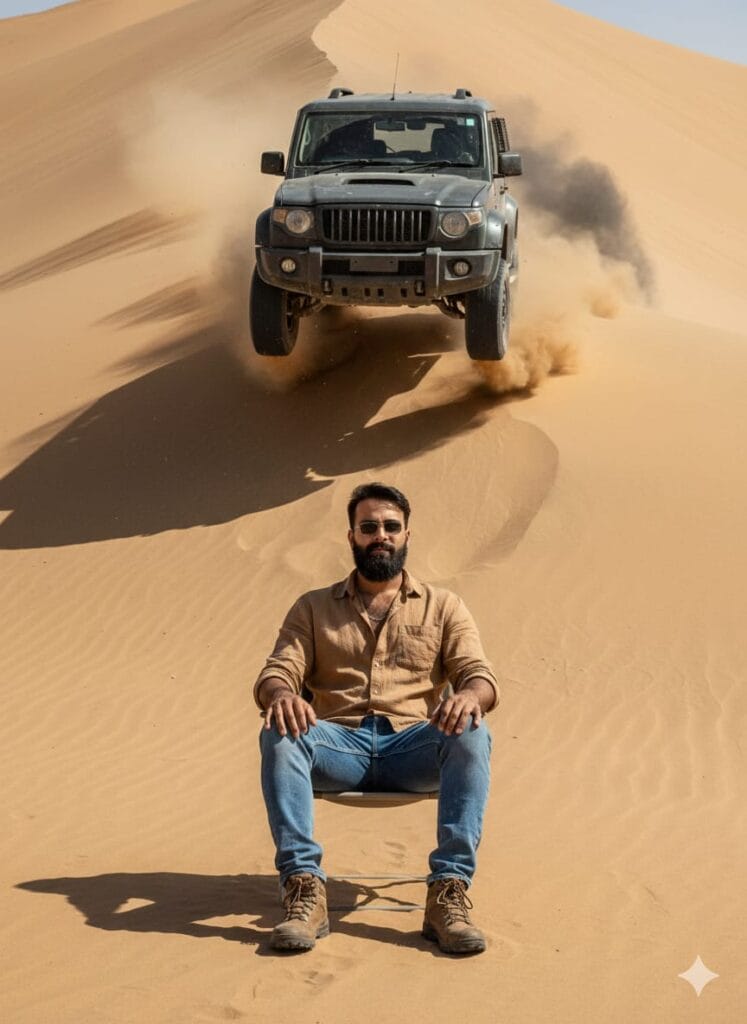
*A young man with a unique, realistically altered face, looking straight ahead.* The setting is a scorching, sandy desert landscape (endless dunes). He is sitting calmly on a chair, dressed in a casual outfit (jeans, loose-fit shirt, sunglasses, shoes).

*Composition:* The man is in the foreground. In the background, there is a towering sand dune. *A powerful XUV/SUV car is captured in the peak of a jump, soaring directly over the man's head, high-contrast, dynamic angle.*

*Atmosphere:* Heavy, fine sand is visibly kicking up and swirling around the scene, highly realistic and detailed.

*Technical/Style:* *Photorealistic, award-winning composition, detailed texture of the sand and clothing, high-contrast lighting (like a film still), clear focus on the face, dust and smoke effects, 16:9 aspect ratio.* Don't change faces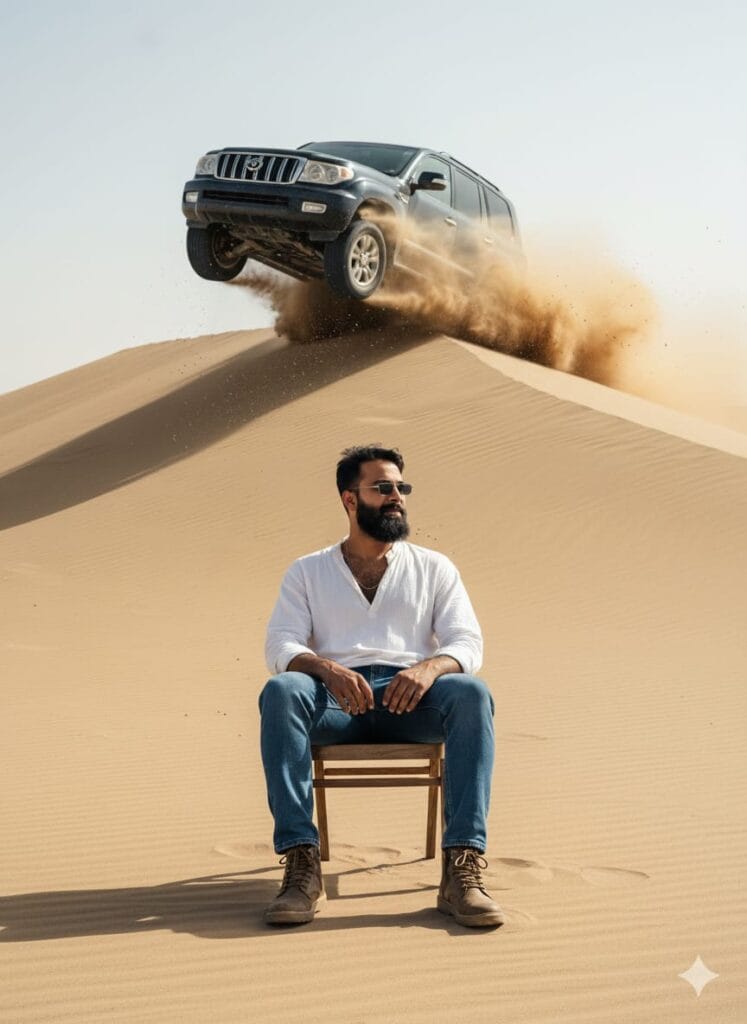
*A hyper-realistic, high-definition (HD) portrait of a young man, aged mid-20s, with a dramatically changed, yet realistic, face.* He is seated outdoors on a simple chair in a vast, desolate desert, entirely covered in sand (balu hi balu).

*Attire:* He is wearing casual clothing: modern jeans, a free-size (oversized) shirt, stylish shoes, and sunglasses.

*Action/Background:* Directly behind him is a massive sand dune. *A large SUV/XUV vehicle is captured mid-air, jumping dramatically over the sand dune, passing just above his head from behind.* Sand and dust are billowing and kicking up with incredible, photorealistic detail, enhancing the motion and atmosphere.

*Technical/Style:* *Cinematic lighting, HD quality, 8K resolution, incredibly clear HD face, volumetric dust effects, motion blur on the car, photorealism.* Don't change faces
"A hyper-realistic and detailed portrait of a young man, sitting casually on a chair in a vast, desolate desert landscape, surrounded by nothing but sand dunes. He is wearing a casual outfit: baggy jeans, a free-size shirt, shoes, and sunglasses. Behind him, on a small sand dune, a powerful XUV car is mid-jump, suspended in the air directly above him, slightly in the background. Dust and sand are dramatically kicking up and swirling around the scene, rendered with extreme realism. The man's face should be altered (face change) to appear distinct and photo-realistic. Use cinematic, dramatic lighting, professional HD quality, and ensure a crystal-clear, sharp focus on the man's face and the action." Don't change facesHow to Use Instagram Trending Car Jumping Ai Video Editing
Let me explain how to use it so you don’t have any trouble. First, you need to download Google Gemini. Since Google Gemini is now available on almost everyone’s mobile phone, you can simply browse through the photos on my website and choose one you like. Below that photo, you’ll find the best Instagram Trending Car Jumping AI Video Editing prompt. Copy it, then paste the prompt you copied into Google Gemini and post it. It’s very easy! Then you’ll have to wait 1 to 2 minutes. Your photo will be generated. If you want to make it even clearer, you can use Remini.
Instagram Trending Car Jumping AI Video Prompts
Here you will find video prompts that you can use with Google Gemini. The link is provided below.
A car is coming and you just jump over it.Video And Photo Editing Prompts Link Click And Use

Conclusion
Friends, in this article, I have provided you with Google Gemini River Boat AI Photo Editing Prompts and explained how to use them. So please use them, and if you liked it, you can let me know by leaving a nice comment. I have explained every step in detail, and if you didn’t understand anything, please let me know, and I will explain it to you.