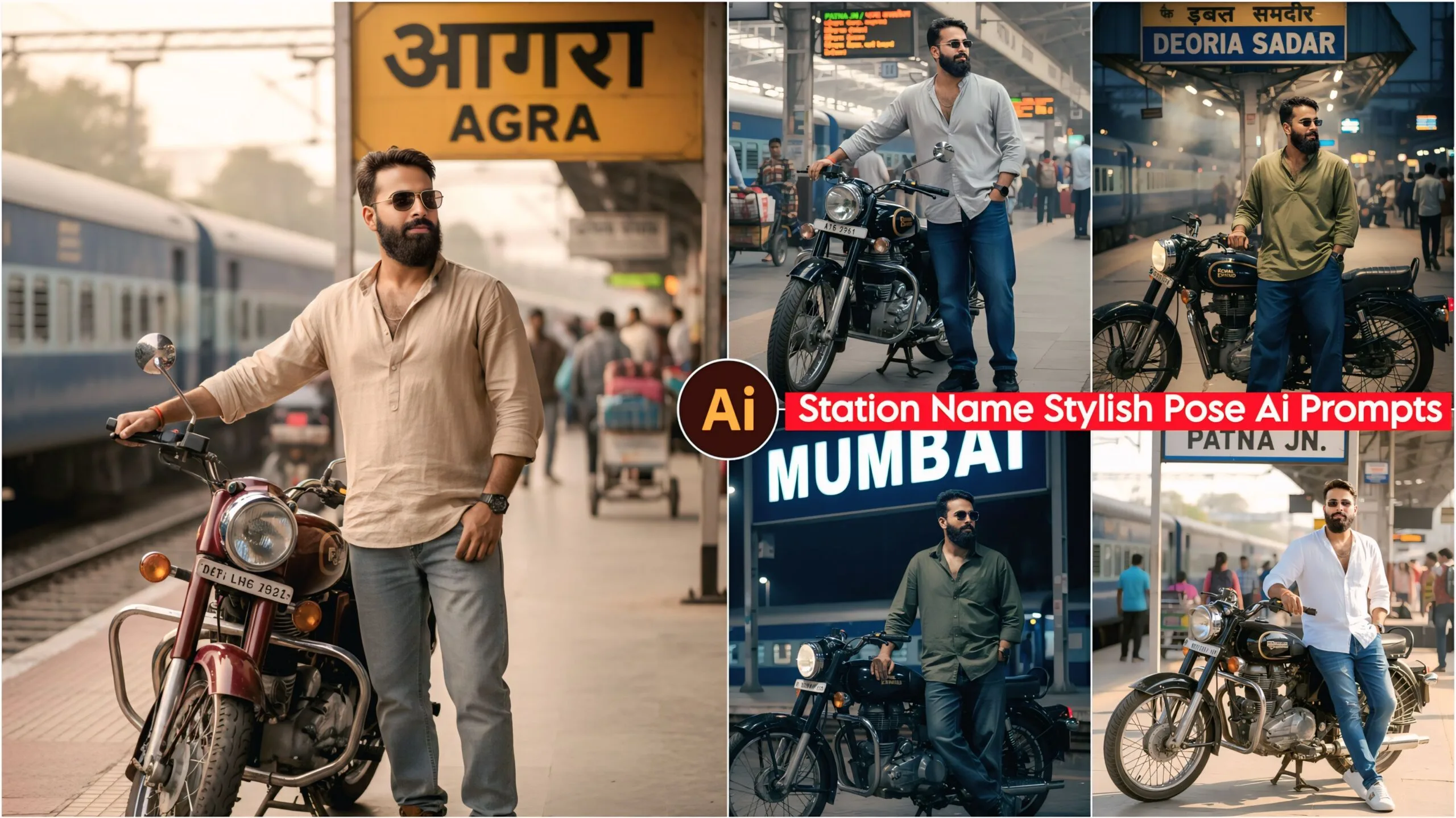
Station Name Stylish Pose AI Photo Editing Prompts: Friends, in today’s article, I have given you a very nice prompt that you can use to create your photos. Almost every city has a train station, and people travel by train, so they often stop at the station and take pictures. Keeping this in mind, we have created a prompt that allows people to create photos with their station’s name using AI. You can then use AI editing to enhance these photos and post them on your Instagram and Facebook. People will surely love them!
These days, everyone is using AI, and those who aren’t yet are starting to. Google Gemini is an AI app that can easily run on any Android phone. Let me tell you, we’re living in the age of AI, and it offers many features. People are using it to make their work easier. For example, previously, people used many different apps to edit photos. Now, with Google Gemini, they simply copy the desired prompt, paste it into Google Gemini along with their photo, and their edited photo is ready in just a few minutes.
About Station Name Stylish Pose AI Photo Editing Prompts
Friends, in this post, we’ve provided a total of 10 prompts that you can easily use. You’ll only need one app called Google Gemini. You can download Google Gemini from the Play Store. After downloading it, simply copy the prompt you like, along with a photo of your face, and paste it into Google Gemini. In just a short time, your photo will be ready. These prompts feature different poses, including one with a boy on a bullet motorcycle at a railway station with the station name in the background. You can change the station name to your desired station name and create your own personalized image.
Station Name Stylish Pose Ai Photo Editing Prompts – 100% Face Matching
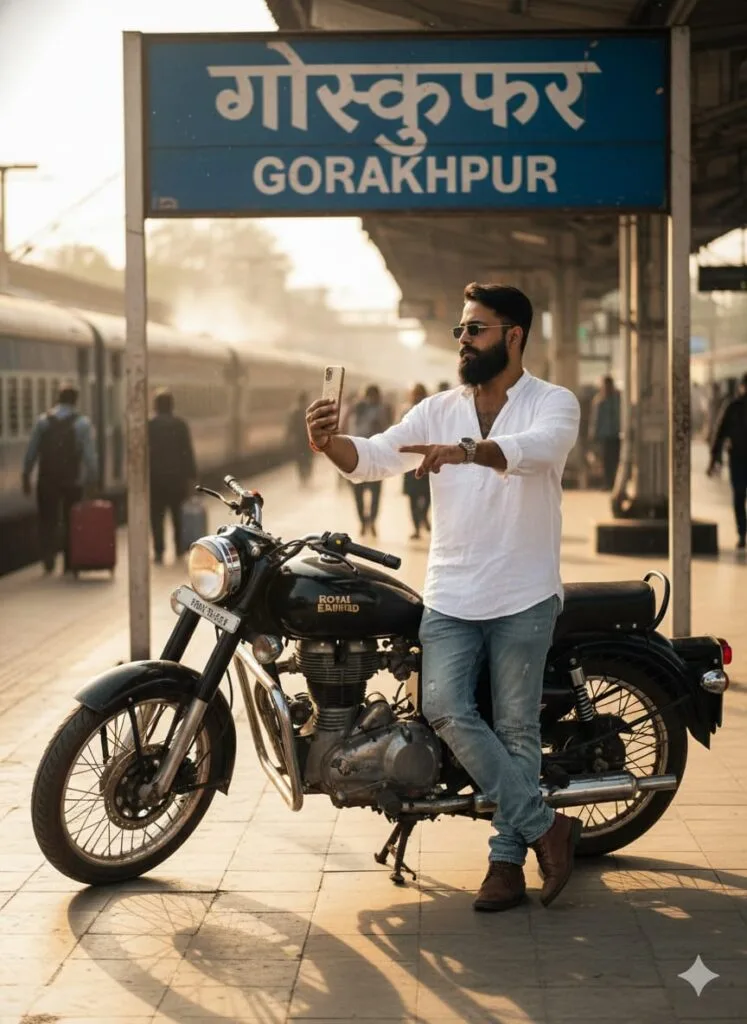
A realistic, high-definition, cinematic photograph of a young man standing at a railway station.
The man is wearing casual attire: distressed jeans, a free-size shirt, and shoes, with sunglasses on his face. He is standing next to a Bullet motorcycle (Royal Enfield), posing as if he is about to take a selfie or a quick photo stop.
In the background, there must be a clear railway station signboard prominently displaying the word "GORAKHPUR" in Hindi or English.
Focus: The young man's face should be clear, sharp, and detailed (even with sunglasses on, the facial structure must be realistic and good-looking).
Lighting: Use cinematic, dramatic lighting—perhaps the golden hour or a high-contrast evening look—to enhance the atmosphere. The image should be high-resolution and professional-grade. Don't change faces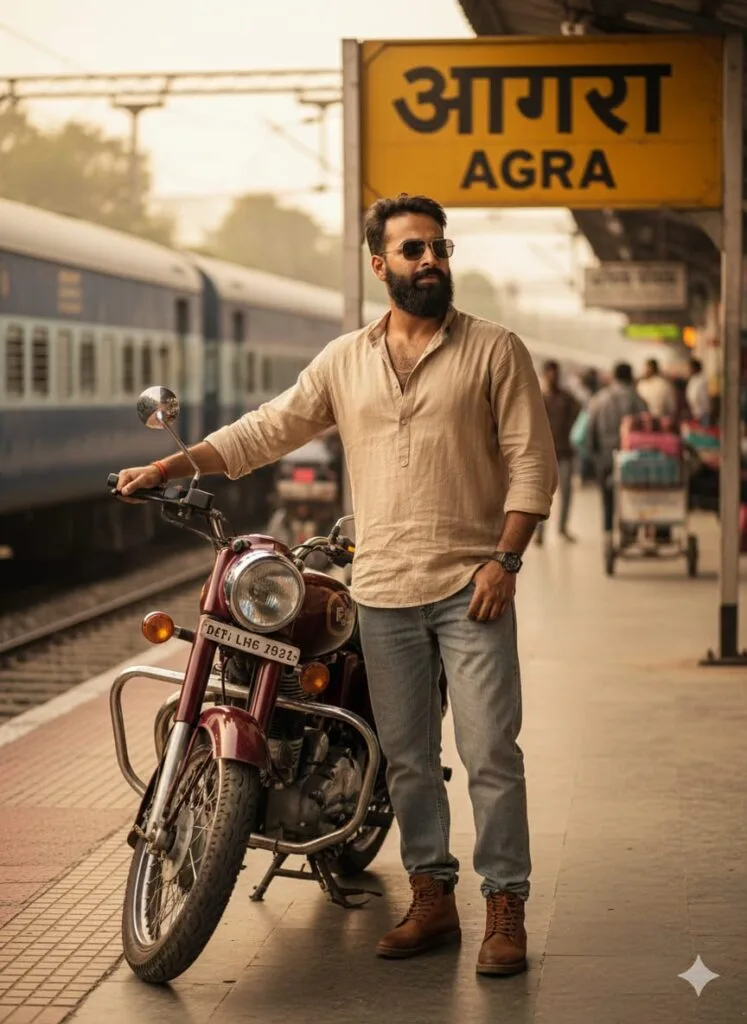
A highly realistic and cinematic photograph of a young man at a railway station.
The Subject: A handsome young man with a noticeably distinct and realistic face, wearing a casual dress (baggy jeans, a free-size shirt, and shoes) along with sunglasses.
The Scene: He is standing near his Bullet motorcycle, holding it. In the background, there is a visible railway sign/board prominently displaying the name "AGRA".
Aesthetics: Cinematic warm lighting, highly detailed, clear face, sharp focus, HD quality, hyper-realistic, 8k. Don't change faces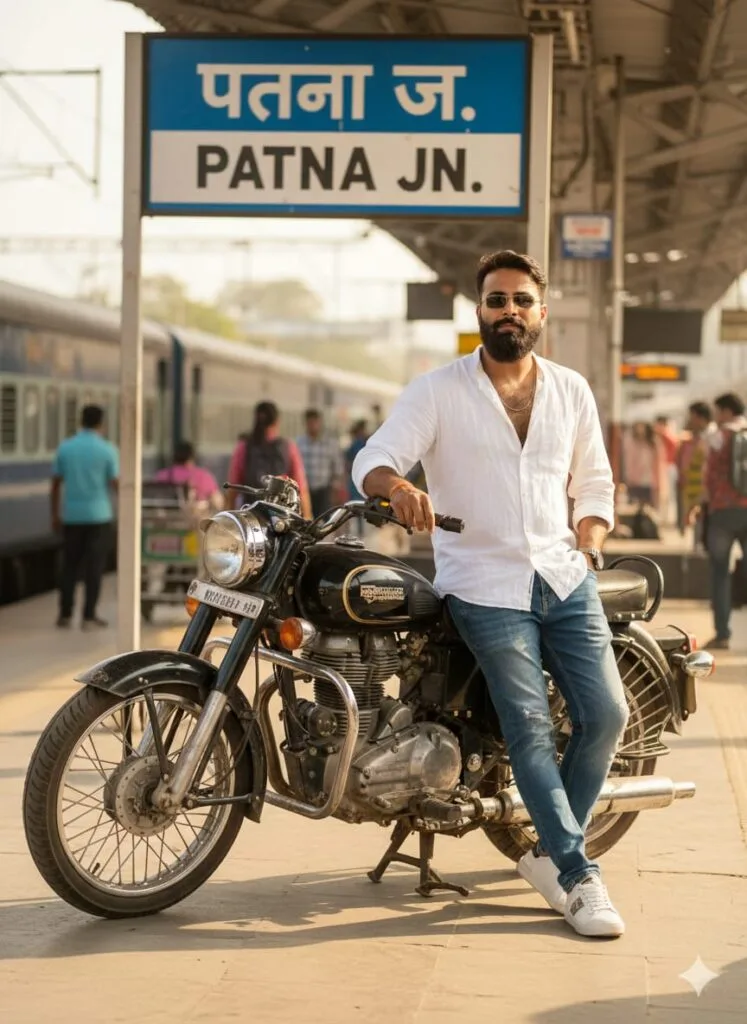
A realistic and cinematic portrait of a *young man* with a strikingly *changed/transformed face* (make the facial transformation look realistic and subtle, not overly exaggerated or cartoonish). He is standing at a railway station next to his *Bullet motorcycle. A clear railway sign in the background prominently displays the name "PATNA*".

The man is wearing *casual attire*: distressed or designer jeans, an oversized/free-size button-up shirt (or t-shirt), and modern athletic shoes. He is also wearing sunglasses.

*Lighting & Quality:* Cinematic warm lighting, highly detailed and clear face (close-up or medium shot), Ultra HD quality, photo-realistic, sharp focus, film grain, depth of field. Don't change faces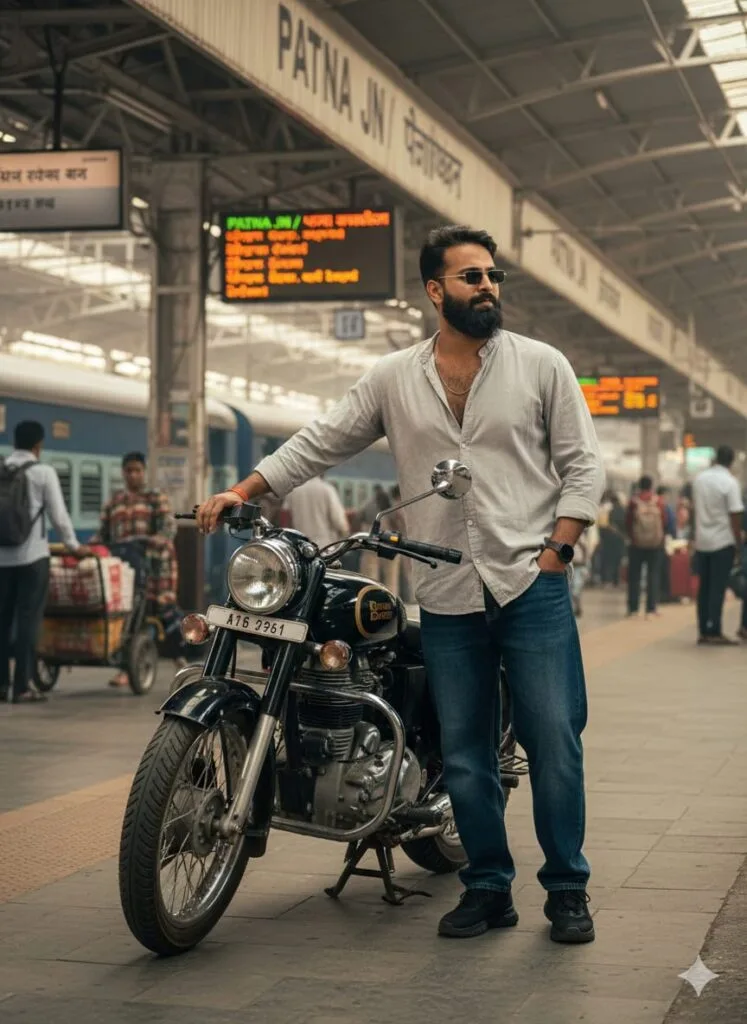
"PATNA" Railway Station: A young man with a dramatically transformed, realistic face stands with his Bullet motorcycle. He is dressed casually in baggy jeans, a loose shirt, and sunglasses. Cinematic warm lighting, clear face, ultra-photorealistic, 8k, detailed background. Don't change faces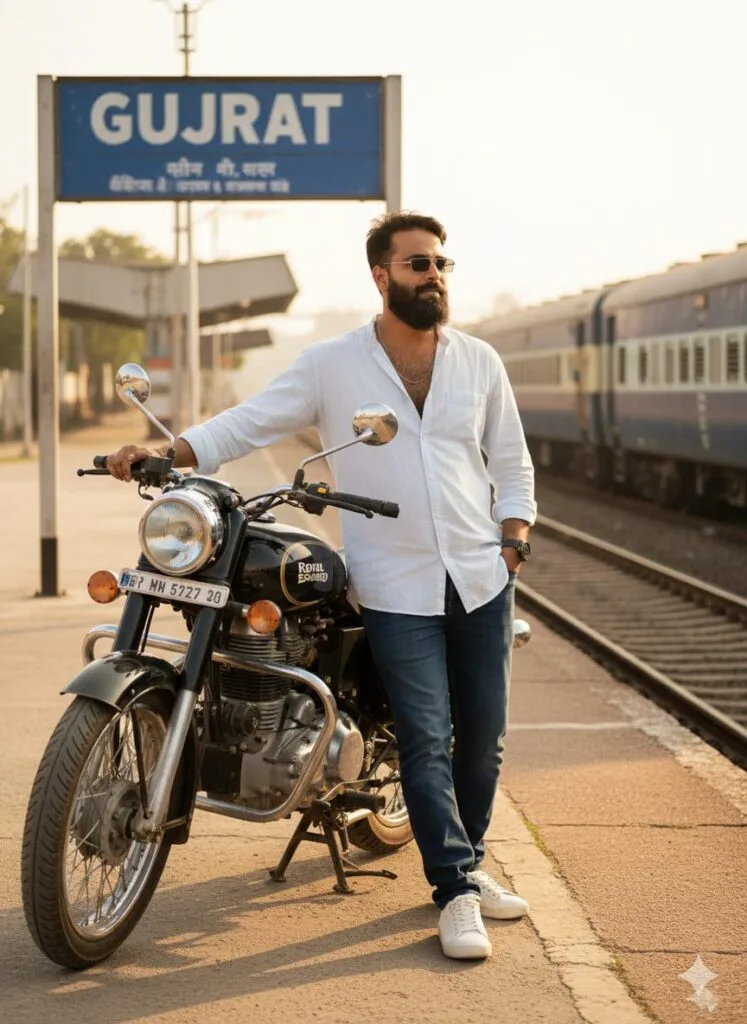
A realistic, high-quality, cinematic photograph of a young man standing near a railway station platform. The man has a strikingly different, altered face that looks completely real and plausible (focus on the 'face change' being realistic in the final image). He is leaning casually against his Bullet motorcycle. In the background, there is a clear railway sign or board with the word "GUJRAT" prominently displayed. The man is wearing a casual outfit: blue jeans, an oversized/free-size button-up shirt, and stylish shoes, accessorized with sunglasses. The scene should have warm, cinematic lighting and be rendered in sharp, high-definition (HD) quality with a clear focus on the man's face. Don't change faces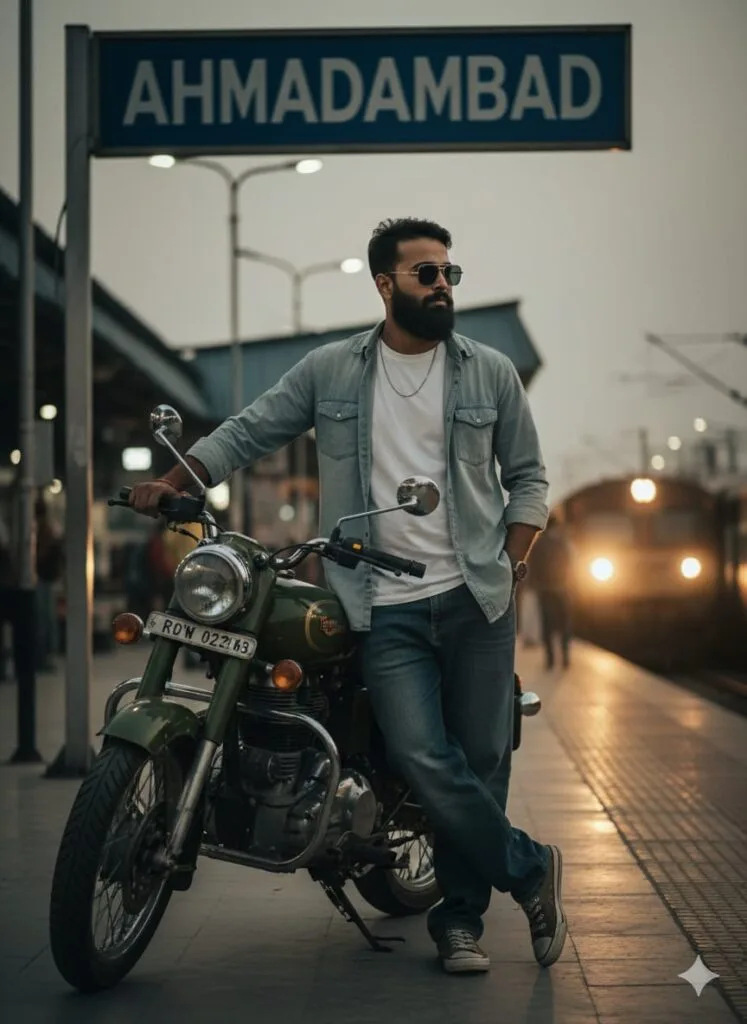
A photo-realistic, high-quality image of a handsome young man standing at a railway station platform, leaning against a Bullet motorcycle. He is wearing a casual outfit (baggy jeans, oversized shirt, shoes) and sunglasses. In the background, a large sign clearly reads "AHMADABAD". The man's face is the focal point, captured with a sudden, dramatic, and realistic change/transformation. Lighting is cinematic, dark-light (chiaroscuro), and warm, creating a moody atmosphere. Ultra-detailed, 8k, HD quality. Don't change faces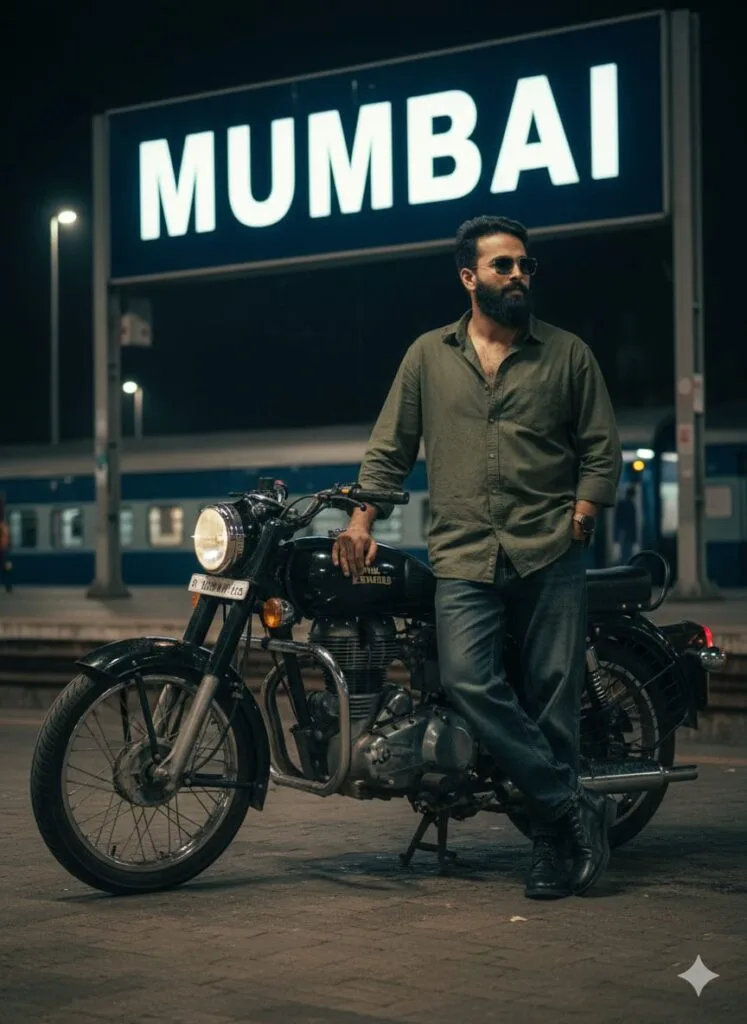
A highly realistic and detailed photograph of a young man with a noticeably changed and unique face (focus on making the facial features look believable and real, as if they were altered in real life). He is standing at a railway station next to his Bullet motorcycle. In the background, there is a large sign or billboard clearly reading "MUMBAI".
Appearance/Style:
Attire: Casual look, wearing baggy jeans, a free-size (oversized) shirt, and stylish shoes.
Accessories: Sunglasses.
Pose: He is leaning against or standing next to his bike (taking a break/take-off pose).
Lighting: Dark, cinematic lighting with strong contrast (dark light, high contrast), making the scene moody and dramatic, with a clear focus on illuminating his face.
Quality: Ultra-clear face, HD quality, professional photo look, cinematic shot, 8K. Don't change faces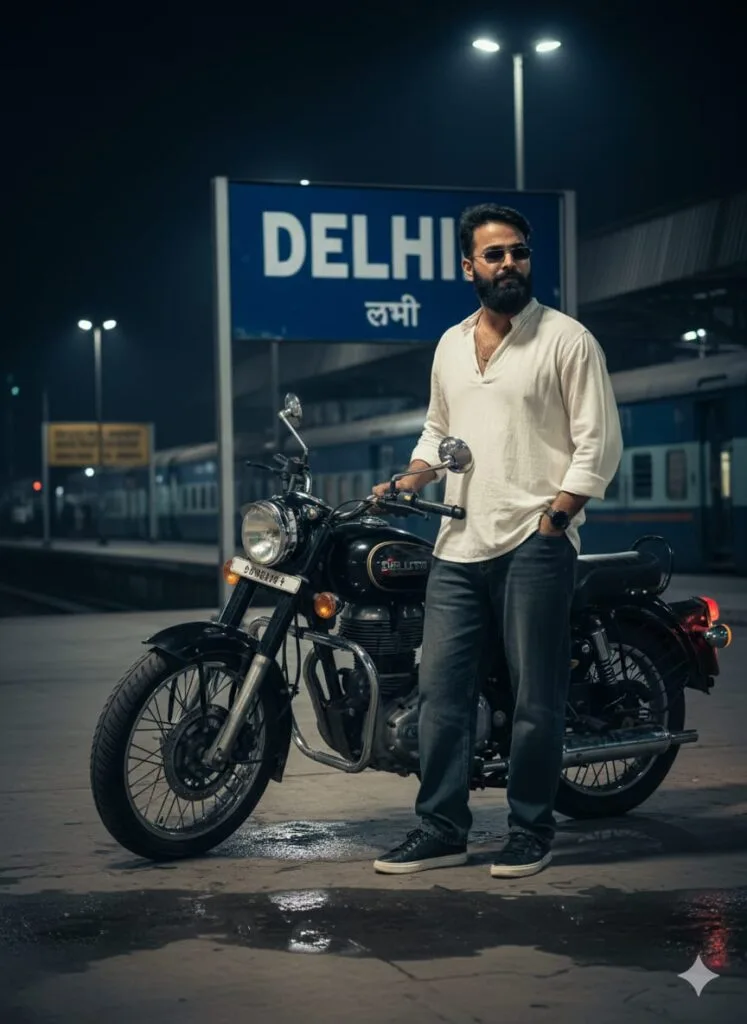
"A young man standing at a railway station platform. The man has a drastically altered and realistic face, almost like a subtle, yet noticeable, identity shift. Behind him, a prominent sign clearly reads 'DELHI'. He is dressed in casual attire: baggy jeans, a loose-fitting oversized shirt, and shoes, with stylish sunglasses resting on his nose. He is standing next to a sleek Bullet motorcycle, casually holding its handlebar. The scene should have dark, cinematic lighting with high contrast and impeccable HD quality, ensuring his face is clear and detailed." Don't change faces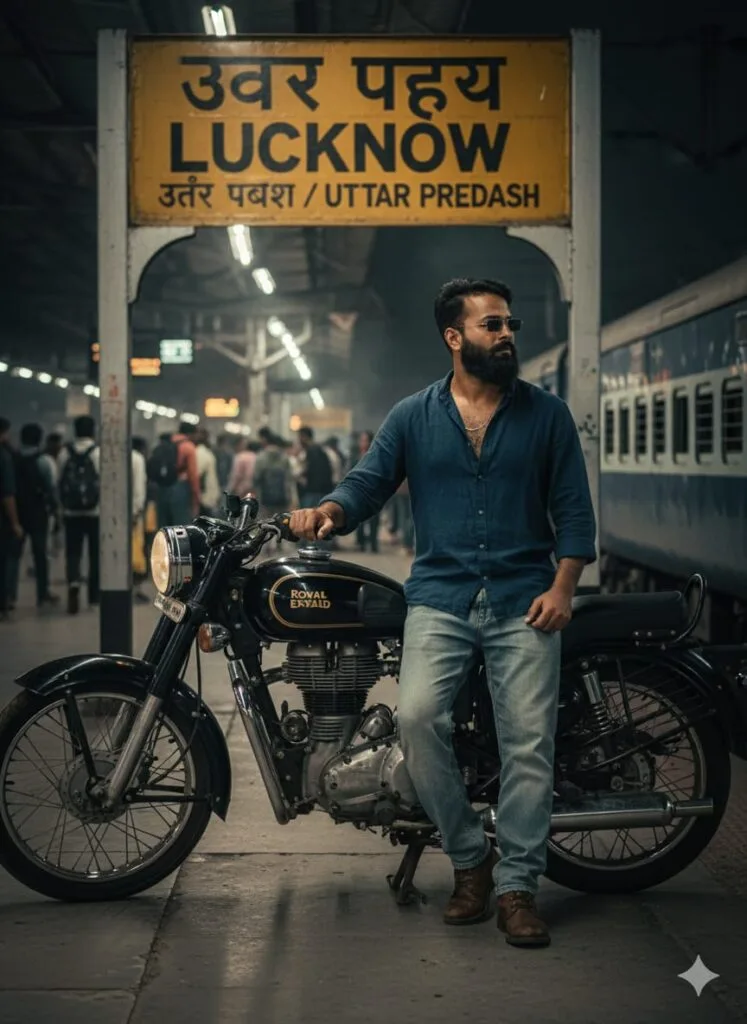
A highly realistic and detailed cinematic photograph of a *handsome young man standing on a railway platform. The man has a **clear, transformed face*, appearing so real that the face change is seamlessly integrated and believable in a real-life context.

He is dressed in a *casual style: baggy jeans, a free-size shirt, and shoes. He is wearing sunglasses. He is **posing next to his Bullet motorcycle*, holding its handle or leaning slightly against it.

In the background, there is a typical Indian railway platform setting. A prominent, realistic *railway sign board* is mounted on two cemented pillars. The board features a *yellow stripe (or band)* with the name "*LUCKNOW*" clearly written on it in bold letters.

*Lighting and Quality:* *Dark, moody, cinematic lighting* with strong contrast (dark light effect). *Ultra-high definition (UHD) quality*, sharp focus, and extreme facial clarity. Don't change faces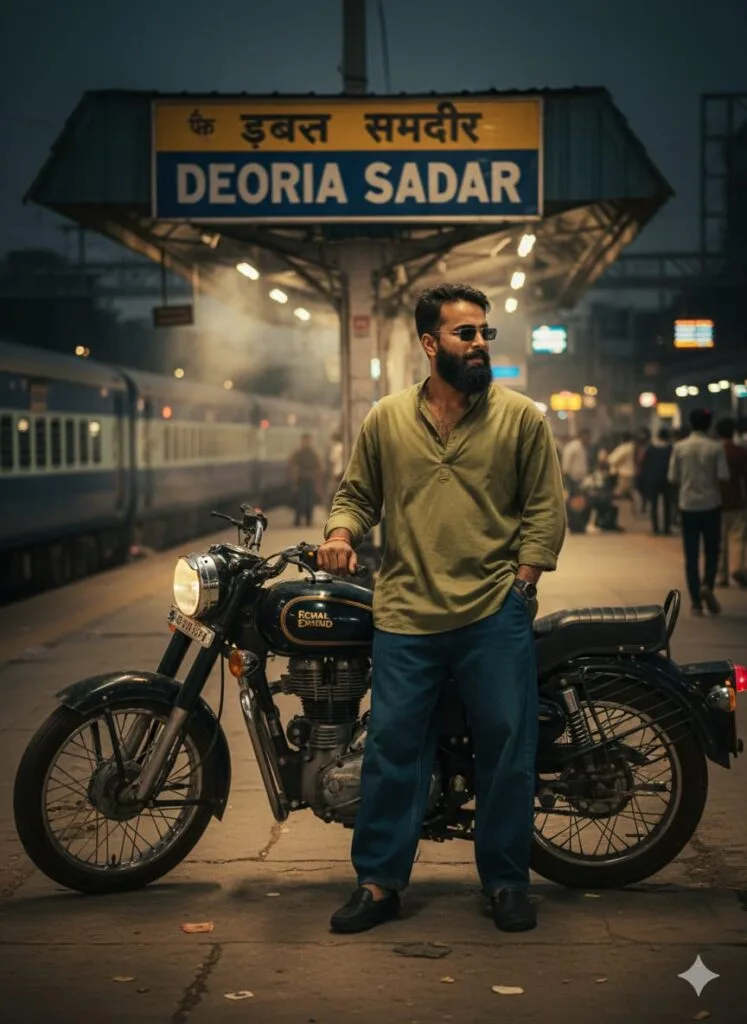
Realistic photograph, hyper-detailed, HD quality, cinematic lighting, dark contrast. A young man with a slightly altered/changed face stands next to a Bullet motorcycle at a railway station platform. He is wearing baggy jeans, a free-size shirt, and sunglasses. The background features a railway station sign clearly reading "Deoria Sadar". Clear facial features. Don't change facesNote –
Sometimes, the AI prompts might not work. Don’t worry about it; simply open a new page and paste the same prompts along with your photo. It will work 100% of the time on the new page.
How to Use Station Name Stylish Pose AI Photo Editing Prompts
Let me explain how to use it so you don’t have any trouble. First, you need to download Google Gemini. Since Google Gemini is now available on almost everyone’s mobile phone, you can find any AI photo you like on my website. Below that photo, you’ll find the best Station Name Stylish Pose AI Photo Editing Prompts. Copy it, then paste the copied prompt into your AI photo editing app and submit it. It’s very easy. Then you’ll have to wait for 1 to 2 minutes. Your photo will be generated. If you want to make it even clearer, you can use Remini.
Conclusion
Friends, I have provided you with Station Name Stylish Pose AI Photo Editing Prompts here, and I have also explained how to use them. So please use them, and if you liked it, you can let me know by leaving a nice comment. I have explained every step in detail, and if you didn’t understand anything, please let me know, and I will explain it to you.
Google Gemini Link Click And Use