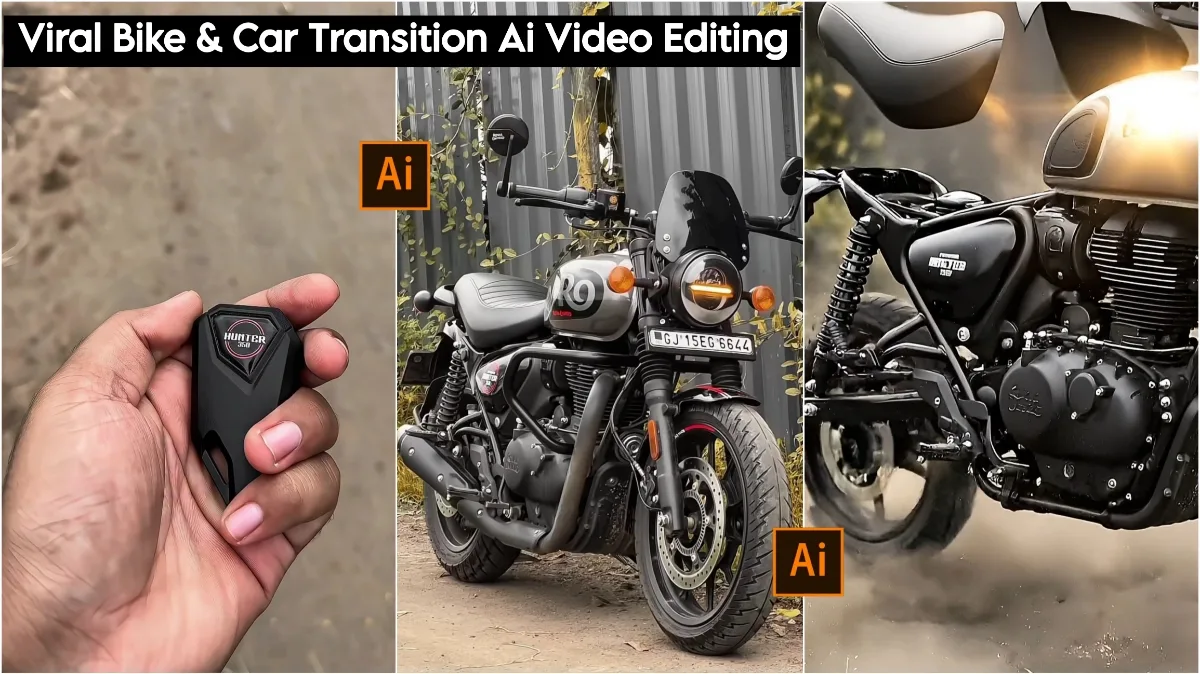
Viral Bike & Car Transition AI Video Editing Prompts: Friends, in this article, I’m going to tell you about a fantastic and unique video editing technique that’s going viral on social media these days. Everyone is making these videos, and they’re becoming incredibly popular. It’s very easy to create; you just need to follow the steps provided. It will be ready in no time. You can create it with any bike or car you like. Simply choose your favorite bike or car, and you can create your own personalized bike or car video. Nowadays, everyone is using AI on Instagram, Facebook, and other platforms. You can create your own video using any of my prompts.
Compared to the past, creating such edits used to take a lot of time and wasn’t something everyone could do. But ever since these AI tools and websites have emerged, people can create these videos with just one click. You simply need to add your model’s image along with these prompts, and your AI-generated video will be ready. Speaking of AI, people in every country are now using it. Almost everyone has Google Gemini and ChatGPT on their phones. With these tools, people can not only create photos but also ask anything they want about any topic, and the AI will explain it in detail. I have explained the video prompts and the steps below.
Viral Bike & Car Transition Ai Video Editing Prompts
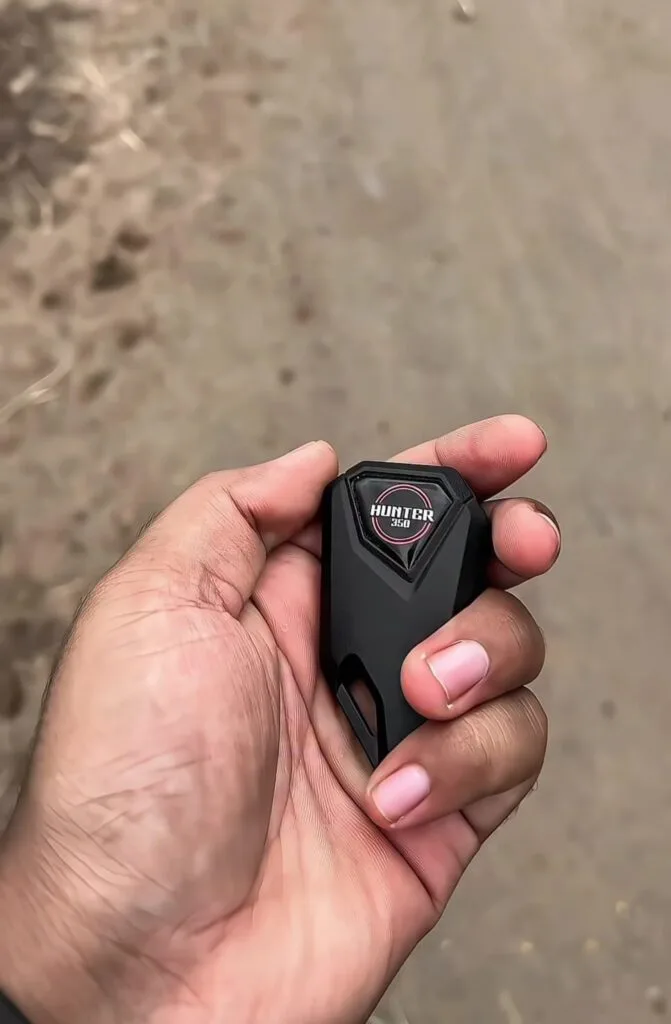
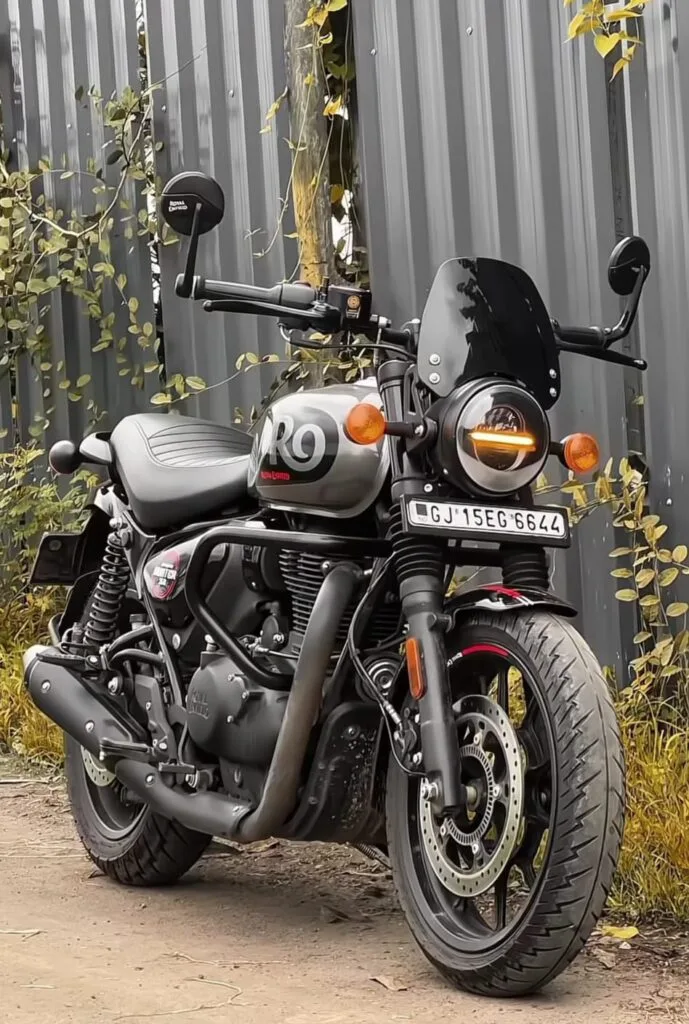
Cinematic ultra-realistic 8K HDR slow-motion magical assembly reveal of a Royal Enfield Hunter 350 motorcycle. Outdoor rustic setting with dry ground, scattered dry leaves, corrugated metal wall in background like the reference photo, warm golden hour sunlight mixed with dramatic volumetric god rays and cinematic rim lighting, high contrast moody shadows, lens flares. Start with a close-up of a man's hand holding a black futuristic hexagonal key fob labeled "HUNTER 350" in pink/white text, matte black finish. He throws the key fob forcefully forward toward the ground in slow motion — key spins in air, falls and hits the dirt with a small puff of dust. The instant it touches the ground, a bright intense white-gold spark/flash erupts from the key fob, creating a magical energy burst with glowing particles and subtle shockwave ripple across the ground. Camera pulls back dramatically as the energy spreads: suddenly, all individual detailed parts of the Royal Enfield Hunter 350 bike (exact model from reference: matte black frame, silver tank with "HUNTER 350" and "Royal Enfield" logo, black engine, black exhaust pipes, round LED headlight with orange turn signals, black windshield, black handlebars, black seat, black crash guards, black alloy wheels with red rim stripe, disc brakes, rear shocks, mirrors, indicators, chain, cables, bolts, footpegs, every small component) explode apart and float separately in mid-air, perfectly separated, each part hovering with subtle golden cinematic glow, soft lens flares, and realistic metallic reflections. Then, in reverse choreographed magical sequence, the parts fly back one by one realistically and precisely to assemble the bike: first the main frame locks into position with metallic clank, rear wheel rolls in spinning and attaches with click, engine slides forward locking with sparks, fuel tank snaps on perfectly aligning the logo, front forks and wheel align and connect, exhaust pipes screw in with smoke wisps, suspension compresses and locks, handlebars twist into place, seat drops down, crash guards clamp on, body panels and fairings snap securely, cables connect with tiny electric arcs, final bolts tighten automatically, headlight turns on with bright orange glow, everything coming together smoothly until the complete bike stands fully assembled and ready on the ground exactly as in the reference photo. Smooth orbiting camera movement around the assembling bike, dynamic slow dolly zoom in during final assembly, ultra-detailed photorealistic textures, sharp focus on every metal surface, scratches, reflections, dust particles in air, epic Hollywood VFX style, masterpiece quality, ultra HD 8K resolution, high dynamic range, professional cinematic color grading, dramatic lighting.Viral Bike & Car Transition AI Video Editing Prompts
First, you need to choose your favorite bike or car. The first step is to take a picture of yourself holding the key to that bike or car. Then, take a picture of your bike. Make sure the photo is centered and fills the entire frame. After that, save the photo. You can do some light editing if you want. Then, there’s a link given below called Flow; click on it, and you’ll be taken to the website. After that, we’ll show you how to create the video.
Unlimited Google Gemini Ai Photo Editing Prompts
How To Use Flow Viral Bike & Car Transition Ai Video Editing Prompts
First, click on the link given below. You will be taken to Flow. Then, log in with your Gmail account. After that, go to Create Project. You will see a “+” option at the bottom; click on it and select “Frame to Video.” Then, add the picture of yourself holding the bike or car key. Next to it, there will be another option; click on it and add the picture of your bike. Copy and paste the prompts given below. Your video will be ready in a short time. Then, you can save it and share it on any of your social media platforms.

Overall
On my website dmeditz, you will find trending photo editing and video editing tutorials, along with AI prompts. Friends, I have provided Viral Bike & Car Transition Ai Video Editing Prompts here, and I have also explained how to use them. So please use them, and if you like it, you can let me know by leaving a nice comment. I have explained every step in detail, and if you don’t understand anything, please let me know, and I will explain it to you.