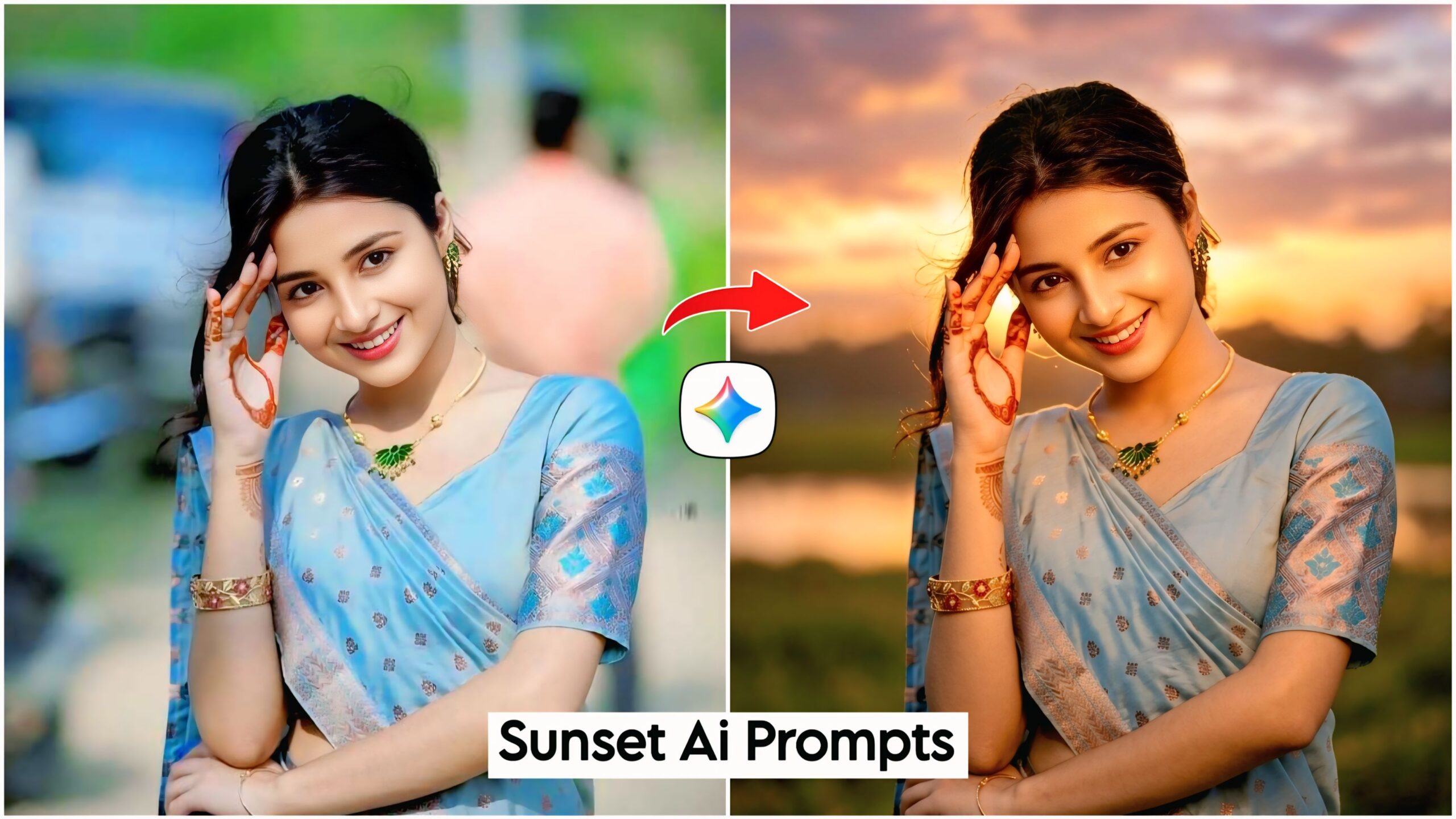
Google Gemini Sunset Ai Photo Editing Prompts: In this article, friends, I have provided you with some truly spectacular and unique AI prompts that you can apply to any of your photos to transform them into stunning sunset-themed images. These prompts are designed to work exclusively within Google Gemini. These sunset AI prompts are currently going viral across Instagram and other social media platforms, with everyone creating their own versions; now, you too can create them with just a single click! Simply copy the prompt corresponding to the image you like from the options provided below, paste it alongside your own photo, and create your masterpiece.
The stress of photo editing is a thing of the past; people can now use these AI prompts to create photos exactly how they envision them. So, go ahead and create your own—and be sure to share this with your friends so they can do the same! Previously, people had to use 4 or 5 different apps just to create a single photo, but that is no longer the case; now, people are generating them with just a single click. In the near future, AI is set to become the dominant tool, so make sure you download Google Gemini—the link is provided below.
Comprehensive Guide to Google Gemini Sunset AI Photo Editing Prompts
In this collection, we have provided two distinct—yet similar—types of AI prompts. Your photos will be generated to mirror these examples exactly. It is worth noting that you can apply these AI prompts to any of your personal photos to transform them—regardless of the subject matter. We have incorporated specific details regarding color palettes, sunset effects, and image dimensions to ensure that your final photos look absolutely perfect. When you use these prompts, the results will be so seamless that it will be virtually impossible to tell they were generated by AI.
You can apply these AI prompts to any of your existing photos; however, for the best results, we recommend using images that feature lush green trees or foliage in the background, as this will enhance the visual appeal of the sunset effect. We highly encourage you to give this a try! The process will not alter your facial features or completely replace the background; your original photo will remain intact, with the beautiful sunset effect simply being added to it.
Google Gemini Sunset Ai Photo Editing Prompts

"A high-definition (Ultra HD) portrait, with a 3:4 aspect ratio, featuring the person and scene exactly as in image_0.png. The background must be transformed to feature a breathtaking sunset, bathing the entire scene in rich, cinematic golden hour lighting. The warm, golden light should illuminate the subject's face clearly, creating a beautiful and dramatic effect. The background details and the person’s pose, expression, and clothing must remain unchanged, only the lighting and the sunset background are modified. The face should be clear and highly detailed." Don't change face
"A high-definition (Ultra HD) 3:4 portrait photo of a person during sunset. The original person and their pose must remain unchanged, but bathed in a warm, golden hour glow. This lighting should create a visible golden highlight in the person's hair. The natural background from the original image should be present, but transformed by the sunset lighting. Focus should be sharp on the person's face, making it clear and detailed, despite the soft backlighting. The background should be naturally lit and show clear sunset details, blending seamlessly into the atmosphere." Don't change facePro Tips for Google Gemini Sunset AI Photo Editing Prompts
If you apply these sunset effects to your photos—regardless of their original quality or resolution—they will transform even low-pixel images into stunning Ultra HD visuals. The result will look so authentic that it won’t even appear to have been created using an AI app. Here is a pro tip for you: if the prompts don’t yield the desired result on your first attempt, simply apply them again on a new page. This is guaranteed to work 100% of the time, making your photo look completely real and natural—as if it were captured with a DSLR camera.
How to Create Google Gemini Sunset AI Photo Editing Prompts
To use these Sunset AI prompts, please click on the link provided below. Once there, log in using your Gmail account, then click on the ‘+’ icon at the bottom to add your photo. Next, select the image you like best from the available options and copy the prompt located beneath it. Finally, paste this prompt alongside any photo of yourself that clearly shows your face; your AI-generated image will then be ready. If you wish to further refine or retouch the image—for instance, to enhance clarity—you can do so using apps like PicsArt, Remini, or many others. The process is incredibly simple: just copy and paste to create the exact look you desire.
Conclusion: Google Gemini Sunset AI Photo Editing Prompts
Friends, in this guide regarding Google Gemini Sunset AI Photo Editing Prompts, we have explained everything to you step-by-step. If you require any further information or encounter any difficulties while using these prompts, please feel free to let us know in the comments section; we will be happy to assist you fully. Furthermore, if there is any other type of AI prompt you would like—on any topic whatsoever—please do let us know. We will certainly create it for you and provide you with complete assistance in every possible way.
Google Gemini Link Click And Use