
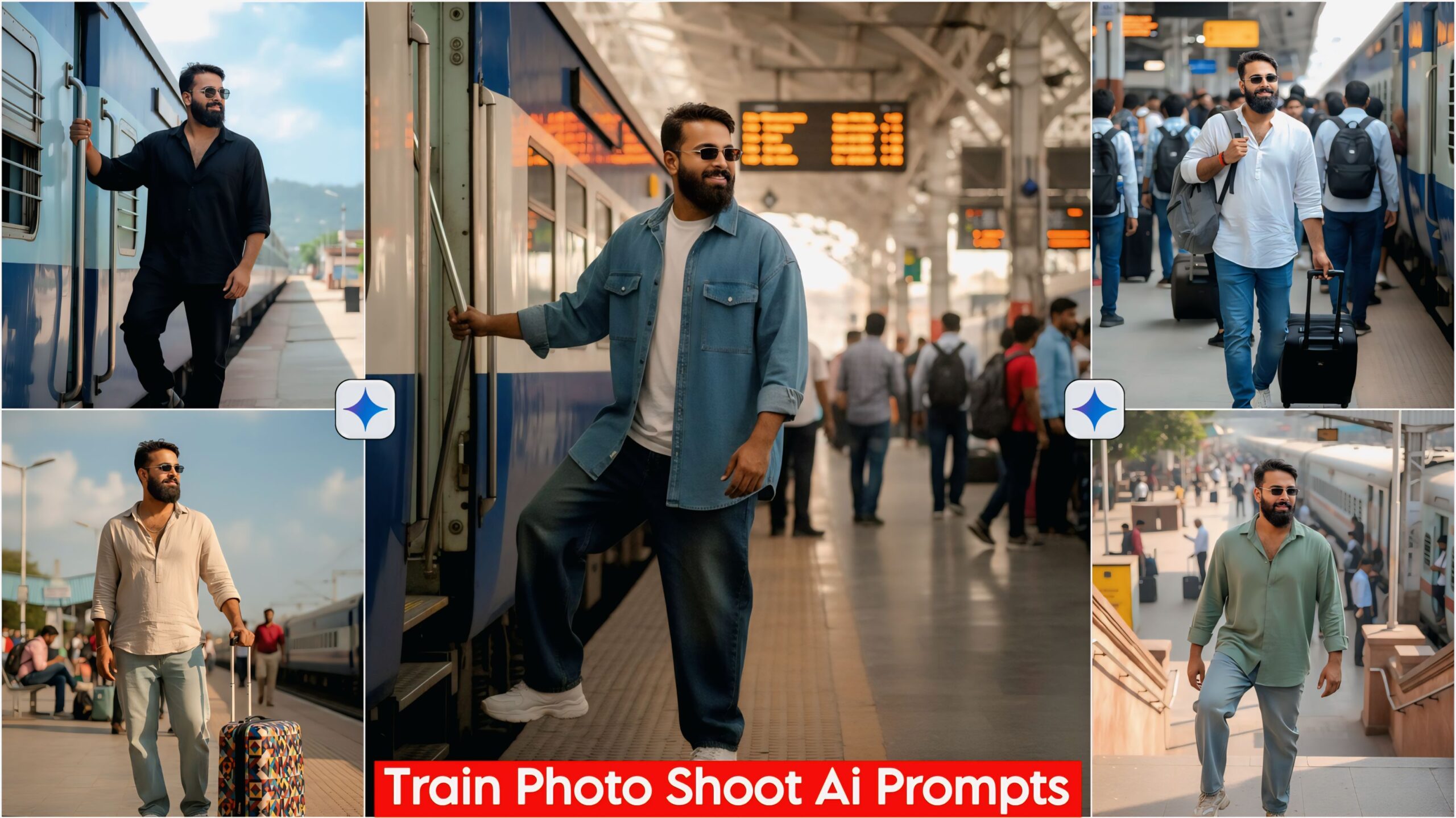
Ai Photo Editing Train Traveling Prompts, today in this article I have brought a very good prompt for you guys which is a glow face looking with cinematic lighting, it is a very good prompt, you guys must have liked it as soon as you saw it, so you guys can use it and get millions of views, likes and follows by posting on your Instagram and Facebook, whatever prompts I put are different from all others and are very unique, you guys can get very wonderful prompts on my website which are of every type and if not then you can tell me as per your requirement, we will make it for you.
These prompts are very good, these are the prompts which you will get while travelling in a train and stopping at a station. In this, you will get all the prompts related to Train Travelling. You can create it in just one click. Let me tell you that you will have to create this from Google Gemini. Google Gemini is a very amazing app, in this you can create anything from photos to videos. And you can also do anything related to studies. Let us know about these prompts.
Important:
Sometimes the prompts don’t work, so don’t worry. Just open a new page and add the Google Zami image to your photo, and it will be ready.
UNLIMITED AI PROMPTS CLICK AND USE
Ai Photo Editing Train Traveling Prompts, you guys should know about it
Let me tell you about this Prompts, a total of 10 Prompts have been given in it which you can use easily. All the Prompts you will get in this are created by ourselves but now they are in different poses. In this you will get different poses, different cloth stylus, wearing glasses and many more good ones, you can see as per your choice and use whichever you like. If you use this Prompts then you can impress your girlfriend and can also send it to your friends.
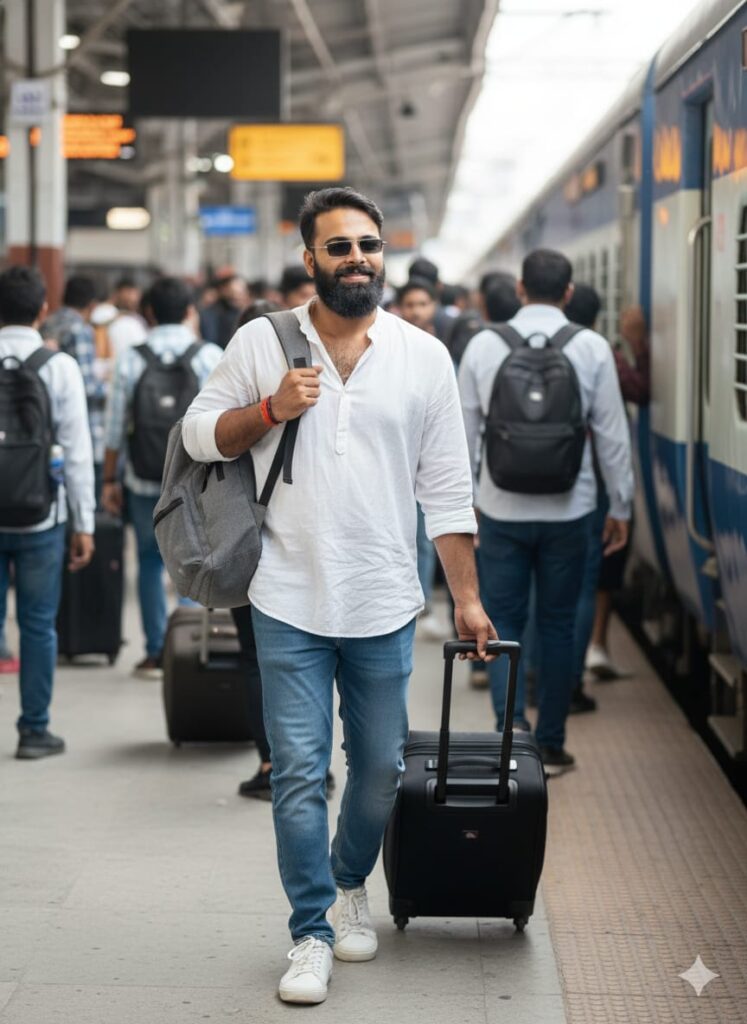
A highly realistic, high-definition photograph of a young man emerging from a large, realistic crowd on a train platform. A train is stopped nearby. The man has a gentle, relaxed smile. He is dressed in modern casualwear: a loose shirt, blue jeans, and street shoes. He has a carry-on backpack on his shoulder and is pulling a trolley bag. The focus is crystal clear on the subject's face. The scene uses natural, even lighting to maintain a realistic, true-to-life feel. Don't change faces
"Cinematic, realistic shot of a handsome young man with a glowing, HD-clear face, waiting at a railway station. He's wearing baggy jeans, a free-size shirt, matching shoes, and sunglasses, with a subtle smile. A printed trolley bag rests beside him. Natural, cinematic lighting enhances the scene." Don't change faces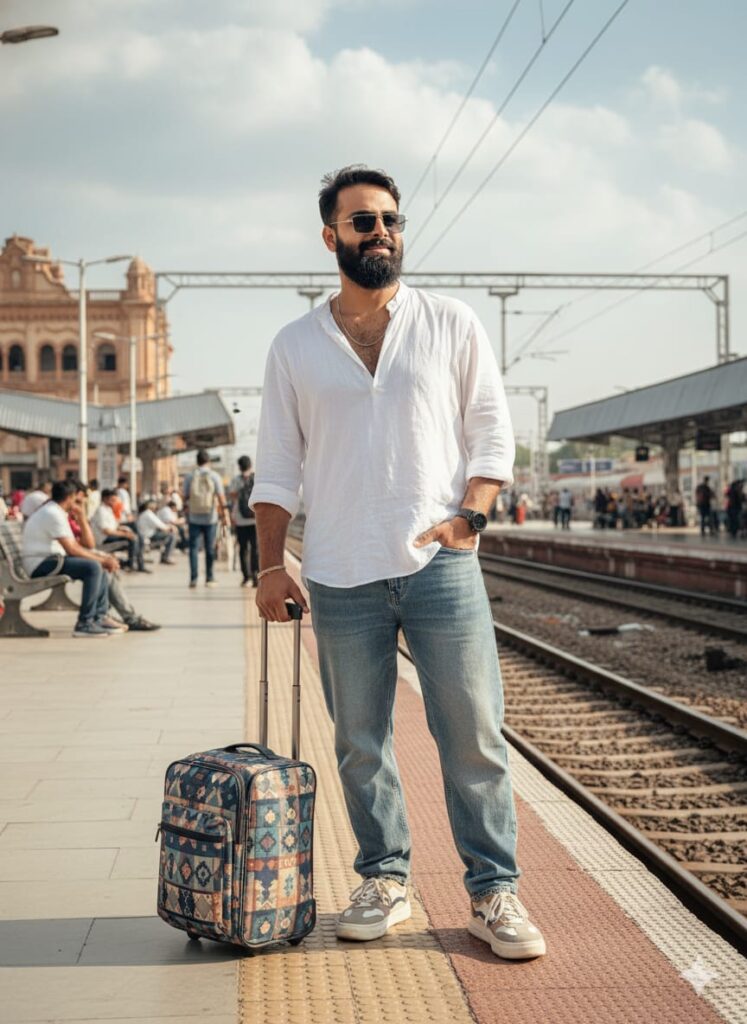
"A handsome and cool young man, with a glowing, high-definition clear face, is standing at a railway station, lightly smiling as he waits. He is wearing baggy, free-size jeans and a shirt, with shoes that complement his clothing style. He has a printed trolley bag beside him and is wearing sunglasses. The scene is captured with cinematic lighting, creating a natural and realistic atmosphere." Don't change faces
A young man with a clear, HD-quality, glowing face, looking very handsome and cool, descending a set of railway station steps. He has a slight smile and is wearing baggy jeans and a free-size shirt with coordinating shoes and sunglasses. A train is visible stopped at the platform below. Realistic natural lighting and a cinematic ambiance are essential. Don't change faces
A hyper-realistic, high-definition photograph of a handsome young man walking down the stairs of a bustling railway station. His face is in perfect focus, glowing with natural radiance, and features a subtle, cool smile. He is styled in an oversized, free-size shirt and baggy jeans, paired with contemporary coordinating shoes. He wears stylish sunglasses. The scene is illuminated with dramatic cinematic lighting—deep shadows contrasting with bright, natural light. A passenger train is stationary on the track below. The overall look is extremely natural, realistic, and cool, capturing a sleek, urban aesthetic. Don't change faces
"A young, handsome man with a radiant, crystal-clear face. He's dressed in baggy, oversized jeans and a shirt, perfectly complemented by his footwear and trendy sunglasses. A subtle, charming smile plays on his lips as he steps onto a train at a lively railway station. The image should feature cinematic lighting and maintain a natural, realistic quality, highlighting his effortlessly cool demeanor." Don't change faces of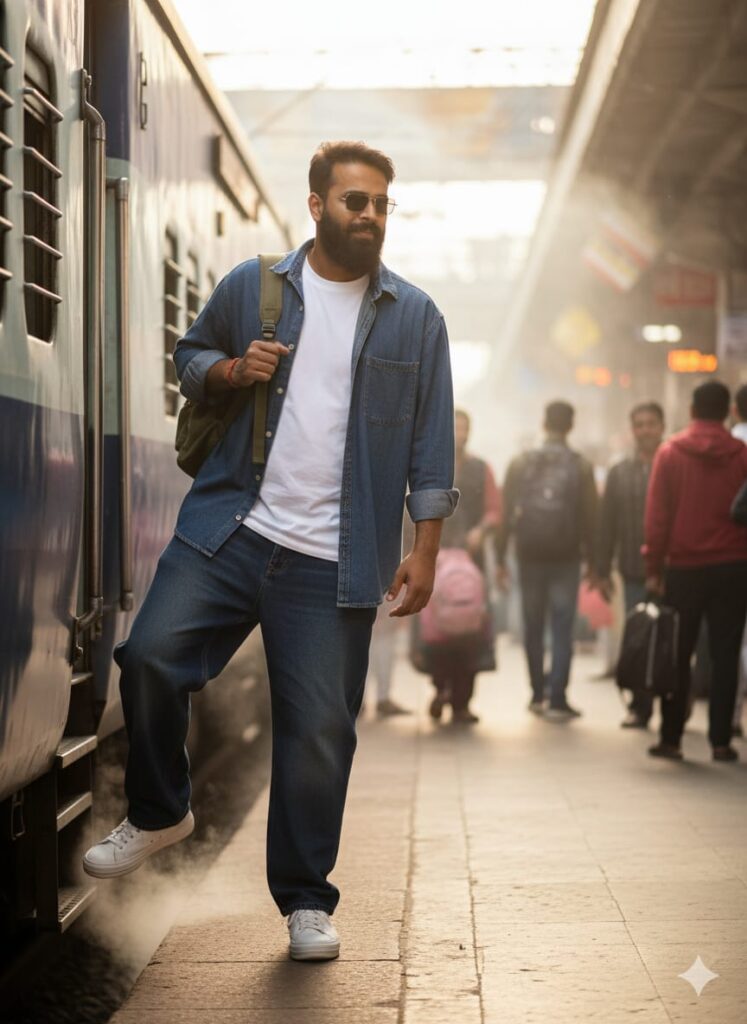
"A handsome young man with a glowing, high-definition clear face, wearing baggy, free-sized jeans and a matching shirt. He completes his outfit with appropriate shoes and stylish sunglasses. He has a slight, cool smile as he boards a train at a bustling railway station. The scene is captured with cinematic lighting, creating a natural and realistic atmosphere, emphasizing his cool and captivating presence." Don't change faces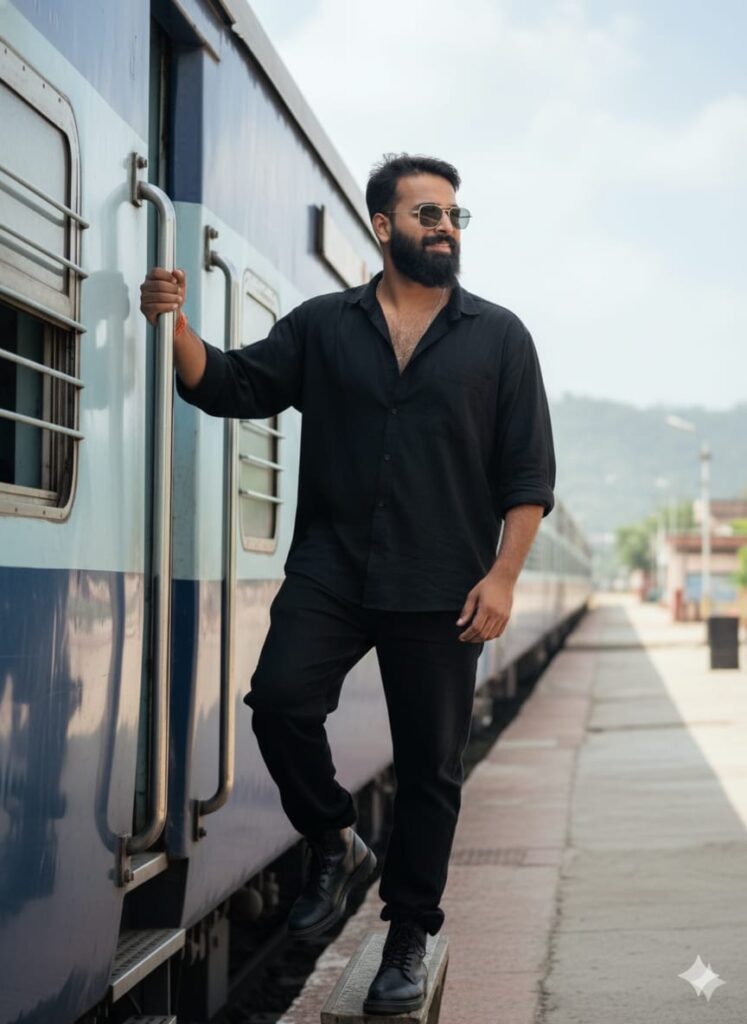
"A handsome and cool young man with a clear, glowing, high-definition face is standing, lightly smiling. He is wearing black baggy jeans, a free-size black shirt, and black boots that match his outfit. He is holding onto the two door rails of a railway train. He is also wearing sunglasses. The image should be realistic and look like a real photograph." Don't change faces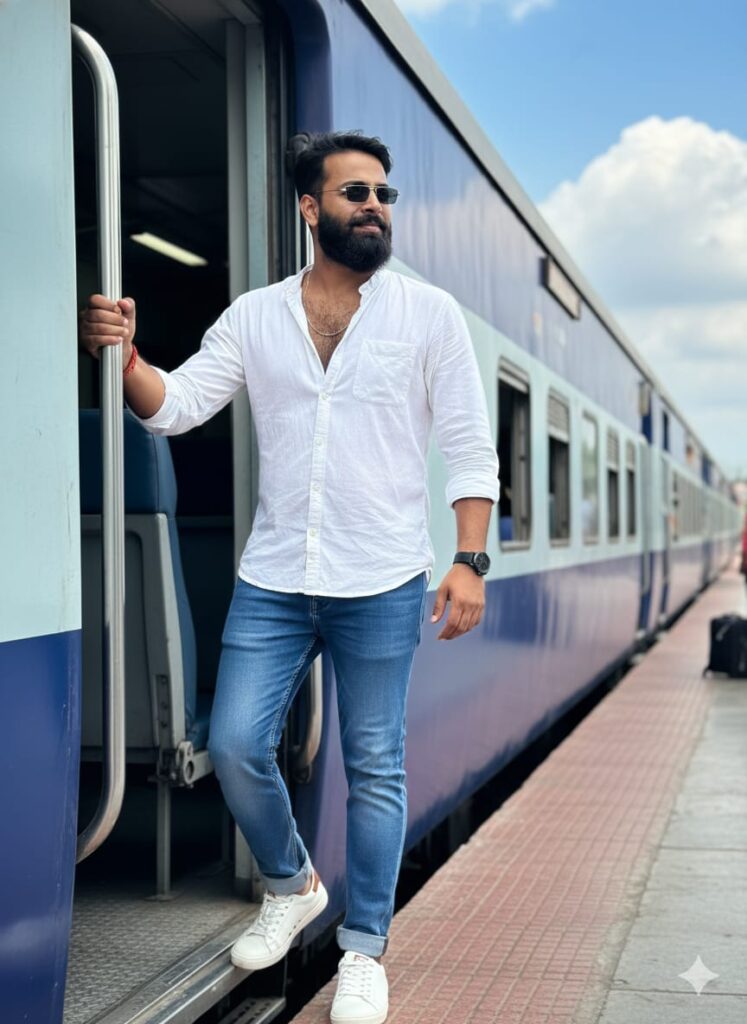
"A young man with a realistic, glowing, and high-definition clear face. He is wearing free-size jeans and a white shirt, with shoes that complement his outfit. He has a slight smile and is standing at the door of a train, looking very handsome and cool. He is also wearing sunglasses." Don't change faces
"A young man with a glowing face and a slight smile, wearing a casual outfit of baggy jeans, a loose-fitting t-shirt, and shoes. He is seated on a train in a general compartment, looking out of the window. Cinematic lighting, natural and realistic feel, HD quality with a clear face." Don't change facesHow to use Ai Photo Editing Train Traveling Prompts
I’ll tell you how to use it so you don’t have to worry too much. To use it, you first need to download your Google Gemini. Now Google Gemini is in everyone’s mobile, so you just have to look at any photo from my website that you like. Below that, you’ll find the best Ai Photo Editing Train Traveling Prompts.
Copy it, then go to Google Gemini and paste the Train Traveling Prompts you copied along with your photo and post it. It’s very easy, then you’ll have to wait 1 to 2 minutes. If your photo looks the same, you can use Remini to clarify it a bit.
Conclusion
Friends, I have given you Ai Photo Editing Train Traveling Prompts in this and have told you how to use it, so you must use it and if you like it then you can tell us by leaving a nice comment. In this you have been told about each and every step and wherever you have not understood, please tell us, I will tell you.
GOOGLE GEMINI APP CLICK AND USE


Nice editing bro 🔥
Khub valo lagche ,amar photo diye editing korbo