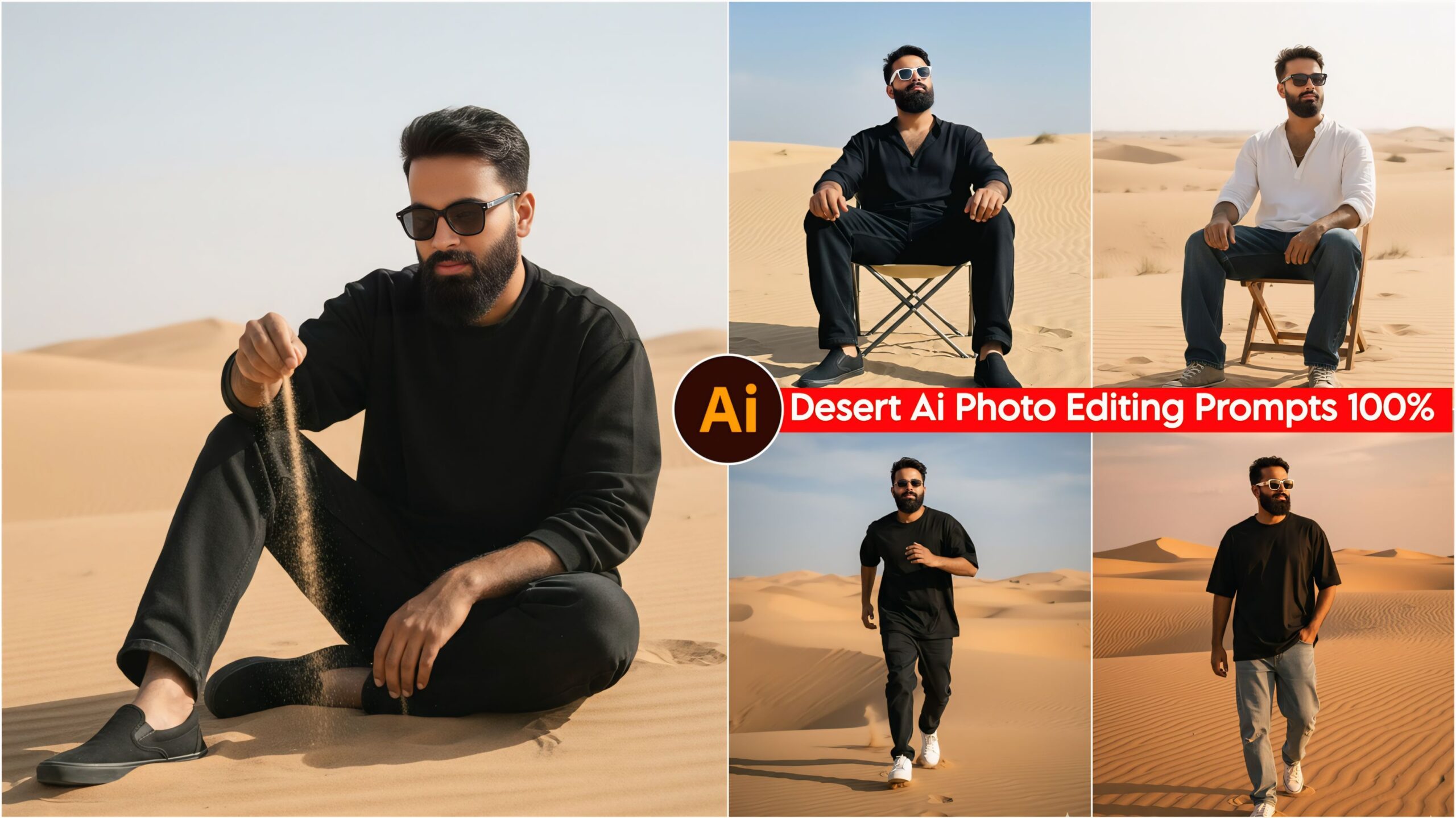
Google Gemini Desert AI Photo Editing Prompts: In today’s article, I’ve brought you some fantastic and unique prompts related to deserts. You can use these prompts very easily, and they produce excellent results. Everyone is now creating their photos with Google Gemini and getting great viral success on Instagram and Facebook. People love these kinds of photos these days, and keeping that in mind, we’ve created these prompts so that everyone can create amazing photos. In today’s world, everyone wants their photos to look good and unique, and now you can give your photos a great look with the help of these prompts. So, you should definitely give it a try!
These days, everyone uses a phone, and Google Gemini is easily available on most people’s phones because, let’s face it, the age of AI has arrived. Now, work is being done using AI. You can easily create videos, photos, and anything else with AI. People are now using Google Gemini or ChatGPT more and more for learning, so if you haven’t tried it yet, you definitely should. Let’s learn about AI prompts.
About Google Gemini Desert AI Photo Editing Prompts
Friends, the prompts we’ve given you here are truly excellent, fantastic, and unique. You can use them if you want to give your photos a great look, and the editing is completely free. You only need one app, called Google Gemini, which is easily available on the Play Store. These days, everyone is using Google Gemini to enhance their photos. We’ve provided a wide variety of prompts on our website – you won’t find prompts like these anywhere else. The prompts I’ve provided are all unique.
Here, you’ll find prompts for standing in the desert, striking different poses, being in different locations, and sitting on a chair. You can see them below. Just copy the prompt you like and paste it into Google Gemini along with your photo.
Google Gemini Desert Ai Photo Editing Prompts, 100% Real Face

A hyper-realistic, cinematic portrait of a young man with a strikingly altered face. He is dressed in full black casual wear: a long oversized shirt, baggy jeans, and shoes, accessorized with sunglasses. The man is seated directly on the sand, gently letting a realistic handful of fine sand trickle from his hand. The background is an expansive, hot desert landscape featuring several small sand dunes. Cinematic lighting, HD quality, ultra-detailed face, photorealistic. Don't change faces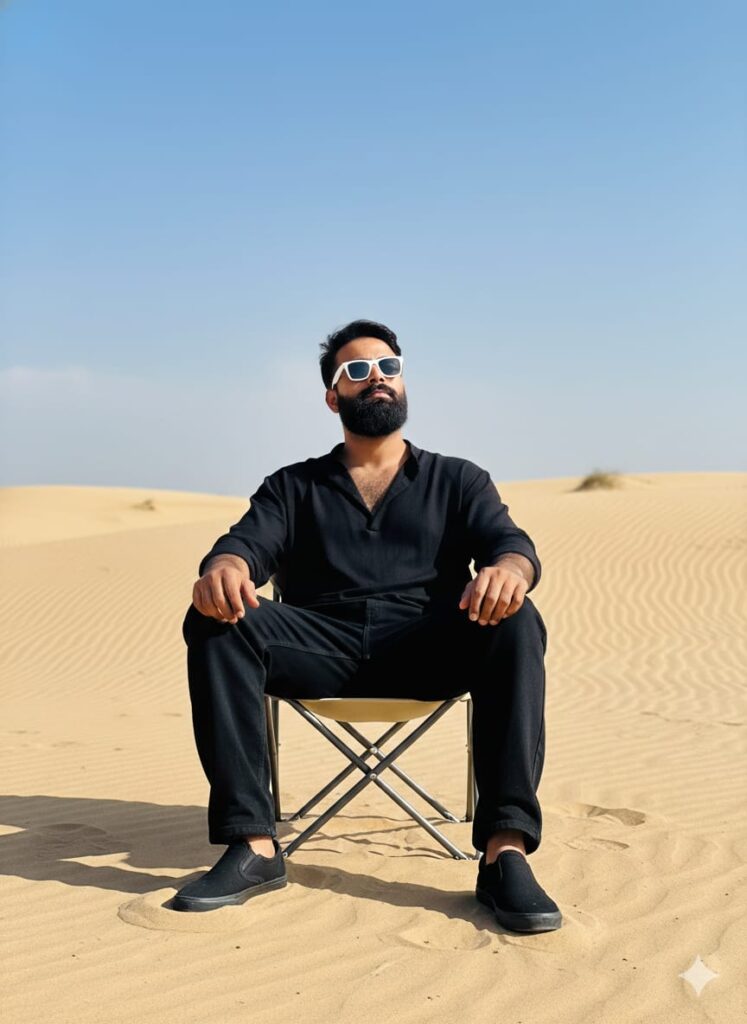
A highly realistic and cinematic photograph of a young man with an unrecognizable, unique face. He is wearing a free-size shirt, baggy jeans, shoes and all black colour and white sunglasses. He sits on a chair on the sand in an attitude pose, head slightly up. Background of small and large sand dunes. Natural lighting, HD clear face, ultra-HD quality. Don't change faces
A realistic portrait of a young man, featuring a dramatically altered/changed face while maintaining a convincing, lifelike appearance. He is dressed in casual attire: baggy jeans, a free-size shirt, and a pair of full black/white sunglasses. He is seated on a chair in the sand in an attitude pose.
Background: The setting is a sandy desert with small and large sand dunes (hills) behind him, and sand all around.
Lighting/Aesthetics: Cinematic lighting, natural and real-looking environment, high-definition (HD) quality, and clear, detailed HD faces.
Hyper-realistic photograph of a young man with a dramatically altered, yet believable, face, running in the desert. He wears a full black oversized shirt, baggy jeans, white sunglasses, and shoes, striking an attitude pose. Vast sand dunes in the background. Cinematic and natural lighting. HD, highly detailed, sharp focus. Don't change faces
A young man whose face has been realistically altered/changed, walking on sand in an attitude pose. He is wearing casual clothes: baggy jeans, a free-size full black shirt, white sunglasses, and shoes. Behind him are small and large sand dunes/hills, and all around is only sand. The background should have cinematic lighting and natural realism, with HD faces and clear HD quality. Don't change faces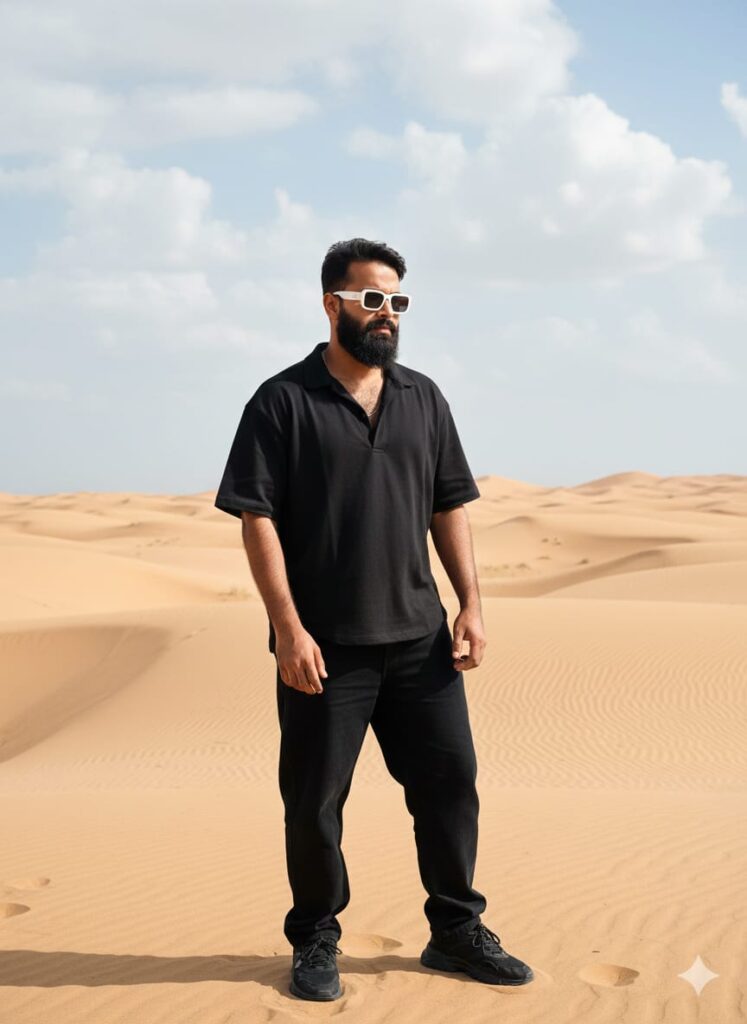
"Hyper-realistic, high-definition (HD) photograph of a young man with a distinctive and striking facial expression, standing in an attitude pose. He is wearing a full street-style outfit: oversized free-sized full shirt, baggy jeans, and shoes, with a complete black color scheme. He wears white sunglasses. The background is a vast desert landscape with small and large sand dunes. Cinematic lighting, natural and real aesthetic, detailed crisp textures, 8K, extremely detailed."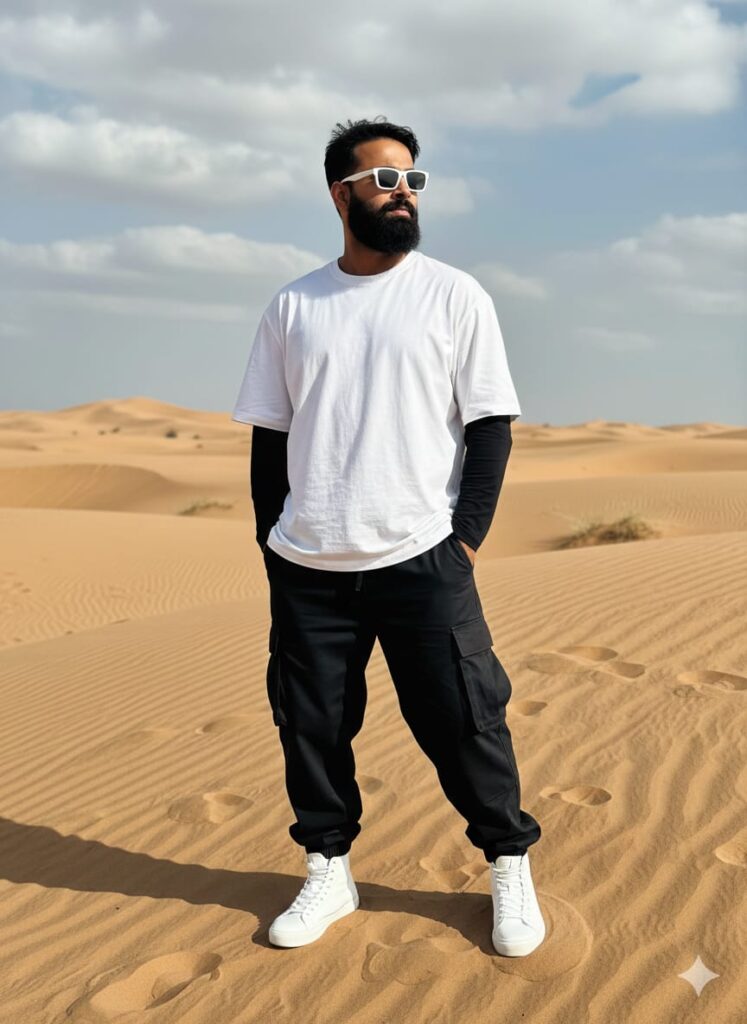
"Hyper-realistic, high-definition (HD) photograph of a young man with a distinctive and striking facial expression, standing in an attitude pose. He is wearing a full street-style outfit: oversized free-sized shirt, baggy jeans, and shoes, with a complete black and white color scheme. He wears white sunglasses. The background is a vast desert landscape with small and large sand dunes. Cinematic lighting, natural and real aesthetic, detailed crisp textures, 8K, extremely detailed."Note –
Please enter all your details here. Sometimes, the Desert Instagram trending AI prompts don’t work, but don’t worry. Just open a new page, use Google Gemini, and apply it with your photo again. It will be created again on the new page.
How to Use Google Gemini Desert AI Photo Editing Prompts
I’ll explain how to use it so you don’t have to face any difficulties. First, you need to download Google Gemini. Since Google Gemini is now available on almost everyone’s mobile phone, you can simply browse through the photos on my website and choose any photo you like. Below that photo, you’ll find the best Google Gemini Desert AI Photo Editing Prompts.
You need to copy it, then paste what you copied into your Google Gemini Desert AI Photo Editing Prompts, and then post it. It’s very easy. Then you’ll have to wait for 1 to 2 minutes. Your photo will be generated. If you want to make it even clearer, you can use Remini.
Conclusion
Friends, in this article, I have provided you with Google Gemini Desert AI Photo Editing Prompts and explained how to use them. So please use them, and if you liked it, you can let me know by leaving a nice comment. I have explained every step in detail, and if you have any questions or don’t understand anything, please let me know, and I will help you.
Google Gemini Link Click And Use