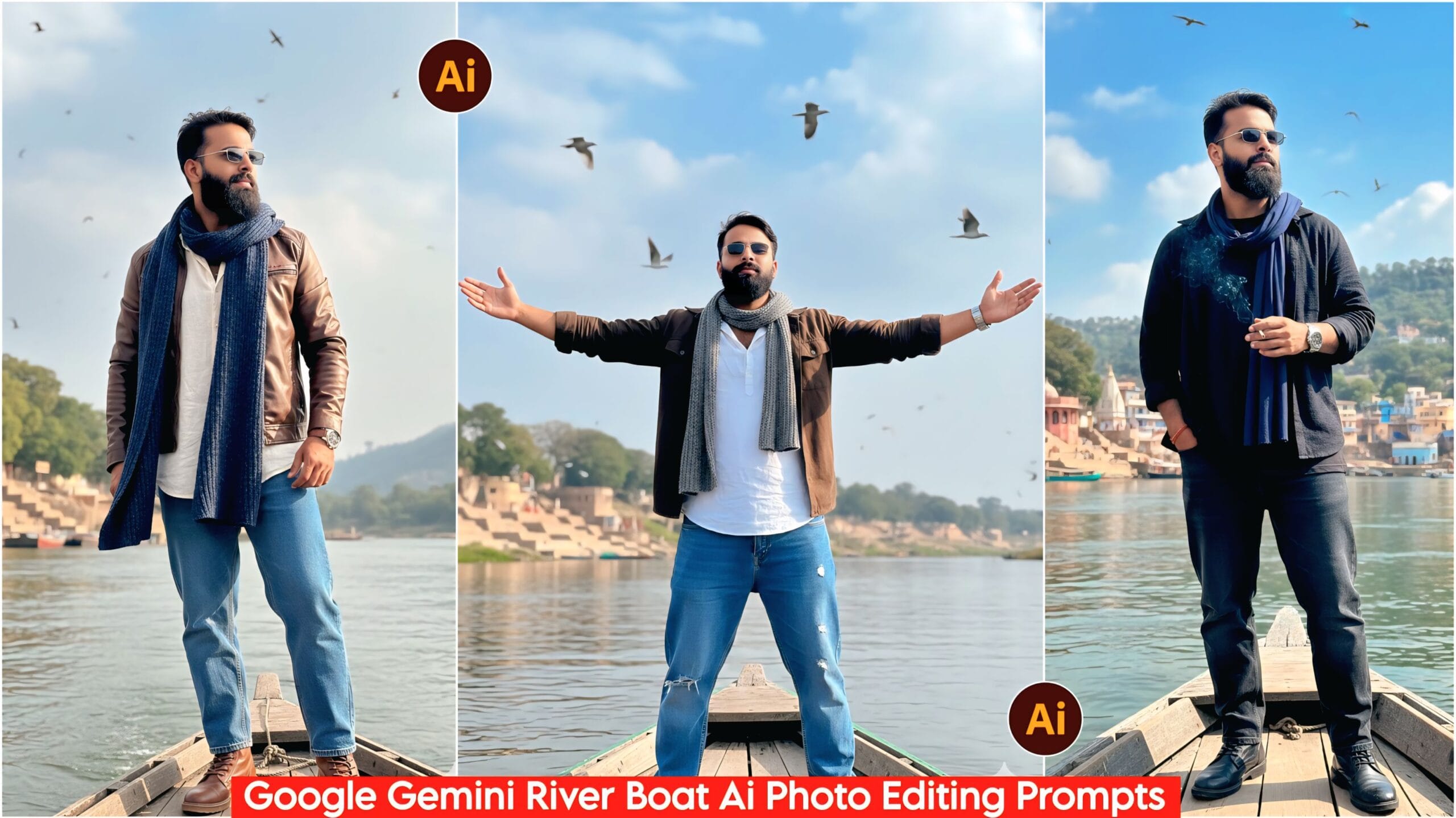
Google Gemini River Boat AI Photo Editing Prompts: Friends, in today’s article, I’ve brought you some amazing and unique prompts that will create stunning and distinctive photos that people will love. These prompts are designed in a cinematic style, and using them will transform your photos into something truly special. There’s nothing complicated about it; you’ll find many more such prompts on our website. You’ll find all kinds of prompts, and you can easily use the ones you like. It’s as simple as copying and pasting to create amazing photos.
In today’s world, everyone is using mobile phones, and everyone wants to create amazing photos like the ones they see online. Now, your friend will help you so you can also create similar photos, and that too with just one prompt! Yes, you can create them with the help of a single app called Google Gemini. You might already know about it, but for those who don’t, let me tell you that it’s a very advanced AI app. There are many such AI apps, but Google Gemini is being used extensively.
About Google Gemini River Boat AI Photo Editing Prompts
Friends, this includes a total of 10 prompts that are very amazing and unique. You can only use them in the Google Gemini app; they are specifically designed for Google Gemini. The image features a boy standing at the end of a boat on a river, wearing casual clothes, shoes, and glasses. The lighting is completely natural, like a DSLR camera, resulting in a clear, HD quality image. To use these prompts, simply select the one you like from the options provided below, and then paste it into Google Gemini along with your photo. We have explained everything step-by-step.
Google Gemini River Boat Ai Photo Editing Prompts, 100% Face Realistic Matching
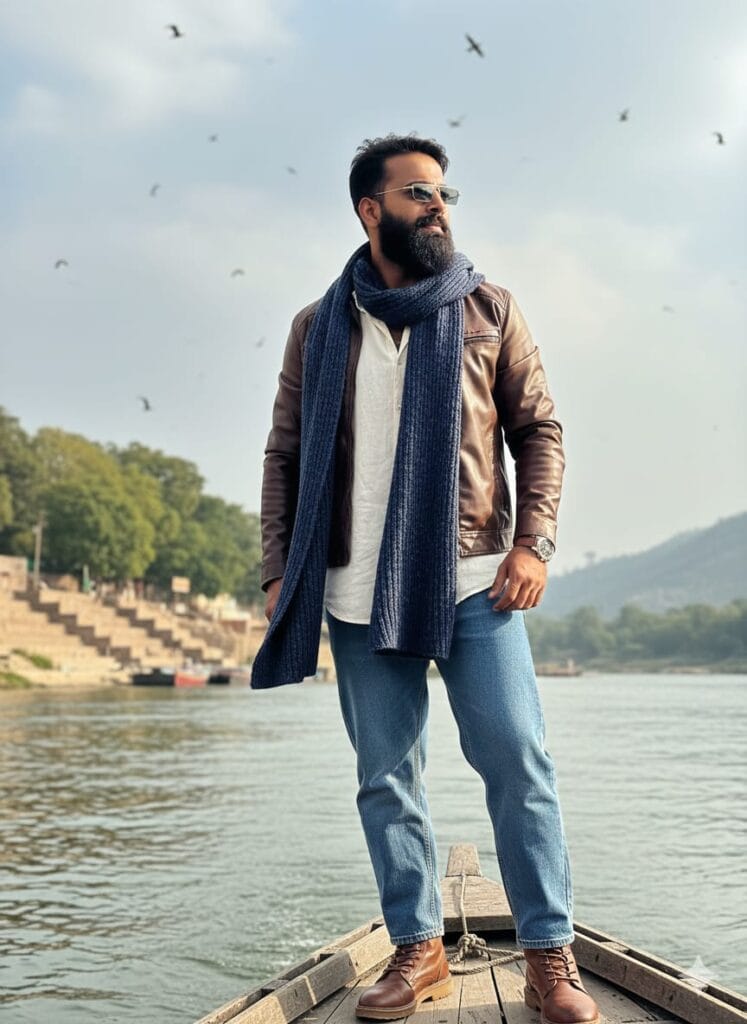
"A highly realistic, cinematic side-view photo of a young man with a distinct, photorealistic HD face, standing on the stern of a small wooden boat moving on a river. He is dressed in baggy jeans, a free-size full-sleeve shirt, a jacket, shoes, sunglasses, a watch, and a long muffler draped around his neck. He stands with full confidence. In the background, there is a river ghat and natural scenery with a few birds flying. Natural lighting, HD quality." Don't change faces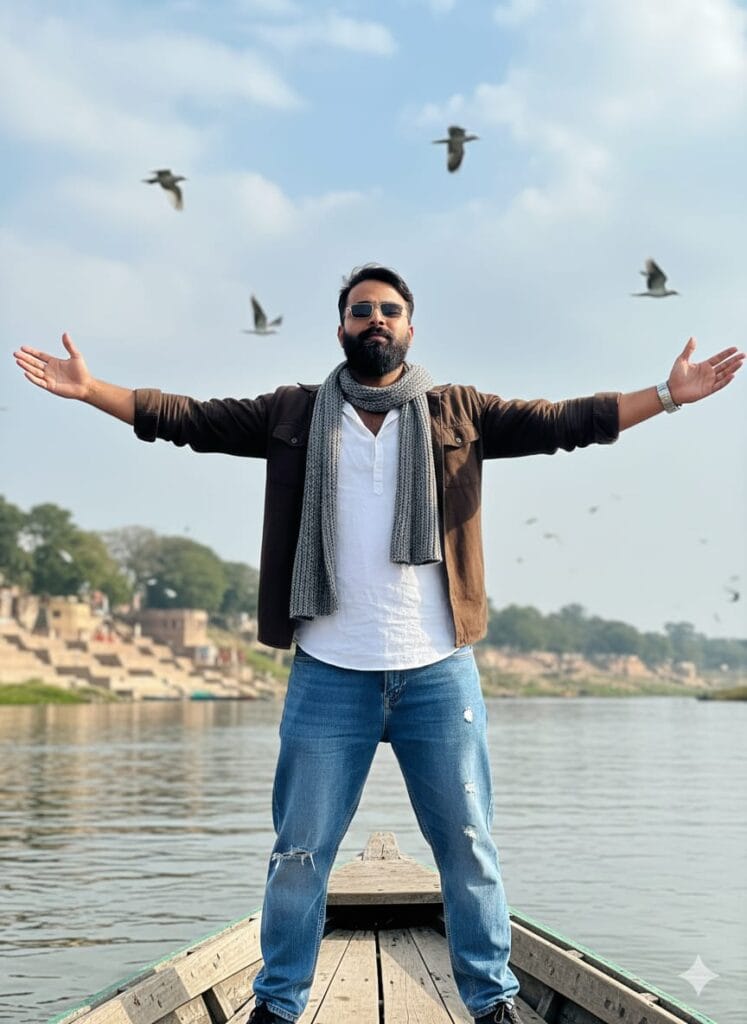
A photorealistic, highly detailed 8k image of a young man with a realistic, high-definition face, standing at the stern of a wooden rowboat moving on a river. He is dressed in baggy jeans, a free-size full shirt, a jacket, and a long muffler, wearing sunglasses and a watch. He stands with full confidence, spreading both arms wide. In the background, a natural river ghat with some birds flying. Cinematic, sharp focus, natural daylight. Don't change faces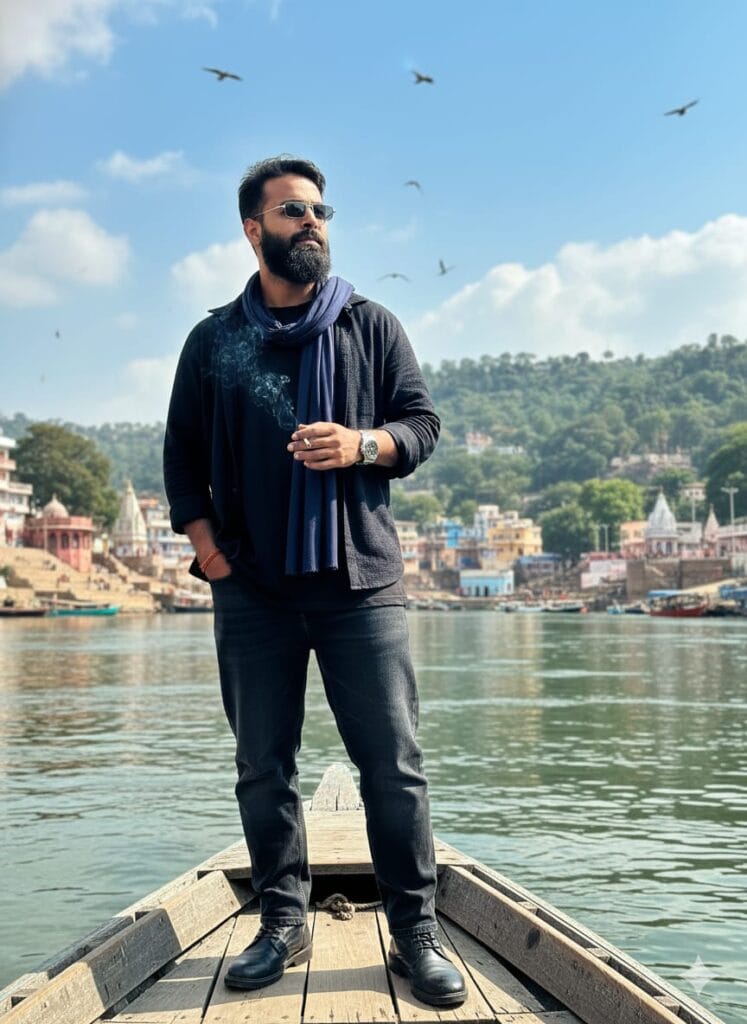
A hyper-realistic and cinematic photograph of a highly confident young man standing at the stern of a small wooden boat sailing down a river. The man has an HD, ultra-detailed face. He is wearing baggy jeans, a black oversized full shirt, a jacket, black shoes, sunglasses, and a watch. A long, solid-colored muffler is draped around his neck. He holds a burning cigarette in one hand. The background features a detailed river ghat and natural scenery. Natural lighting, 8K, highly detailed, photorealistic. Birds are flying in the sky above. Don't change faces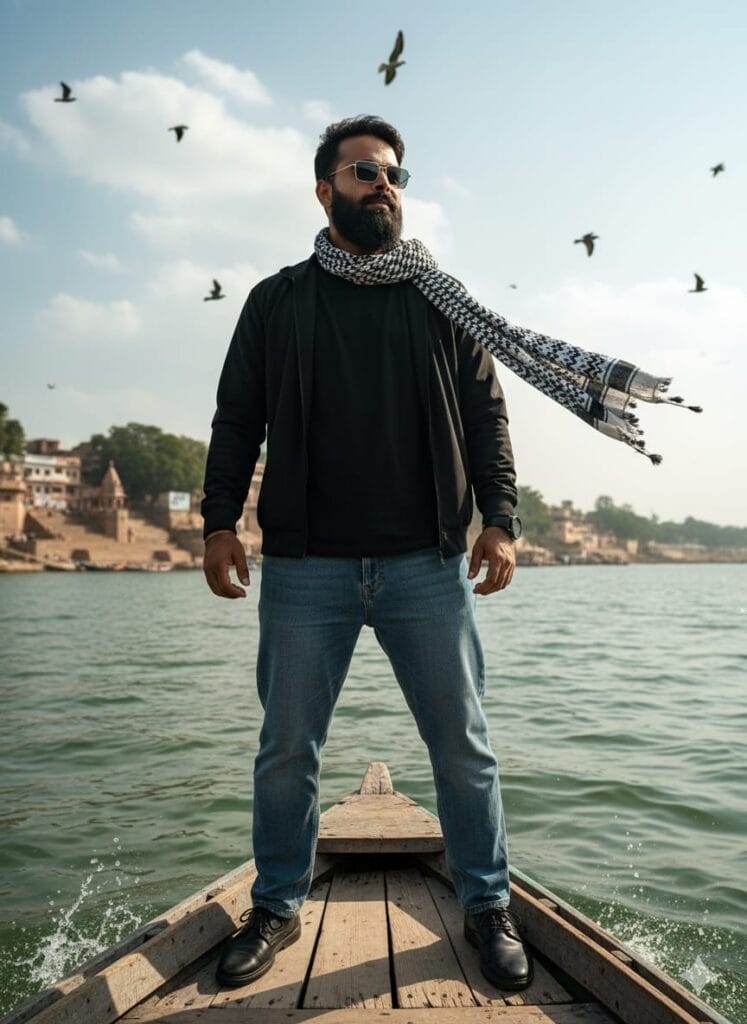
A young man with a clear, HD-quality, and realistic face stands confidently on the aft corner (last corner) of a simple wooden boat (naav). The boat is navigating a river (nadi), with the scene rendered in an ultra-realistic style.
The Man's Attire: He is dressed in casual, stylish wear: baggy denim jeans, a black free-size t-shirt, a black jacket, and black shoes. He is wearing sunglasses and has a long, flowing, monochrome muffler/scarf draped around his neck. He carries an expression of full confidence.
Setting and Mood: The background features a river ghat (bank/steps), partially visible in the distance. Several birds (pachhi) are flying in the sky. The image should have cinematic lighting (dramatic shadows and highlights) and HD quality with sharp, clear details on the face and the water.
Photography Style: Ultra-realistic photo, cinematic shot, high resolution, detailed texture, 8K. Don't change faces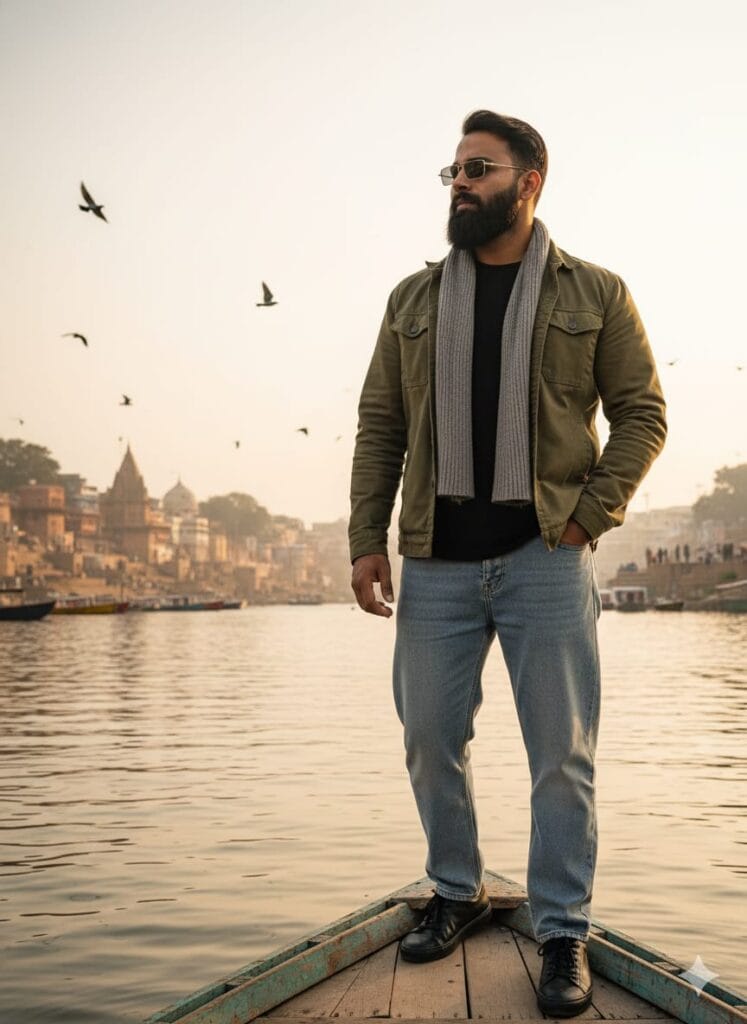
A highly realistic and photorealistic, full-body shot of a handsome young man standing with absolute confidence at the very last corner/edge of a small, rustic wooden boat. The boat is actively moving on a river.
The young man has a subtly changed, attractive, and extremely realistic face.
He is wearing a casual yet stylish outfit: baggy jeans, a loose-fitting black t-shirt, a jacket, and black shoes. He has sunglasses on and a plain muffler (or scarf) loosely draped around his neck.
Environment & Atmosphere: The setting is a realistic river ghat (bank) in the background. Several birds are realistically flying in the sky.
Visual Quality: Cinematic lighting, ultra-high definition (UHD) 8K quality, hyper-detailed, crystal-clear focus on the face in HD, photorealistic, masterpiece. Don't change faces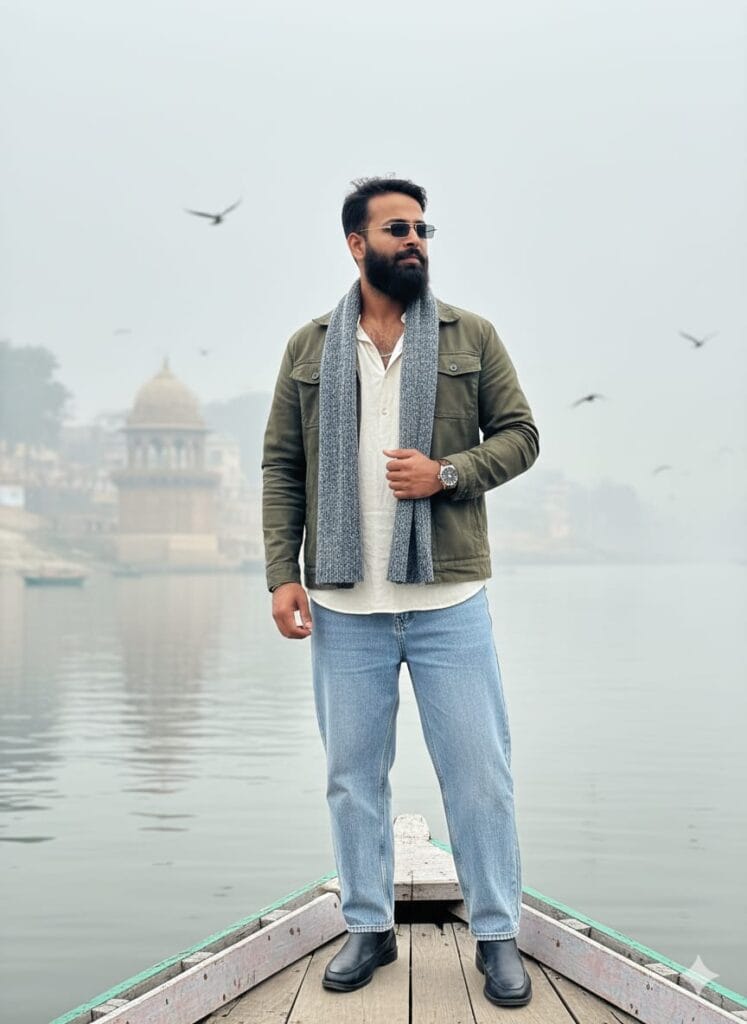
A stunningly realistic, 4k image of a youthful man, his face meticulously detailed and realistically transformed/altered (face change). He stands in a posture of full confidence on the far corner of a wooden boat navigating a river. The man is dressed casually: baggy jeans, a loose full shirt, a jacket, a watch, sunglasses, and a long muffler hanging from his neck. The environment is a tranquil river scene with a misty (foggy) haze, a traditional ghat structure in the distance, and birds in flight. Clear HD focus on the subject, natural diffused daylight. Don't change faces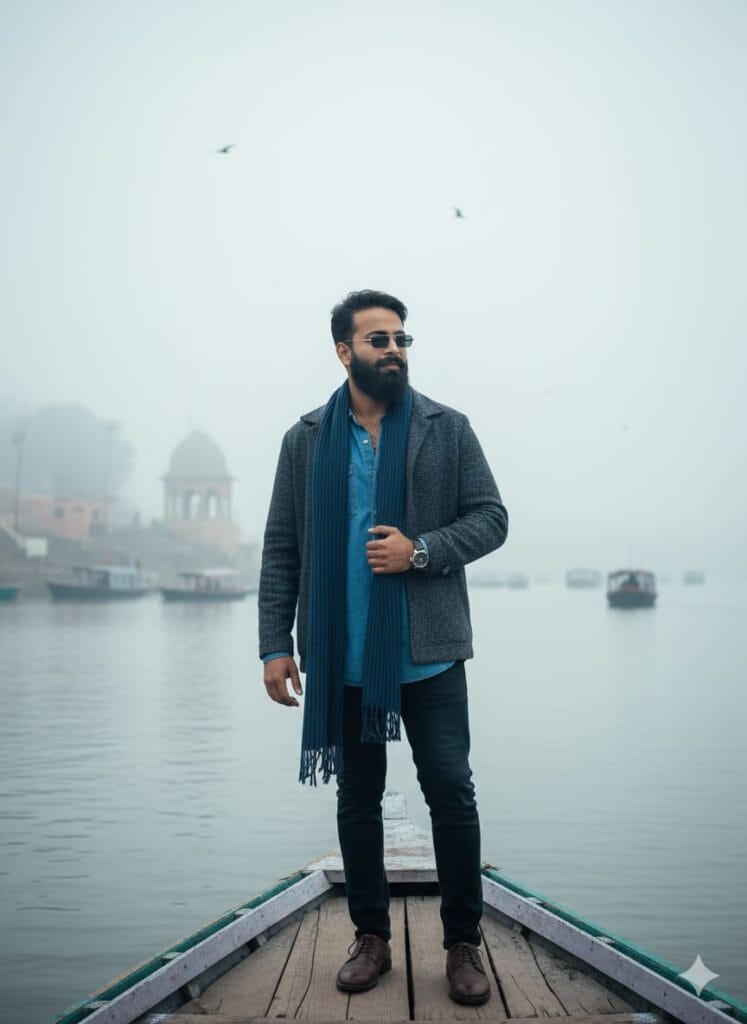
A highly detailed and ultra-realistic 8k photograph of a young man, whose face has been realistically modified to appear distinct. He is full of confidence, standing on the edge of a rustic wooden boat on a foggy river. He is dressed in a casual style: oversized full shirt, jeans, shoes, jacket, sunglasses, watch, and a long muffler. The scene includes a backdrop of a river ghat structure and other moving boats. Soft, misty morning light, with flying birds adding to the natural atmosphere. Extreme realism, sharp focus, stunning clarity. Don't change faces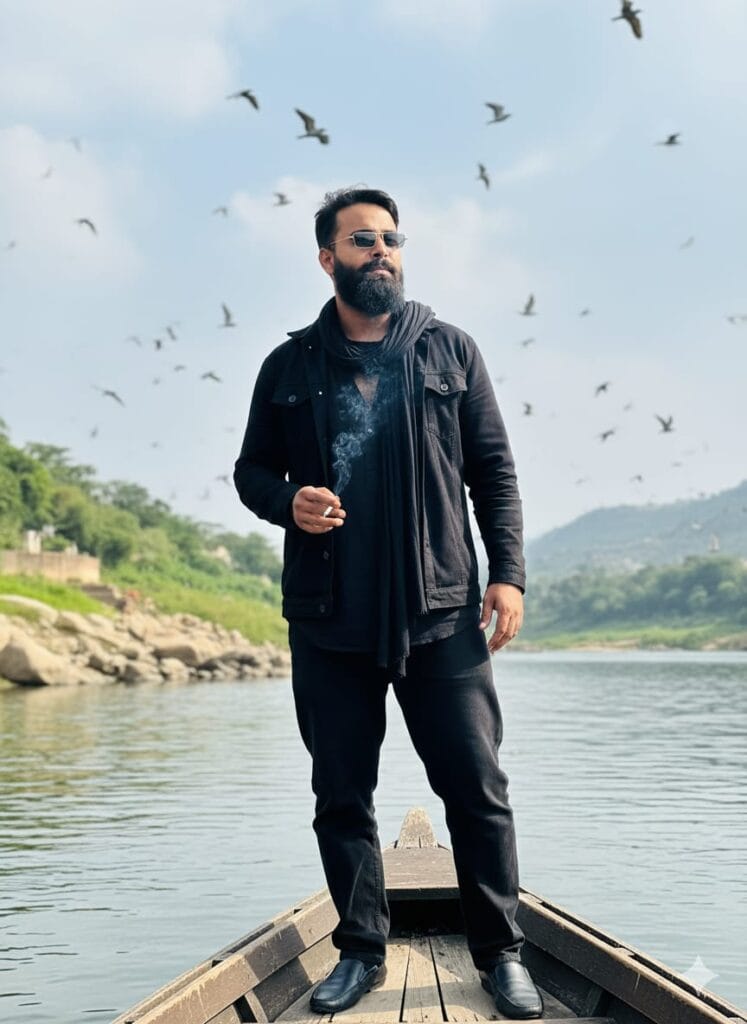
"A highly realistic and cinematic photograph of a confident young man standing on the stern of a wooden rowboat gliding down a river. He has a striking, HD face. He is wearing black baggy jeans, a black free-size shirt, a black jacket, black shoes, sunglasses, and a long muffler around his neck. He is holding and smoking a cigarette. Background features a natural river ghat. Natural lighting. Ultra-detailed, 8K, photorealistic, cinematic, HD face focus. Birds flying in the sky." Don't change facesNote –
Sometimes these prompts don’t work properly, so don’t worry. Just open another page, paste the same prompt along with your photo, and upload it again. It should work then.
How to Use Google Gemini River Boat AI Photo Editing Prompts
Let me explain how to use it so you don’t have any trouble. First, you need to download Google Gemini. Now that Google Gemini is available on almost everyone’s mobile phone, you can find any AI photo on my website that you like. Below that photo, you will find the best Google Gemini River Boat AI Photo Editing Prompts. Copy it, then paste the copied prompt into Google Gemini and submit it. It’s very easy. Then you will have to wait for 1 to 2 minutes. Your photo will be generated. If you want to make it even clearer, you can use Remini.
Conclusion
Friends, in this article, I have provided you with Google Gemini River Boat AI Photo Editing Prompts and explained how to use them. So please use them, and if you liked it, you can leave a nice comment. I have explained every step in detail, and if you didn’t understand anything, please let me know, and I will explain it to you.
Google Gemini Link Click And Use