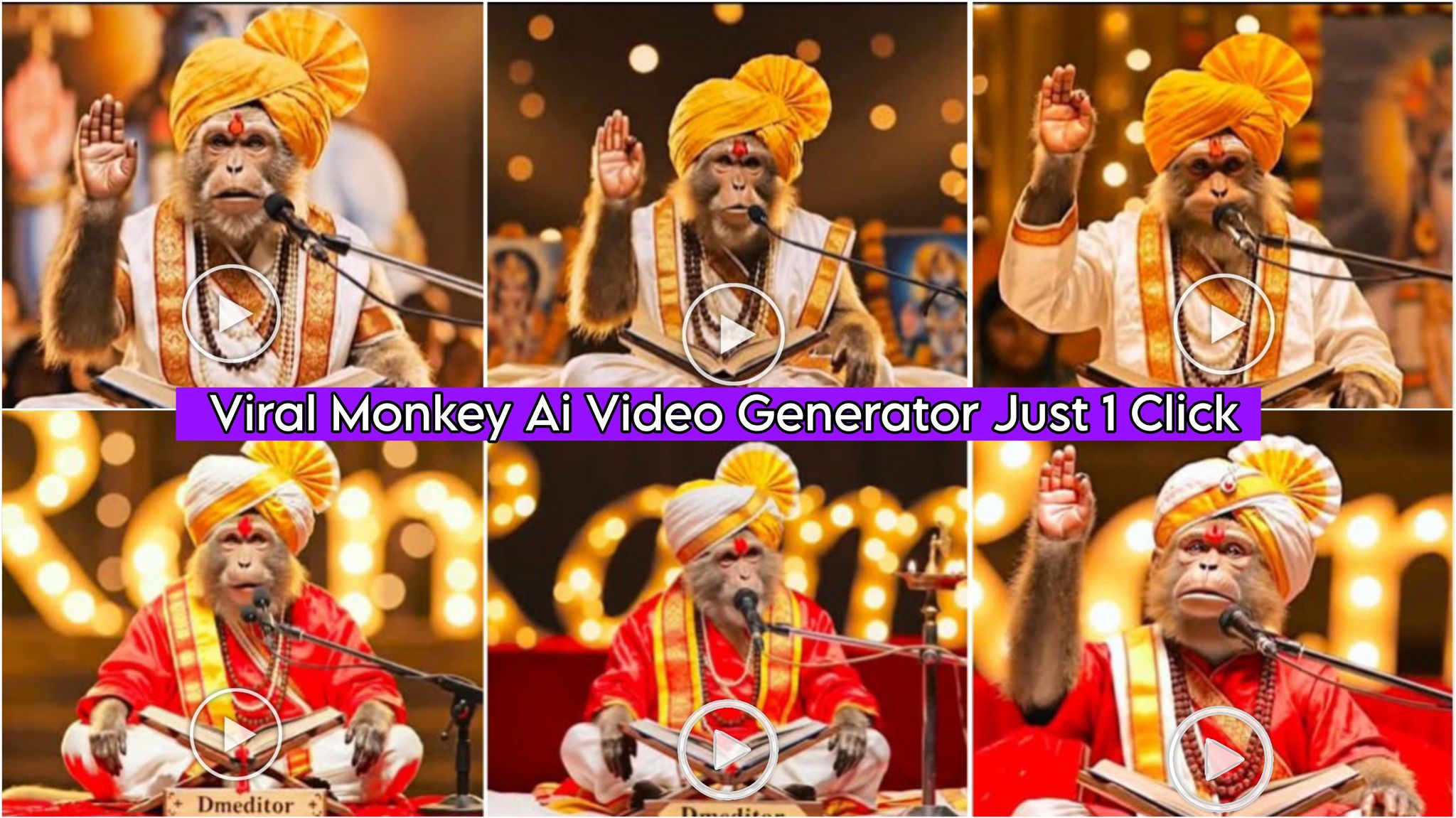
How to Create the Viral Monkey AI Video: Friends, in today’s article, I’m going to tell you how to create the highly viral monkey AI video that’s currently trending on Instagram and Facebook. It’s very easy to create. By making this video, you too can earn lakhs of rupees, just like others are doing. So, let me explain it to you step by step. Please read till the end; you’ll understand everything.
How to create the viral monkey AI video
To create this, you will first need a prompt, which we have provided below. Using this prompt, you need to create a photo. First, copy this prompt from here, then go to Google Gemini. Google Gemini is an AI app that you can easily find on the Play Store. After that, paste this prompt there, and the same photo will be generated. Then you will need another website, which will allow you to create the video.How to create the viral monkey AI video
How to Create Viral Monkey AI Photo Prompts:
Friends, these are photo prompts that you can create using Google Gemini. Simply copy them from here with one click, then go to your Google Gemini and paste the prompts. The image will be ready in no time.

"A highly detailed, realistic photo of a monkey sitting cross-legged on a decorated stage. The monkey is wearing a traditional Indian saffron and white turban (Pheta), a red silk robe with gold borders, and multiple beaded necklaces. It has a red tilak on its forehead. The monkey is sitting behind a microphone, reading an open ancient book placed on a wooden stand. The background features warm, blurred bokeh lights." Real me
How to Create the viral monkey Ai video Prompts
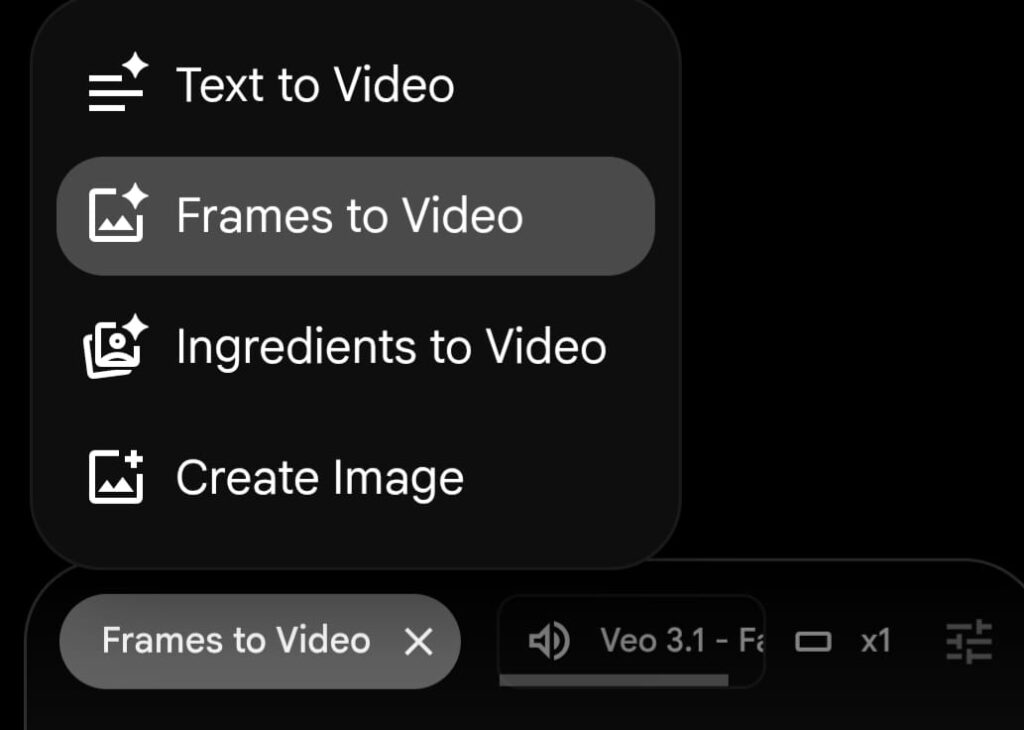
Friends, this video uses prompts from a website called Flow (we’ve provided the link below). You need to copy the prompts from there and then go to that website. After that, log in with your Gmail account and click on “New Project.” Then, in the bottom left corner, you’ll see a plus icon; click on it. Next, click on “Frames to Video,” add the photos you created with Google Gemini, and paste the prompts. Your video will be created. Finally, you can download it.
A wise Indian monkey sage dressed in saffron cloth, rudraksha mala, red tilak on forehead, sitting cross-legged in an ancient forest with golden sunlight filtering through trees, passionately speaking into a vintage silver microphone with emotional expression, cinematic lighting, highly detailed, photorealistic, slow dramatic gesture with one hand raised slightly
Hindi lipsync text: "If a cow is made of stone, people ring bells and worship it. But if the same cow is standing hungry on the street, people chase it away. Just think, so much respect for an inanimate stone… and complete disregard for a living creature." Zoom out monkey face.
You can change the story or anything else you want the AI to say, but keep the prompts exactly the same. Using these same prompts, you can create many different videos by simply changing the story.
Conclusion
Friends, in this video, I’ve shown you how to create viral monkey AI video prompts. I’ve explained how to use them, so please give it a try. If you liked it, you can leave a nice comment. I’ve explained every step, and if you have any questions or don’t understand anything, please let me know, and I’ll explain it to you.