Google Gemini Bouncer Security AI Photo Editing Prompts: Friends, in today’s article, I’ve brought you a very unique set of prompts called Bouncer Security AI Photo Editing Prompts. Everyone wants to have bodyguards and security around them, and keeping that in mind, I’ve created these prompts with the help of Google Gemini. Now you can use them to create amazing photos. Yes, nowadays everyone is passionate about photography. People are buying iPhones and cameras just for taking pictures, spending so much money on their hobby.
But now you can create your photos with just one click, and you’ll even get a cinematic look, complete with bodyguards and security personnel in the background. This is a truly amazing and unique prompt – you won’t find anything like it anywhere else. We created this using Google Gemini, and you can also create similar images on your phone using Google Gemini and share them on your Instagram and Facebook.
Learn about Google Gemini Bouncer Security AI Photo Editing Prompts.
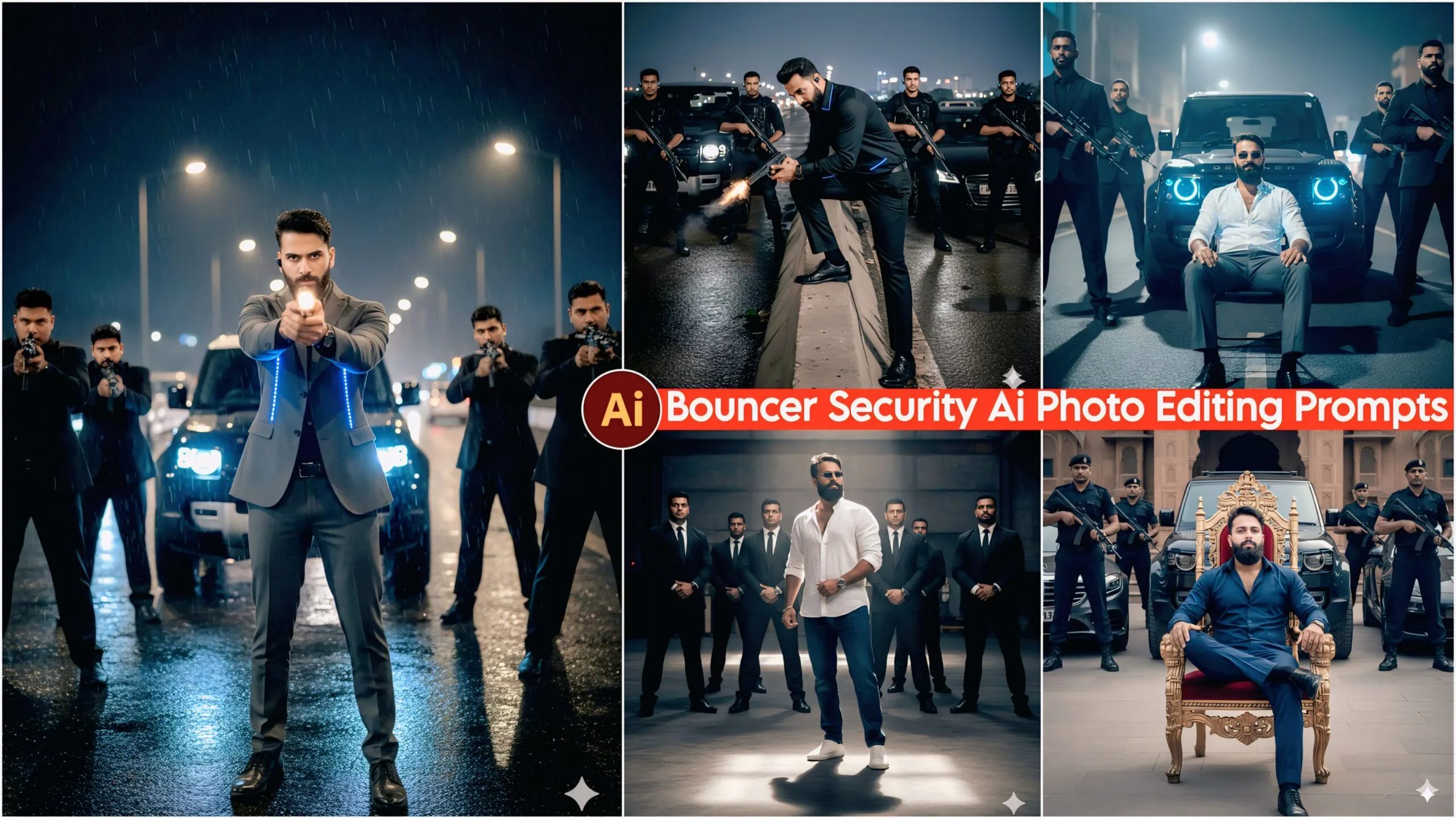
In this, you will find that the prompts I have given you will look exactly like a movie scene. It features realistic lighting, artificial guns and cars, bouncers and security personnel, dark colors, and various poses, which gives it a very good feel. You can see it below and also use it. It will look quite good and unique. You can create this using Google Gemini. Let me tell you that our website provides you with very unique prompts, so please subscribe to our website.
Google Gemini Bouncer Security Ai Photo Editing Prompts – 100% Realistic
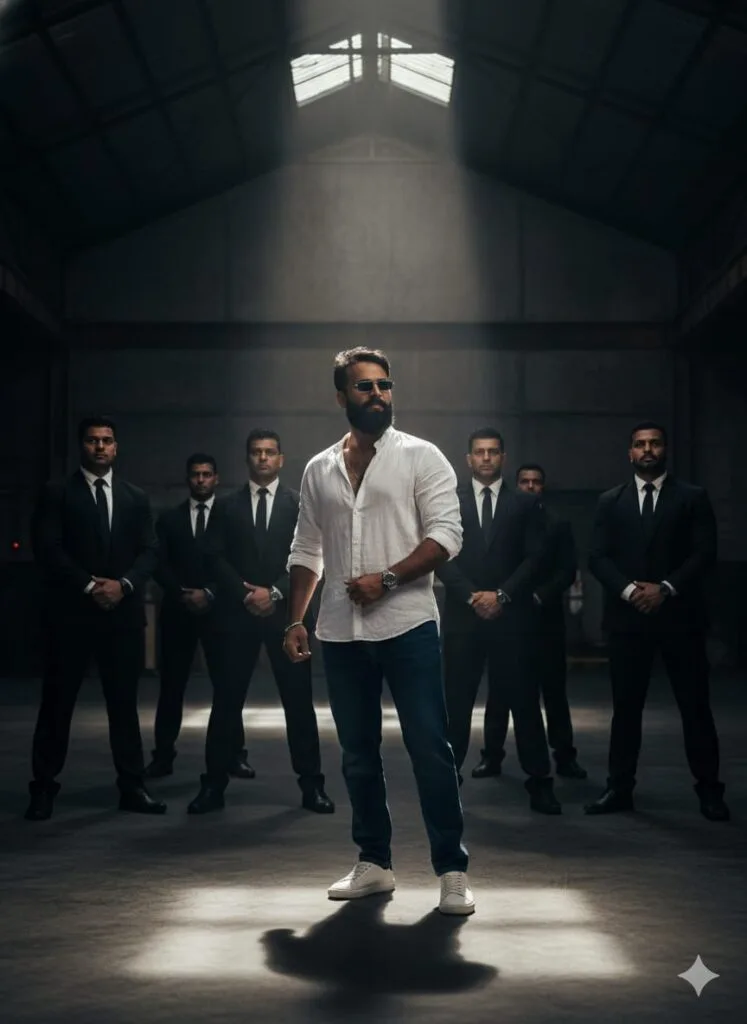
A highly realistic and visually striking portrait of a handsome young man (face swap/face change highly realistic and natural). He stands confidently in the center of an enormous, high-ceilinged room, which is dramatically illuminated by intricate, all-encompassing theatrical/cinematic lighting (bright and dark contrasts). Flanking him on both sides are six imposing security bouncers (three on each side). The young man is dressed in high-quality, smart-casual attire: relaxed-fit jeans, a loose-fitting (free-size) stylish shirt, modern shoes, a wristwatch, and sunglasses. The scene features clean facial details, high-definition (HD) quality, and dramatic, film-noir-style cinematic lighting. Don't change faces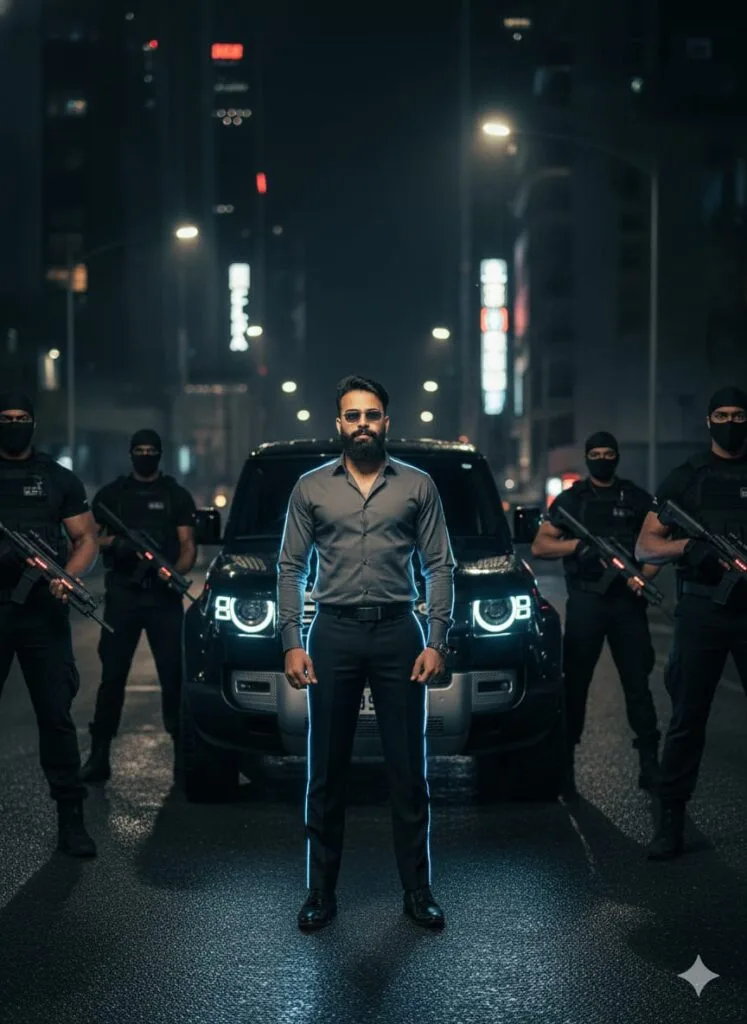
A photo-realistic, cinematic portrait of a young man standing on a main road at night, subtly face-altered to look realistic. He is dressed in formal pants and a fitted shirt, with light strips illuminating his entire figure. Six bouncers with artificial guns flank him (three on each side). A Defender car is parked behind him. Dark, dramatic lighting, HD quality. Don't change faces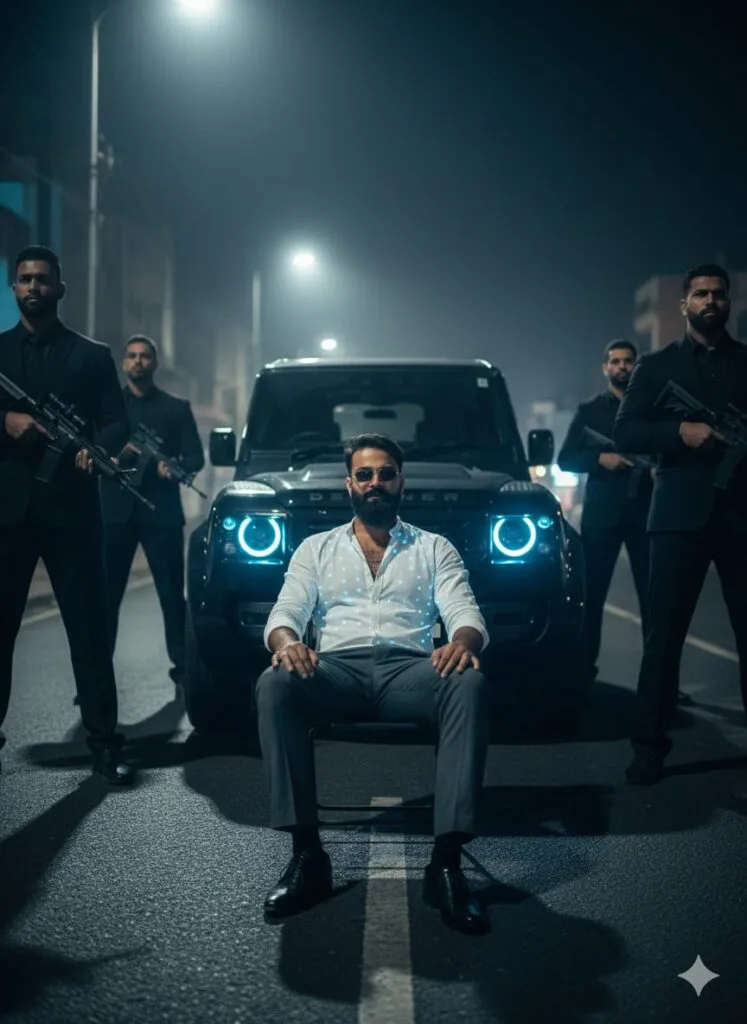
A hyper-realistic, photo-realistic, cinematic shot of a young man standing in the middle of a main road. He is wearing formal pants, a fitted shirt, and dress shoes, with his entire outfit covered in small, intricate lighting elements. Six large bouncers holding artificial firearms are lined up on both sides. A black Defender SUV is parked directly behind him. The young man is sitting on a chair placed in front of him on the road, wearing a single earbud. The lighting is dark and dramatic cinematic, with HD quality and clean facial features. The man's face has a subtle, realistic 'face change' or transformation effect. Don't change faces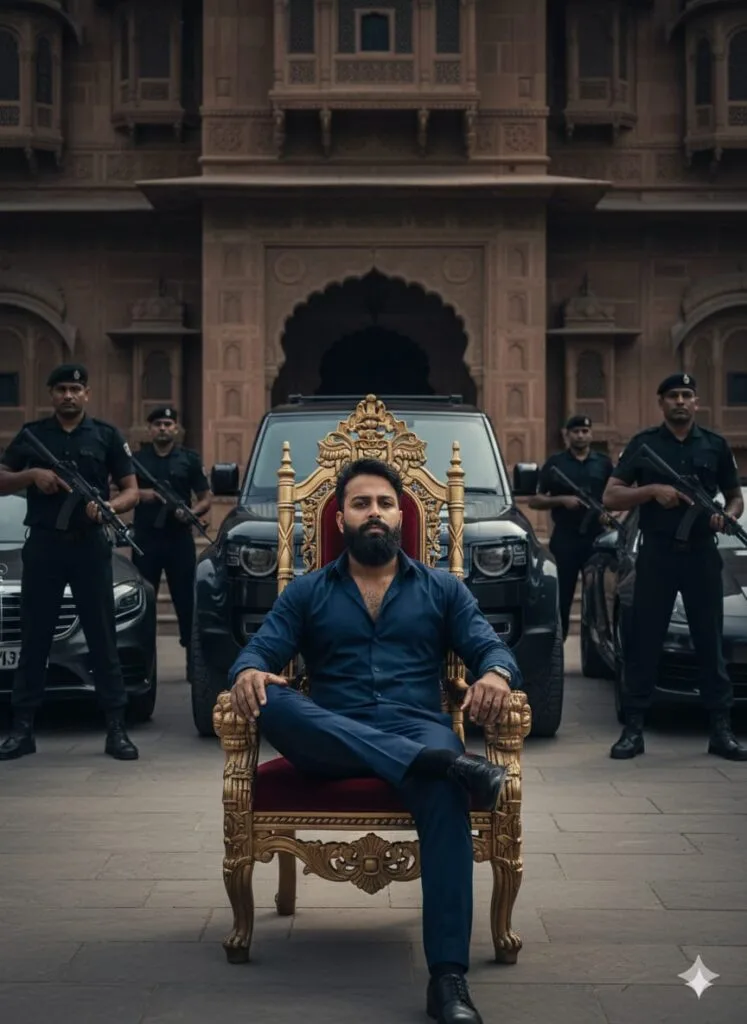
Ultra-photorealistic, cinematic portrait of a young man with a clean face, dressed in a fitted shirt and formal pants, sitting on a King's chair in front of a grand Haveli. He is wearing an earbud. Six bouncers with prop guns stand guard on both sides. A Land Rover Defender is prominently displayed among many luxury cars. Dark, dramatic lighting, HD quality, 8K. Don't change faces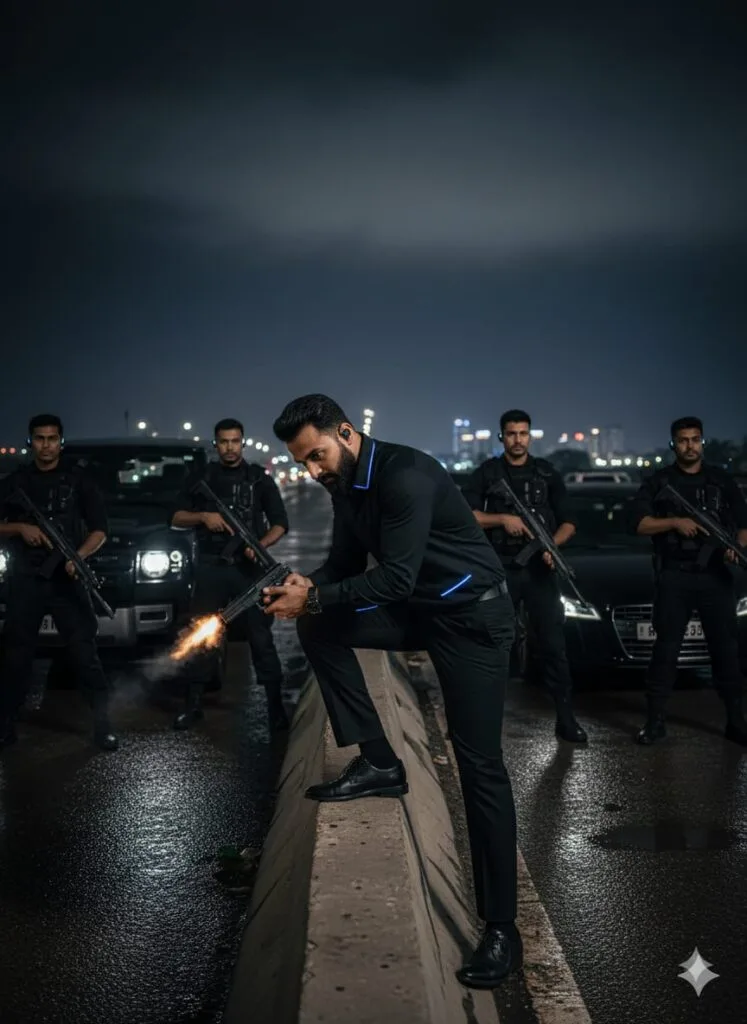
Hyper-realistic, cinematic photograph of a handsome young man, early 20s, with an intense, clean face, dramatically lit, leaning over a flyover barrier at night while fiercely firing a realistic handgun downwards. He is wearing dark formal pants, a fitted dress shirt subtly accented with thin, luminous lighting strips, and polished shoes. He wears a single discreet earpiece. Six imposing bodyguards, armed with artificial/prop guns and wearing tactical earbuds, flank him on both sides. Several high-end cars, including a prominent Land Rover Defender, are parked on the wet, reflective asphalt of the overpass. The scene is enveloped in dark, high-contrast, moody cinematic lighting. HD quality, highly detailed, 8K, chiaroscuro. Don't change faces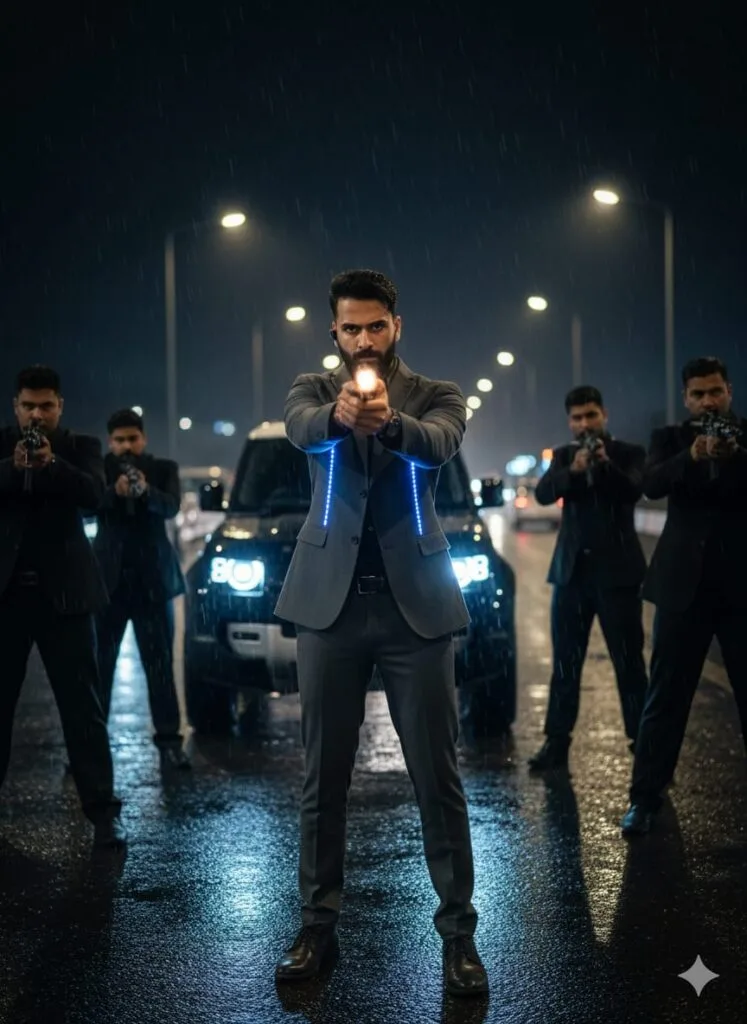
A realistic, hyper-detailed, high-definition (HD) cinematic shot of a young man with a clean, unblemished face standing in the middle of a flyover/overpass. He is wearing a formal outfit consisting of a fitted shirt, dress pants, and shoes, with intense artificial lighting fixtures embedded throughout the clothing (or prominently illuminating him). He is in the act of firing a realistic gun straight ahead. He has an earbud in his ear. He is flanked by six bouncers (three on each side) who are positioned defensively and are holding artificial/prop guns. The background is a mix of many cars, including a prominent Land Rover Defender SUV. The lighting is dark and dramatic (low-key/chiaroscuro) with strong cinematic quality. The key element is his face, which should appear realistically changed or transformed (in a subtle or intense way). Don't change facesNote –
Please enter all your details here. Sometimes the prompts don’t work, but don’t worry. Just open a new page, go to Google Gemini, and upload your photo again. It will be created on the new page.
How to Use Google Gemini Bouncer Security AI Photo Editing Prompts
Let me explain how to use it so you don’t have to face any difficulties. First, you need to download Google Gemini. Since Google Gemini is now available on almost everyone’s mobile phone, you can simply browse through the AI photos on my website. Below the photo you like, you’ll find the best Google Gemini Bouncer Security AI Photo Editing Prompts.
You need to copy it, then paste the Google Gemini Bouncer Security AI Photo Editing prompt that you copied earlier, and then post it. It’s very easy. Then you’ll have to wait for 1 to 2 minutes. Your photo will be generated. If you want to make it even clearer, you can use Remini.
Conclusion
Friends, in this post, I have provided you with Google Gemini Bouncer Security AI Photo Editing Prompts and explained how to use them. So please use them, and if you liked it, you can let me know with a nice comment. I have explained every step, and if you don’t understand anything, please let me know, and I will explain it to you.
Google Gemini Link Click And Use