Top 5 Viral Rain AI Photo Editing Prompts: In this article, I have made photo editing incredibly easy for you—you can create these images with just a single click. As you know, my name is Manish; I am a YouTuber who shares tips and tricks related to photo editing. Since AI is currently trending everywhere and people are using it to transform their photos, you too can now give your images a fantastic look with just one click. Given the current rainy season, this particular style is extremely popular. Here are some amazing prompts that you can simply copy and paste to create your own photos.
AI holds immense importance in today’s world, and people are using it extensively—especially for creating photos and videos. You can simply take any photo (whether shot on a phone or a professional camera, provided your face is clearly visible), copy the prompts we provide, and apply them to the image; your transformed photo will be ready instantly.
About the top 5 viral AI photo editing prompts for rain effects.
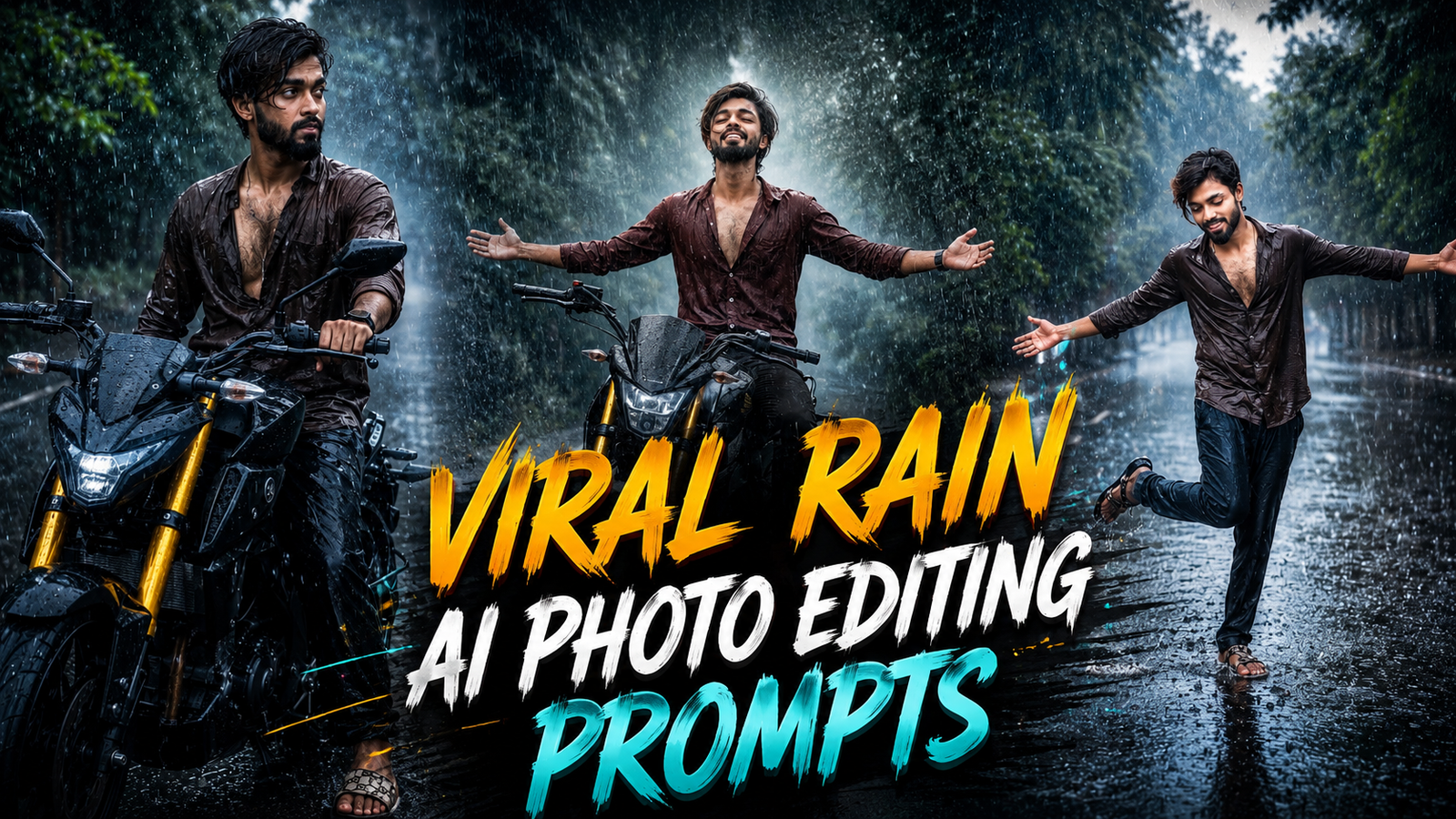
Here are the top 5 AI prompts for rain-themed images that are very easy to create. These prompts feature various poses and settings—such as a rider standing on a main road with an MT-15 bike, or a lone figure standing on the road—set against a backdrop of fog and rain. The scenes include lush greenery and a paved road with puddles, resulting in a highly professional, realistic look—as if captured by a DSLR camera. You will love these, and they ensure a 100% match for your face.
What are AI prompts?
Let me explain that this is code—often referred to as “AI prompts”—generated using tools like Google Gemini or ChatGPT. You can create these yourself; the purpose of providing such prompts is to save time and allow people to easily generate the specific images they desire without hassle. It is not that you cannot create an image without these prompts—you certainly can—but you might not get the exact result you envision. These AI prompts (which can also be thought of as AI code) offer various specific instructions; they are designed for use with ChatGPT and are generated within that platform.
Top 5 Viral Rain Ai Photo Editing Prompts ChatGPT
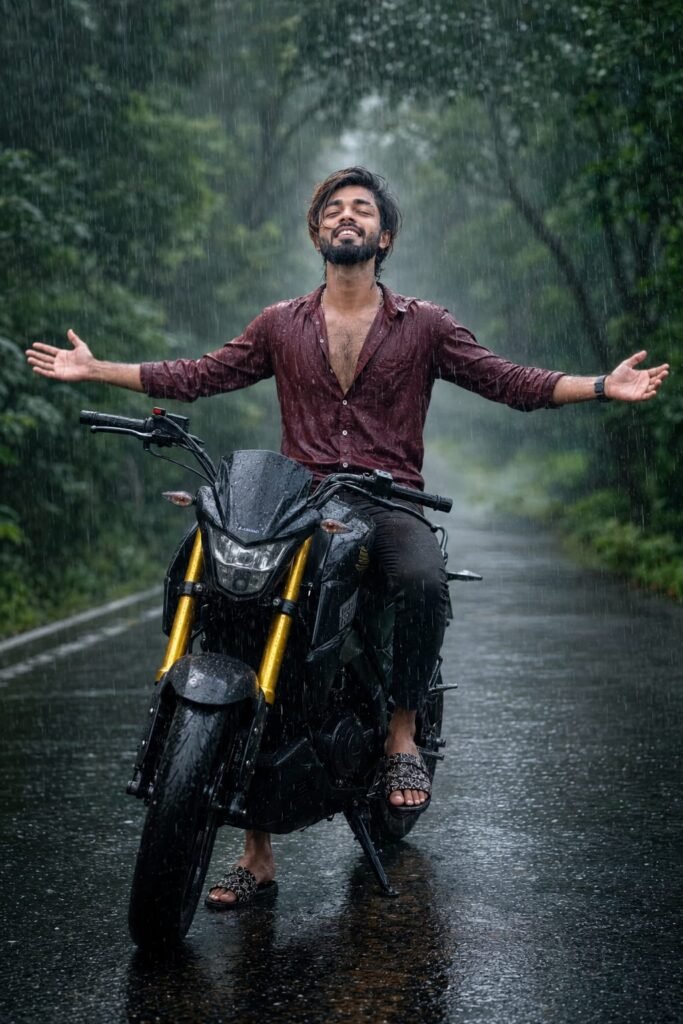
A highly realistic cinematic photograph of a young South Asian man with wet black hair and light stubble, sitting on a black sport motorcycle with bright yellow front forks on a wet reflective road during heavy rain. He has his head tilted back, eyes closed, enjoying the rain, with both arms outstretched wide to the sides, palms open. He is wearing a dark red partially unbuttoned shirt showing chest hair, dark pants, and patterned sandals. Heavy rain is pouring down, creating visible droplets and splashes on the glossy road. Lush green trees line both sides of the misty road in the background. Moody overcast lighting with soft diffused light, dramatic and emotional atmosphere, photorealistic details, sharp focus on the rider and motorcycle, cinematic composition, wet surfaces with realistic reflections, 8k quality" Don't change face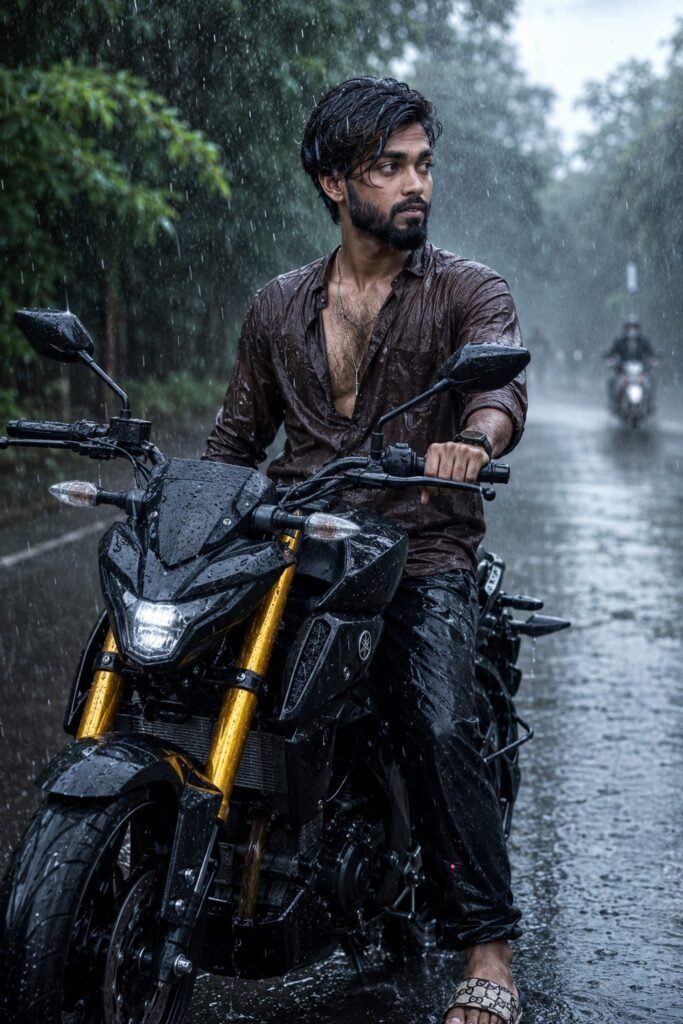
"A highly realistic cinematic photograph of a young South Asian man with wet black hair and stubble, sitting on a black sport motorcycle with striking yellow front forks on a wet rainy road. He is turned to his right, looking away from the camera with a contemplative expression, one hand gripping the handlebar. He wears a dark brown partially unbuttoned shirt revealing chest hair, dark pants, and patterned sandals. Heavy rain is falling, creating splashes and glossy reflections on the asphalt. Lush green trees line the misty road in the background, with a blurred second motorcyclist visible in the distance on the right. Moody overcast lighting, atmospheric rain, photorealistic details, sharp focus on the main rider and bike, cinematic composition, realistic water reflections 8k quality" Don't change face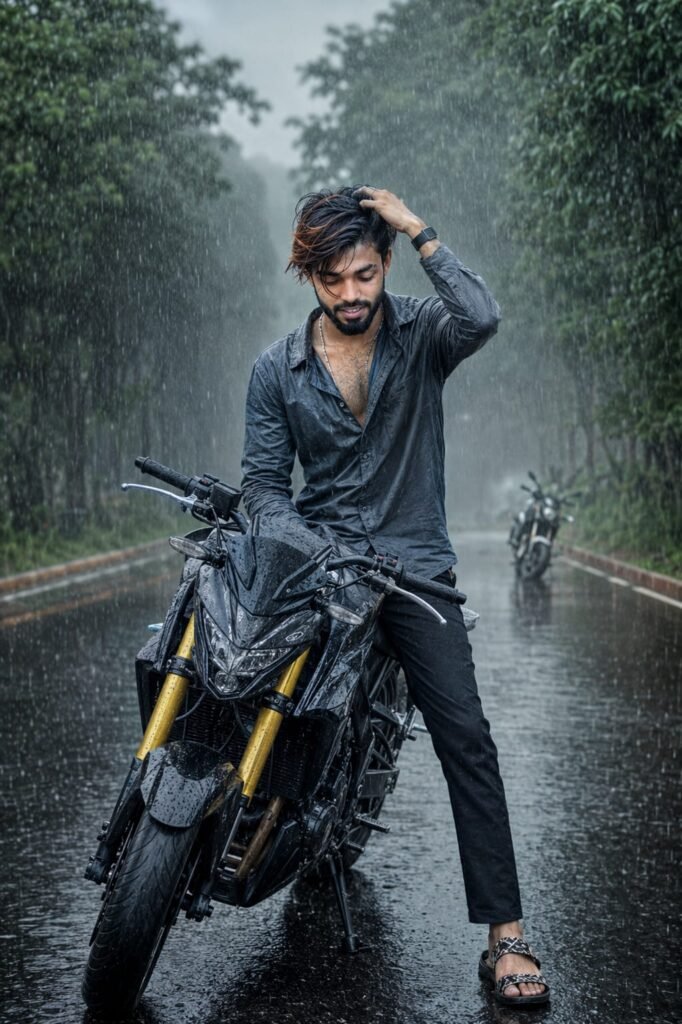
"A highly realistic cinematic photograph of a young South Asian man with wet black hair and light stubble, sitting on a black sport motorcycle with prominent yellow front forks on a flooded wet asphalt road during heavy rain. He is wearing a dark gray partially unbuttoned shirt showing chest hair, dark pants, and patterned sandals. His right hand is raised to his head running through his wet hair, looking down with a contemplative expression. Rain droplets are visibly falling and splashing on the road creating reflections. Lush green trees line both sides of the misty road in the background. Another blurred motorcycle is visible in the distance on the right. Moody overcast lighting, dramatic atmosphere, photorealistic details, sharp focus on the rider and bike, cinematic composition, wet surfaces with realistic reflections, Ok quality. Don't change face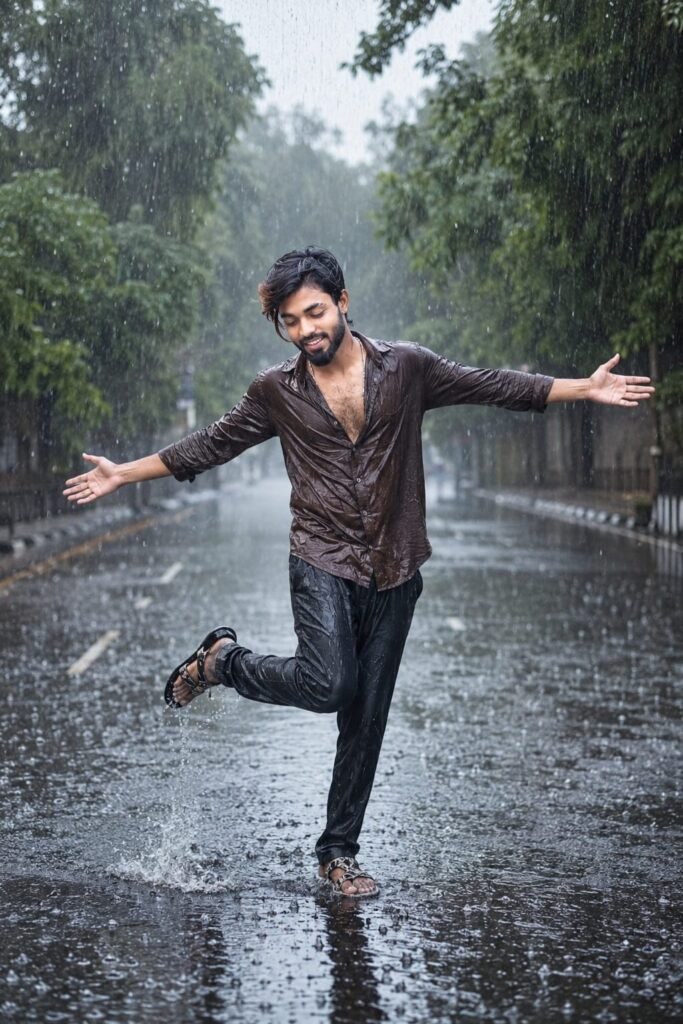
A highly realistic cinematic photograph of a young South Asian man with wet black hair, standing dramatically in the middle of a flooded wet asphalt road during heavy pouring rain. He is wearing a dark brown partially unbuttoned long-sleeve shirt showing chest hair, dark pants, and patterned sandals. His arms are outstretched wide to the sides with palms open, head tilted down, one leg kicked back in a dynamic expressive pose as if dancing or embracing the rain. Heavy rain droplets are visibly falling and splashing around him on the glossy wet road creating strong reflections. Lush green trees line both sides of the misty empty road in the background. Moody overcast lighting, dramatic and emotional atmosphere, photorealistic details, sharp focus on the man, cinematic composition, wet surfaces with realistic water reflections, 8k quality" Don't change face
How To Use Top 5 Viral Rain Ai Photo Editing Prompts
To use this, you first need to access ChatGPT via the link provided below. Log in using your Gmail account, then click the ‘+’ icon to upload a clear photo of your face. Next, copy the AI prompt you like, paste it along with your photo, and submit it. Your image will be ready in a short while; simply click the download option to save it. You can also adjust the colors or make other modifications as you prefer. I hope this is clear, but feel free to ask if you have any questions.
Conclusion
In this article, we have explained step-by-step how to use AI prompts and how anyone can easily create these images. You simply need to read the article, and you won’t face any issues; however, if you do encounter any problems, feel free to let us know in the comments, and we will provide full assistance. You are also welcome to ask any questions related to editing.