ChatGPT Conceptual Photoshoot AI Photo Editing Prompts: In this article, I am sharing some fantastic and currently viral AI prompts that you can use to create your own photos. To create these images, you simply need your own photo and a smartphone—something everyone already owns. I regularly share various photo editing resources, trending AI prompts, and CapCut templates. If you have any questions or need further information, feel free to message or comment; I am here to help you in every way possible.
As you know, everyone is clicking photos using their phones these days, and smartphones now come with excellent cameras. While people used to buy dedicated cameras in the past, they now prefer smartphones. You can get a high-quality phone at an affordable price, and financing options are widely available; people are purchasing phones on monthly EMIs. You simply need to visit a store with your Aadhaar card, PAN card, and bank passbook to get a phone, along with making a small down payment.
About ChatGPT Conceptual Photoshoot AI Photo Editing Prompts:
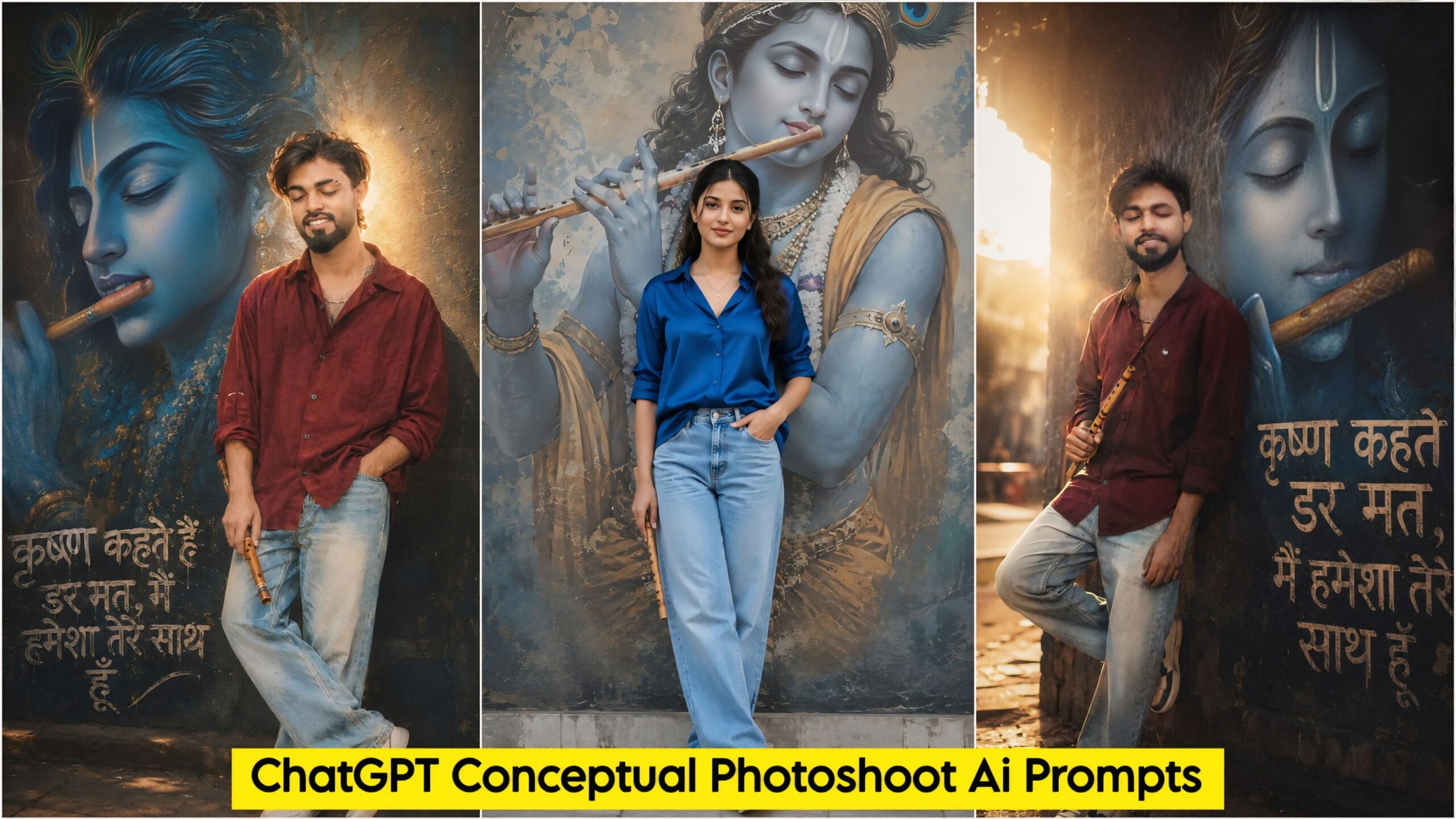
I have provided five AI prompts for you here. These feature a stunning concept with Radha and Krishna—depicted as a poster on the background wall—and a flute held in hand. Anyone can create these images; they are suitable for both boys and girls. You can easily find such AI prompts on our website. I have created these myself, featuring various poses and settings, along with the flute and a short caption (two or three lines) about them. The AI apps most commonly used for this are ChatGPT and Google Gemini; you can download whichever one you find easier to use.
ChatGPT Conceptual Photoshoot Ai Photo Editing Prompts – Unlimited Ai Prompts
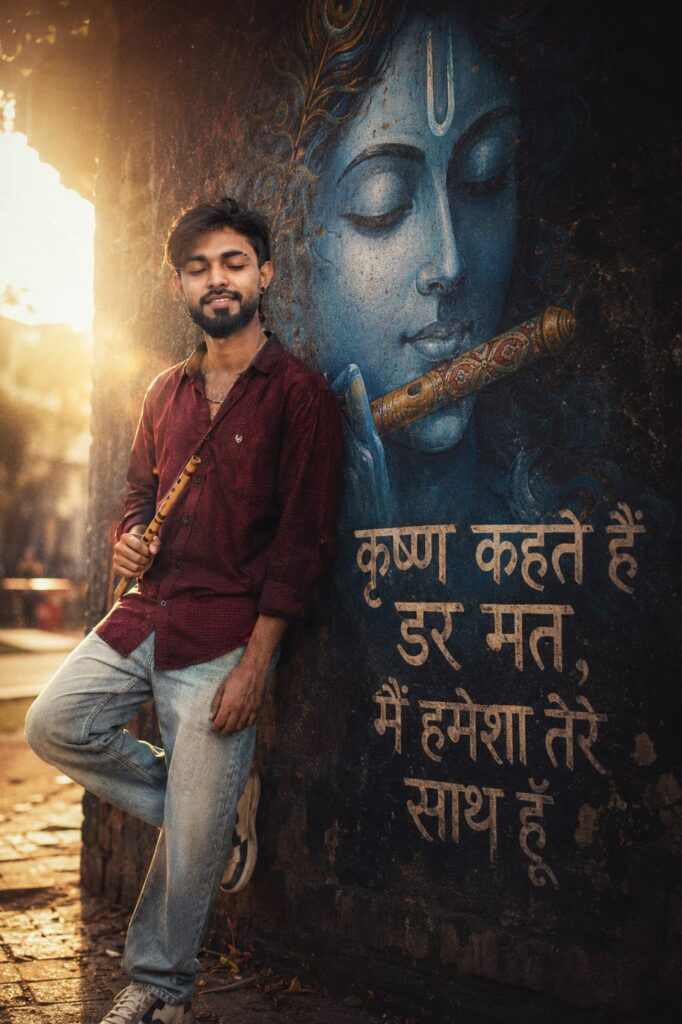
A cinematic, full-length day portrait of a young South Asian man with closed eyes and hold fluat in hand, wearing an oversized dark red button-down shirt and light-wash jeans, leaning against a dark textured wall next to a massive, serene blue mural of Lord krishna face with fluat, illuminated by a dramatic, glowing backlight that creates an ethereal halo effect with a warm, grainy 90s film aesthetic.krishna kahte hain dar mat, main hamesha tere saath hoon" graffiti typography in hindi. Don't change face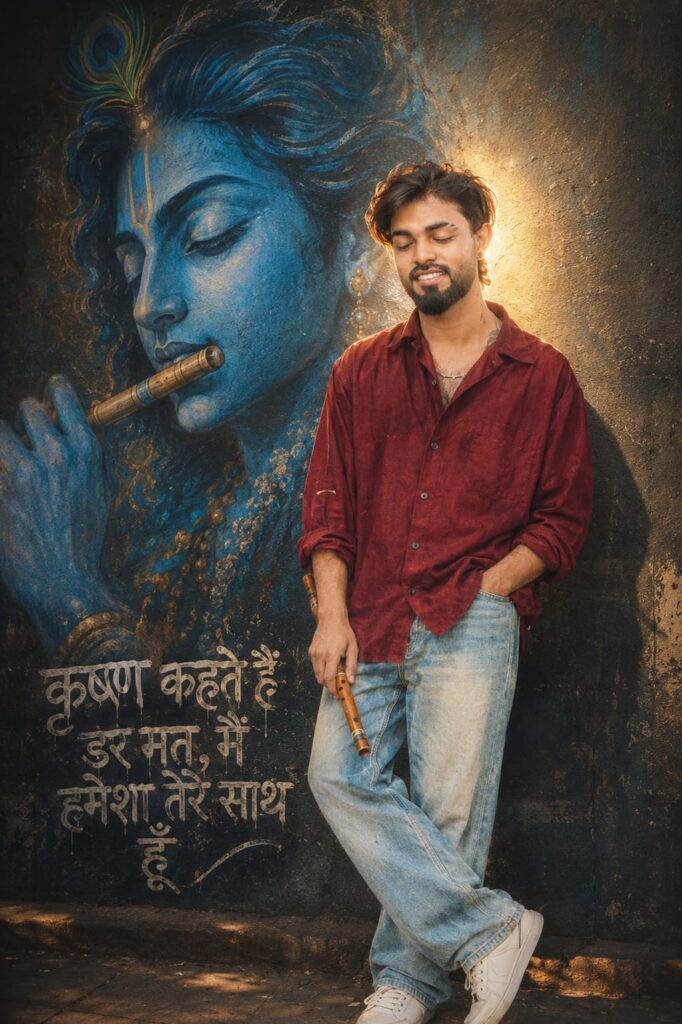
A cinematic, full-length day portrait of a young South Asian man with closed eyes and hold fluat in hand, wearing an oversized dark red button-down shirt and light-wash jeans, leaning against a dark textured wall next to a massive, serene blue mural of Lord krishna face with fluat, illuminated by a dramatic, glowing backlight that creates an ethereal halo effect with a warm, grainy 90s film aesthetic.krishna kahte hain dar mat, main hamesha tere saath hoon" graffiti typography in hindi. Don't change face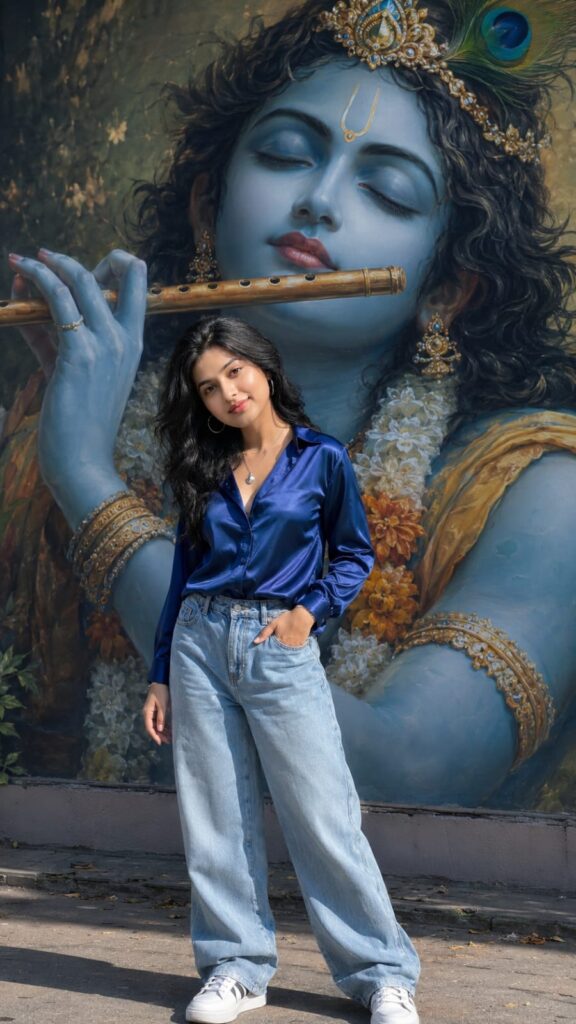
Create a cinematic, ultra-realistic 8K portrait of a stylish young Indian woman standing in front of a giant divine Lord Krishna mural. The woman is wearing a shiny royal blue satin shirt with open collar, light blue loose-fit jeans, white sneakers, and a silver pendant necklace. He is holding a wooden flute in one hand while the other hand rests casually in his pocket. His eyes are closed with a peaceful and spiritual expression. Style Jaisi Hai waise Hi rahani chahiye Jo apni abhi image banai Thi lekin ismein girl hair hone chahie black girl ki image Bana kar do please. Don't change face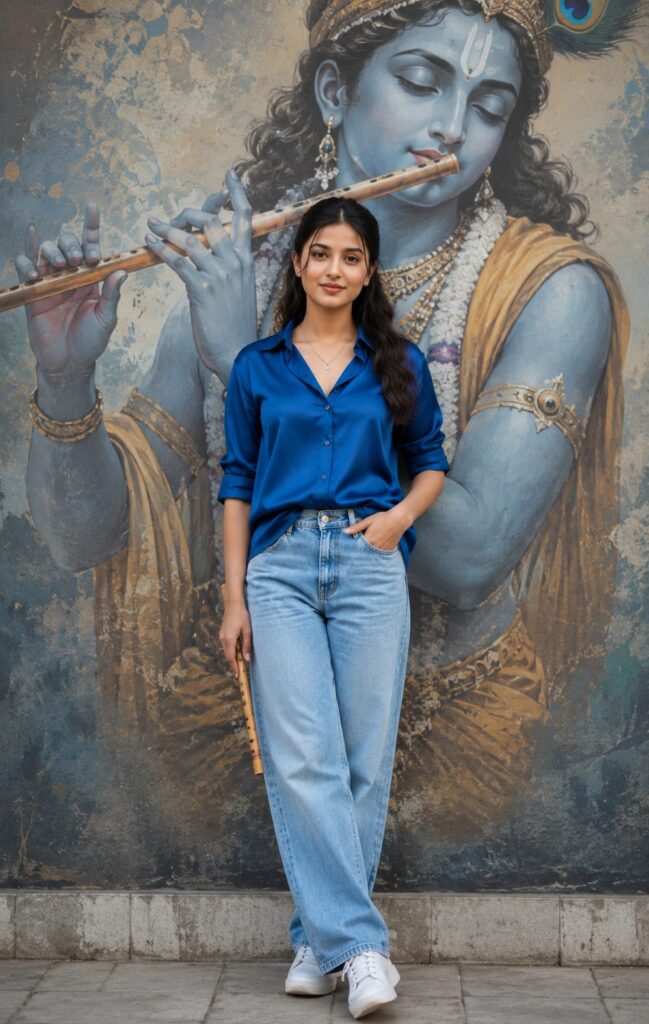
Create a cinematic, ultra-realistic 8K portrait of a stylish young Indian woman standing in front of a giant divine Lord Krishna mural. The woman is wearing a shiny royal blue satin shirt with open collar, light blue loose-fit jeans, white sneakers, and a silver pendant necklace. He is holding a wooden flute in one hand while the other hand rests casually in his pocket. His eyes are closed with a peaceful and spiritual expression. Style Jaisi Hai waise Hi rahani chahiye Jo apni abhi image banai Thi lekin ismein girl hair hone chahie black girl ki image Bana kar do please. Don't change face
How to Create ChatGPT Conceptual Photoshoot AI Photo Editing Prompts
Here is how to use it: to create these ChatGPT conceptual photoshoot-style images, you will need the ChatGPT app. I have provided a download link below. Once downloaded, log in using any Gmail account. Look for the ‘+’ icon at the bottom, click it, and upload the photo you want to edit. Then, simply copy the prompt corresponding to the style you like, paste it alongside the photo, send it, and wait a short while for your image to be generated. Finally, download the result using the download option provided below.
Conclusion
As you know, the prompts I share are always distinct and unique. This particular AI prompt for ChatGPT conceptual photoshoot-style editing is fantastic. I have explained all the details; all you need to do is follow the steps to create your image. If you encounter any issues during the process, please let me know in the comments. You can also comment if you need any other types of prompts.