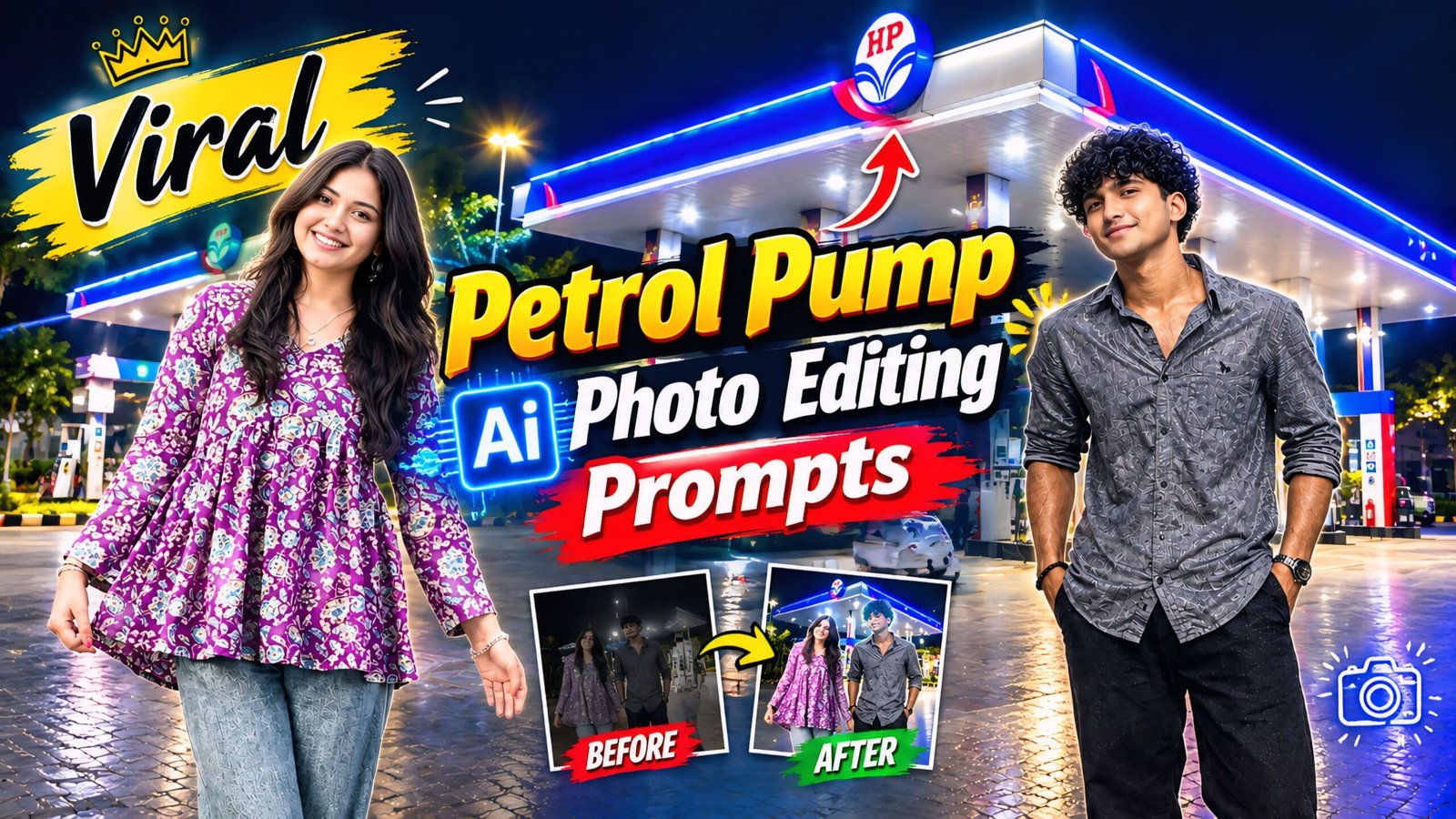
Viral Petrol Pump AI Photo Editing Prompts: In this article, I’m sharing a trending style that is currently going viral—everyone, from guys to girls, is creating these photos where they appear to be standing in front of a petrol pump. These images are getting a lot of love, so you can create one too and share it on Instagram, Facebook, or any other social media platform. It is very easy to make; anyone can create this petrol pump-style photo—all you need is ChatGPT on your phone to customize the image exactly how you want it. Here are all the details you need; simply read and follow the instructions.
As you know, this is the era of AI; incredible photos and videos are being created that look so realistic, you wouldn’t even guess they were made using AI. You can create them too—these AI-generated images look completely authentic. Everyone is doing it right now, so give it a try and quickly post them on your Instagram, as they are currently going viral.
About viral petrol pump AI photo editing prompts
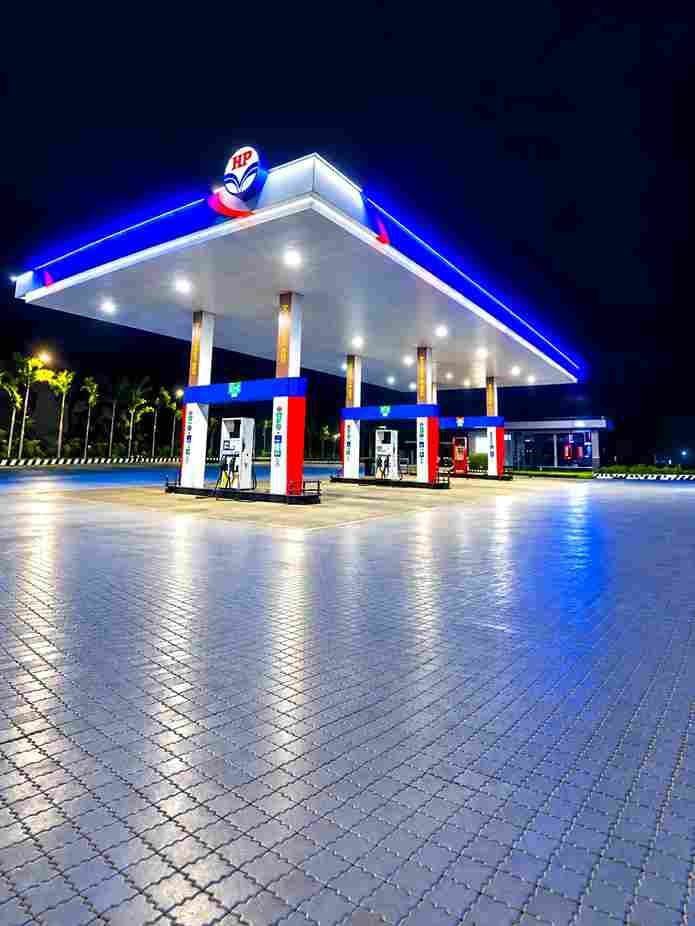
We have provided a separate photo featuring a petrol pump background; you simply need to combine this with your own photo. Then, copy the prompts from the website we’ve shared, add the necessary details, and submit them. Your image will be ready in no time. You should definitely give this a try—whether you are a guy, a girl, or a couple—and share the result on Instagram or Facebook before the trend fades. It is worth creating one now, so it is important to know how to use this tool.
Viral Petrol Pump Ai Photo Editing Prompts 2026
Background Download
Prompts
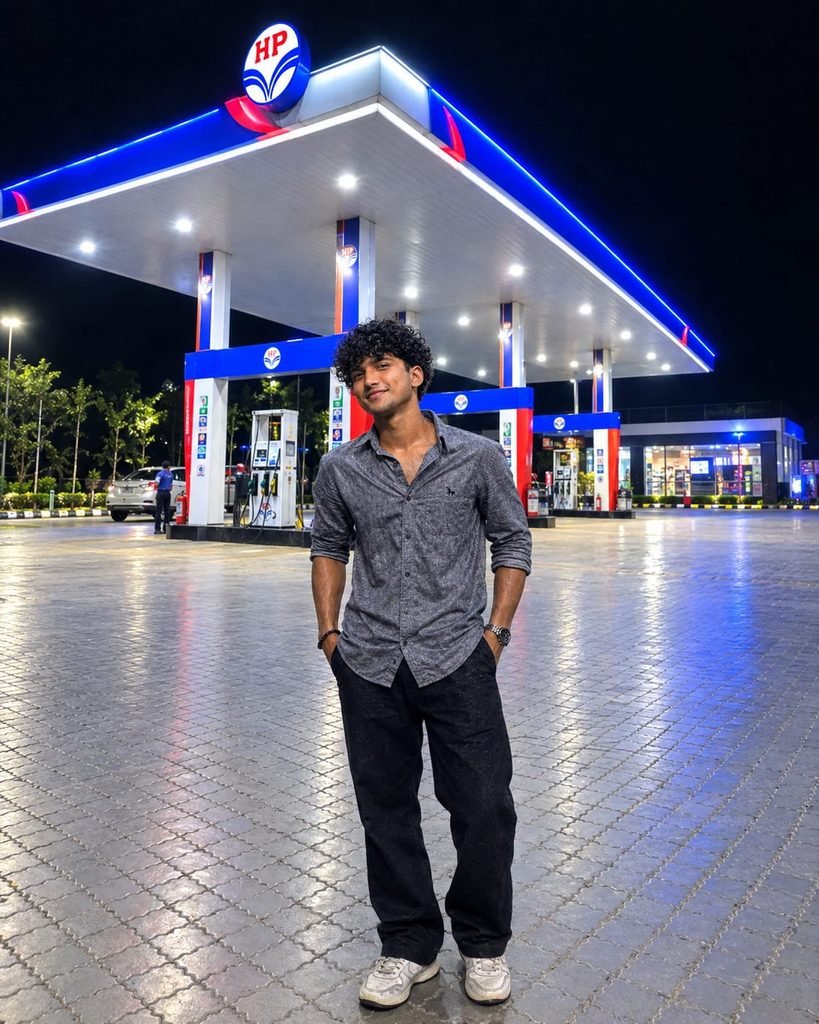
Use my uploaded photo as the ONLY reference for the person.Transform my normal photo into an ultra-realistic, high-quality nighttime photoshoot at a large, modern HP petrol station.IMPORTANT — Preserve the person from my uploaded photo:

Keep the SAME facial identity and recognizable facial features.

Keep the same hairstyle, skin tone, body type and overall appearance.

Keep the SAME clothing/outfit, colors and accessories visible in my uploaded photo as much as possible.

Do NOT beautify the face so much that the person looks different.

The final result must clearly look like the exact same person from my uploaded image.SCENE:
Place the person standing naturally in the open forecourt of a modern HP petrol station at night. Show the large petrol-station canopy prominently in the background with bright white ceiling lights, vivid blue illuminated edges and red/blue accents. Include realistic fuel pumps, columns, a small convenience-store area, clean interlocking paved ground and a deep black night sky.POSE:
Convert the original pose into a natural full-body fashion pose suitable for the person. The pose can be slightly changed to look more stylish and candid — relaxed legs, natural hands, subtle body angle and a realistic expression. Do not make the pose look like a professional studio model.COMPOSITION:
Vertical 4:5 portrait photograph.
Show the person from head to toe.
Keep the person in the lower-middle foreground with enough distance from the camera so the complete petrol station canopy remains clearly visible behind them.
Use a slightly wide smartphone-camera perspective similar to a real photo taken by a friend.LIGHTING:
Realistic petrol-station lighting falling naturally onto the person's face, hair, clothes and body.
Soft flattering facial light with realistic shadows.
Blue-white ambient reflections from the petrol station.
Correct subject/background light interaction so the person does NOT look pasted or cut out.QUALITY & REALISM:
Ultra-realistic photography.
Very high resolution, crisp HD/4K appearance.
Natural skin texture, pores and fine facial details.
Sharp hair strands and realistic fabric texture.
Realistic hands, fingers, legs and footwear.
Balanced exposure and natural contrast.
Slight smartphone HDR look.
Clean but NOT overly processed.
No artificial AI-looking skin.
No excessive background blur.
No fake cinematic CGI appearance.
No distorted body proportions.
No extra fingers or limbs.
No text added to the image.The final image should look like a genuine high-end smartphone night photograph actually taken at the petrol station, not an AI-generated composite.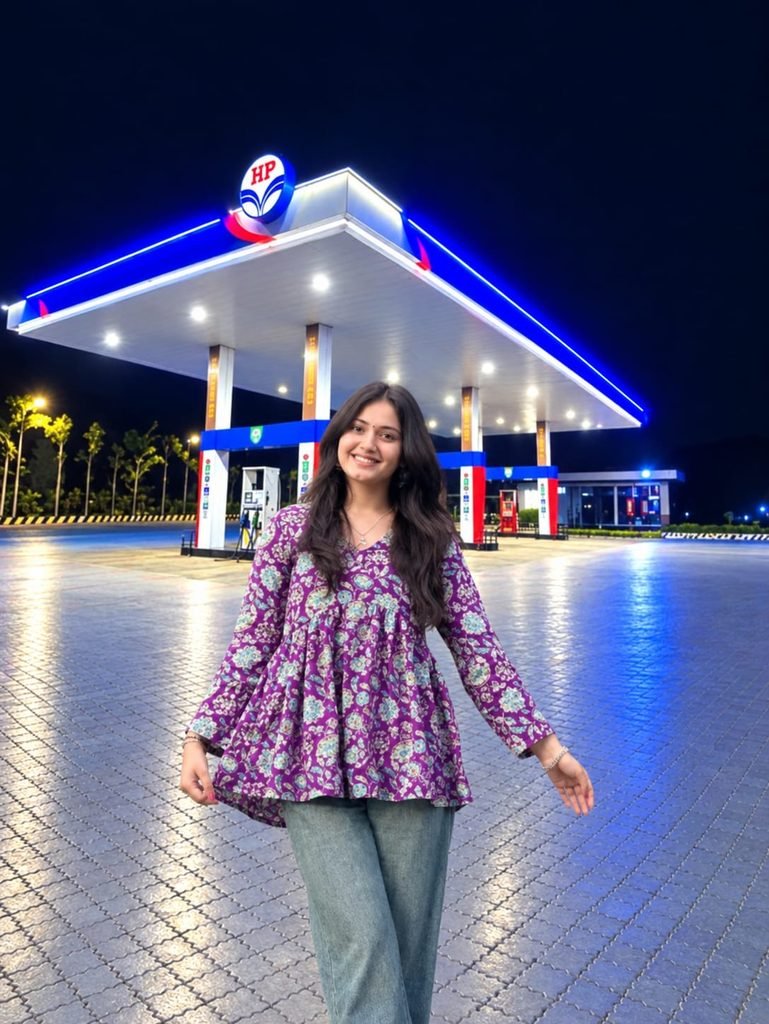
Use the first photo as the exact person reference and the second as the background. Place me naturally into the scene, preserving my face, hairstyle, skin tone, body, clothes, pose, and proportions. Match lighting, shadows, perspective, colors, and camera quality perfectly. Add subtle highlights and realistic shadows for a seamless photorealistic result.
How To UseViral Petrol Pump Ai Photo Editing Prompts
To create the “petrol pump” style photo, you will need an app called ChatGPT; you can download it using the link provided below. After downloading, log in using any Gmail account. Next, locate the ‘+’ icon at the bottom, click on it, and upload the photo you wish to transform. Then, simply copy the prompt corresponding to the style you like, paste it alongside your photo, and hit send. Wait a few moments for the image to be generated, and then download it using the download option provided below.
Conclusion Of Viral Petrol Pump
As you know, the AI prompts I share are always unique and distinctive. This particular prompt for the viral “Petrol Pump” AI photo editing style is fantastic; I have provided all the necessary details—you simply need to follow the steps to create your image. If you encounter any issues while creating it, please let me know in the comments. You can also comment if you are looking for any other types of AI prompts.