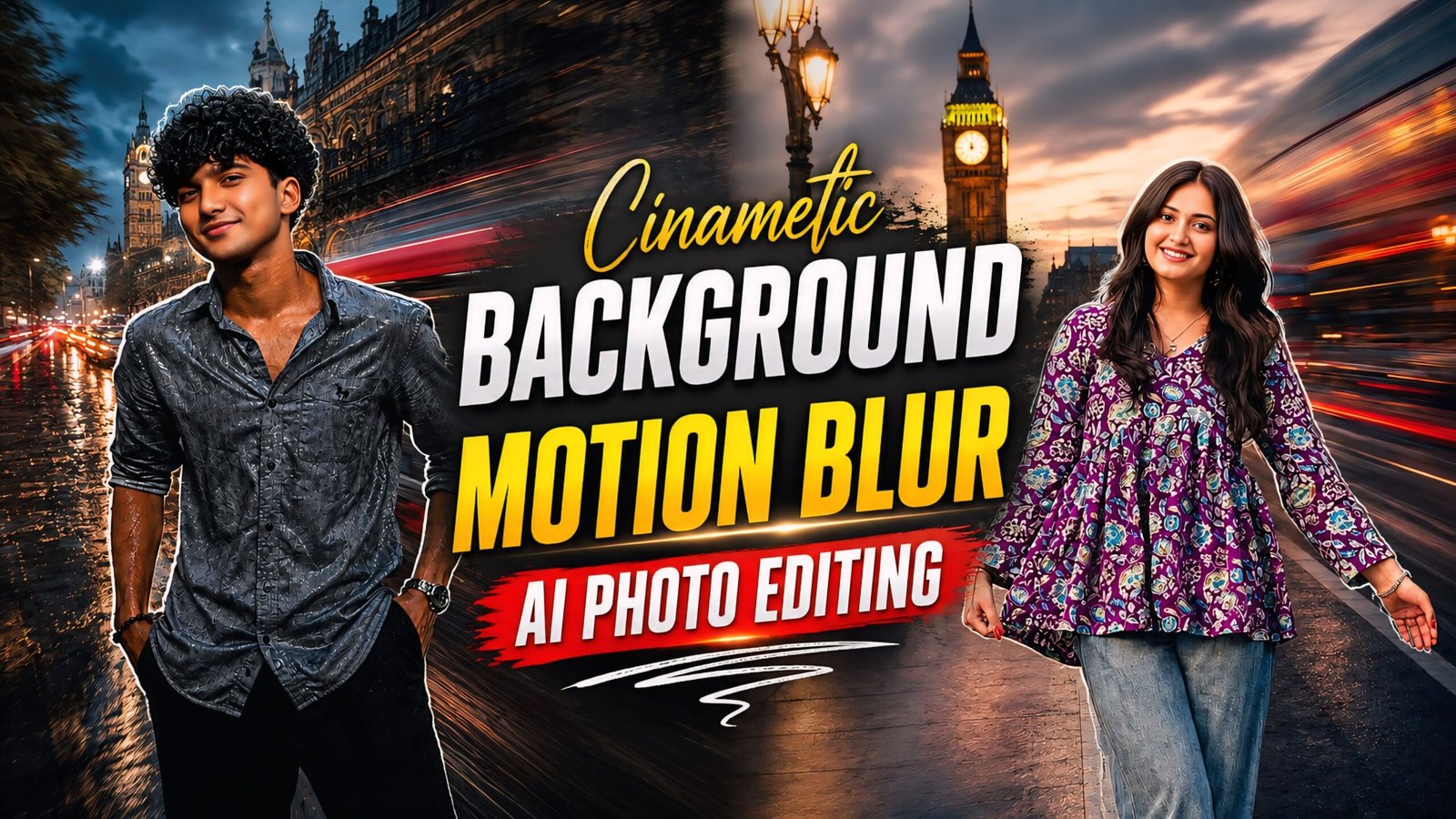
Cinematic background motion blur AI photo editing is currently going viral; it is very easy to apply to any photo and is trending heavily. You can use this style anytime, as it features a cinematic background, a golden effect, and a moving background that looks incredibly attractive. It is suitable for both men and women. I will share all the details to make the process even easier for you—you should definitely give this a try.
You can use this prompt anytime to change the background of any photo. For instance, if you’ve been on a trip and a photo looks dull, you can apply this effect to change the background and share the result on social media—it looks incredibly attractive. Anyone can use this—children, adults, men, women, couples, girlfriends, boyfriends, or spouses—and it works for people from any country, whether in America, India, or anywhere across Asia.
About Cinematic Background Motion Blur AI Photo Editing
As you know, AI is currently being widely used by everyone, so you can use it too. These AI prompts will come in handy for you; we have provided two different prompts that can transform even the worst-looking photo into something amazing. You simply need to use them in ChatGPT—which is easily available on the Play Store—to get the result with just a single click. Just download the app and apply these prompts to any photo, no matter how poor its quality is.
Cinematic Background Motion Blur AI Photo Editing Prompts
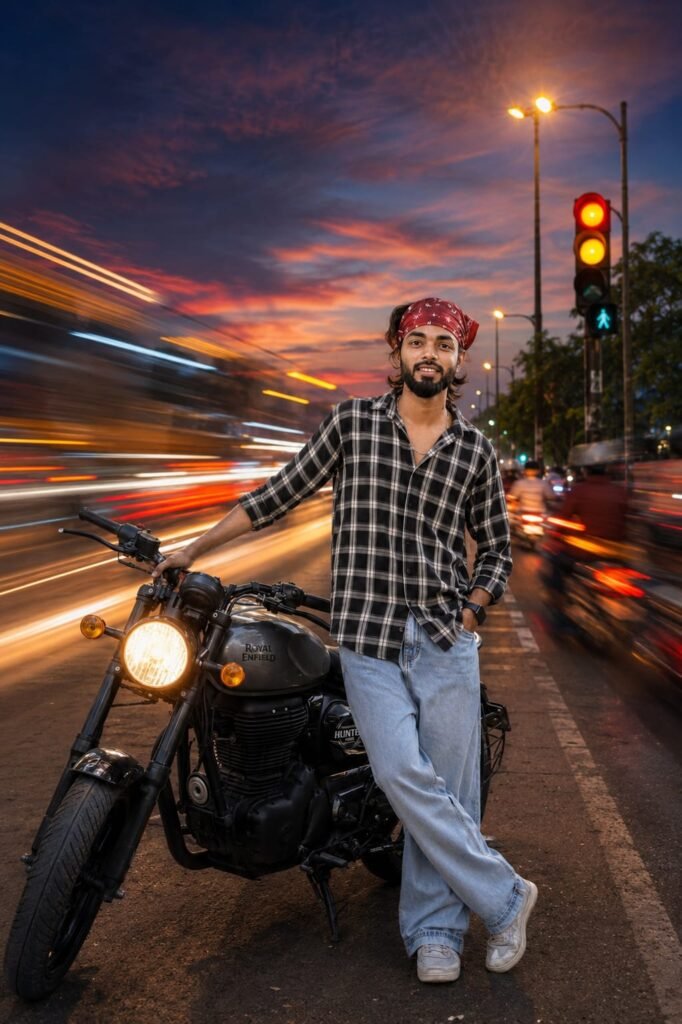
Ultra-Realistic Long Exposure Photography, Cinematic Composition, Captured With A Professional Full-Frame Camera And Wide-Angle Lens. Create Smooth Motion Blur On All Moving Elements While Keeping The Main Subject Perfectly Sharp And In Focus. Flowing Light Trails, Silky Water Effect, Soft Cloud Streaks, And Natural Motion Blur From People Ör Vehicles. Golden Hour Or Blue Hour Lighting With Rich Dynamic Range, Volumetric Light, Realistic Reflections, Subtle Lens Bloom, Premium Color Grading, High Detail, Crisp Textures, Hdr Quality, Natural Depth Of Field Atmospheric Mood, Ultra-Sharp Subject, 8K Resolution, Fujifilm Analog Film Look, Realistic Shadows, Balanced Contrast, Masterpiece Photography. Frem size 4:5 Don't change face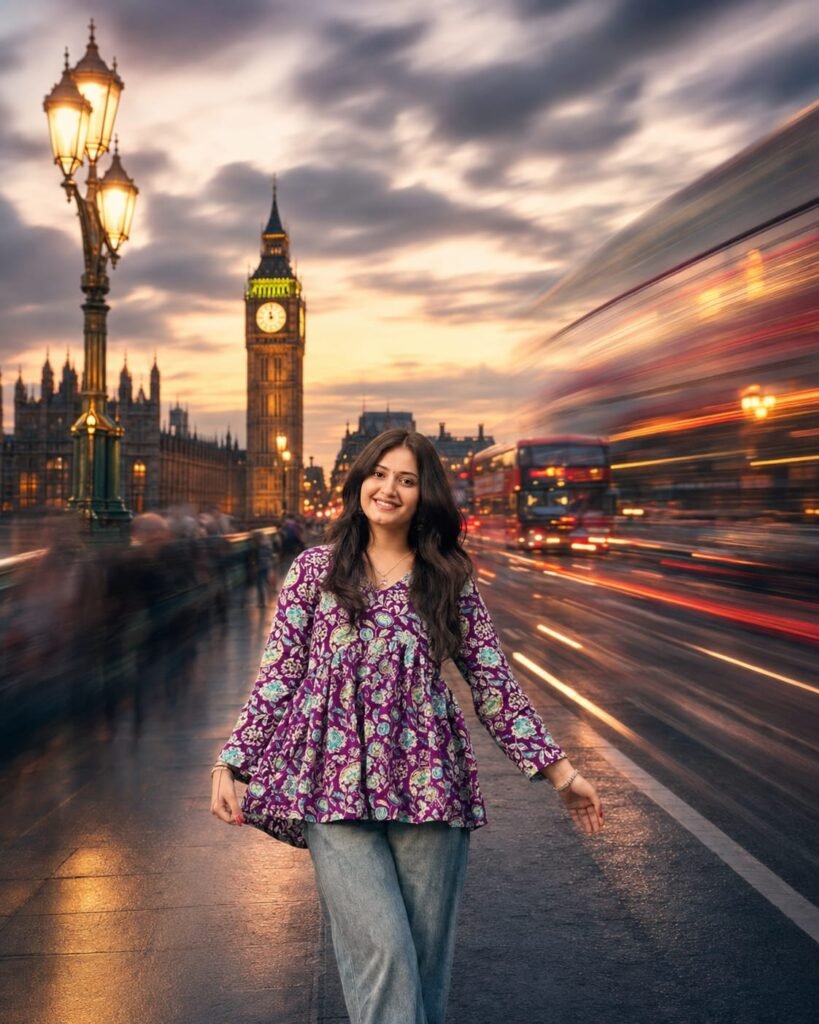
Ultra-Realistic Long Exposure Photography, Cinematic Composition, Captured With A Professional Full-Frame Camera And Wide-Angle Lens. Create Smooth Motion Blur On All Moving Elements While Keeping The Main Subject Perfectly Sharp And In Focus. Flowing Light Trails, Silky Water Effect, Soft Cloud Streaks, And Natural Motion Blur From People Ör Vehicles. Golden Hour Or Blue Hour Lighting With Rich Dynamic Range, Volumetric Light, Realistic Reflections, Subtle Lens Bloom, Premium Color Grading, High Detail, Crisp Textures, Hdr Quality, Natural Depth Of Field Atmospheric Mood, Ultra-Sharp Subject, 8K Resolution, Fujifilm Analog Film Look, Realistic Shadows, Balanced Contrast, Masterpiece Photography. Frem size 4:5 Don't change face
How To Use Cinematic Background Motion Blur AI Photo Editing Prompts
To use this, you will need ChatGPT—which is easily available on the Play Store; simply download it and log in using any Gmail account. Then, add a photo from your gallery, copy a prompt you like from our website, and paste it along with your photo; your image will be ready—it’s that simple. Finally, click the arrow icon at the top (the download option) to save the image. ChatGPT automatically converts your photo into Ultra HD quality—a fantastic feature not available in Google Gemini—as ChatGPT is specifically designed for image-related tasks.
Conclusion
In this article, we have provided AI photo editing prompts for creating cinematic backgrounds with motion blur and explained how to use them. Simply follow the step-by-step instructions, and your photo will turn out exactly as shown. Additionally, our website offers a wide range of prompts, CapCut templates, and VN editing tips and tricks; feel free to reach out to us if you have any further questions.