Motion Blur Effect Ai Photo Editing Prompts ChatGPT, In this article, I am sharing some fantastic and unique AI prompts for the “Motion Blur Effect” that are currently going viral on Instagram and social media. You can use these to transform your own photos—even a simple selfie taken on your phone will work. All you need to do is copy and paste the prompts I’ve provided. You will need ChatGPT for this; it is easily accessible—you can even use it directly via Google.
As you know, I am a YouTuber who is learning both photo and video editing; if you face any editing-related issues, please feel free to contact me. AI technology is set to become even more advanced in the future, so I encourage you to learn how to use it. Thanks to AI prompts, the process has become much easier for content creators, enabling them to produce high-quality photos and videos. It has also simplified things for bloggers and YouTubers, allowing anyone to create YouTube thumbnails with just a single click.
About Motion Blur Effect AI Photo Editing Prompts:
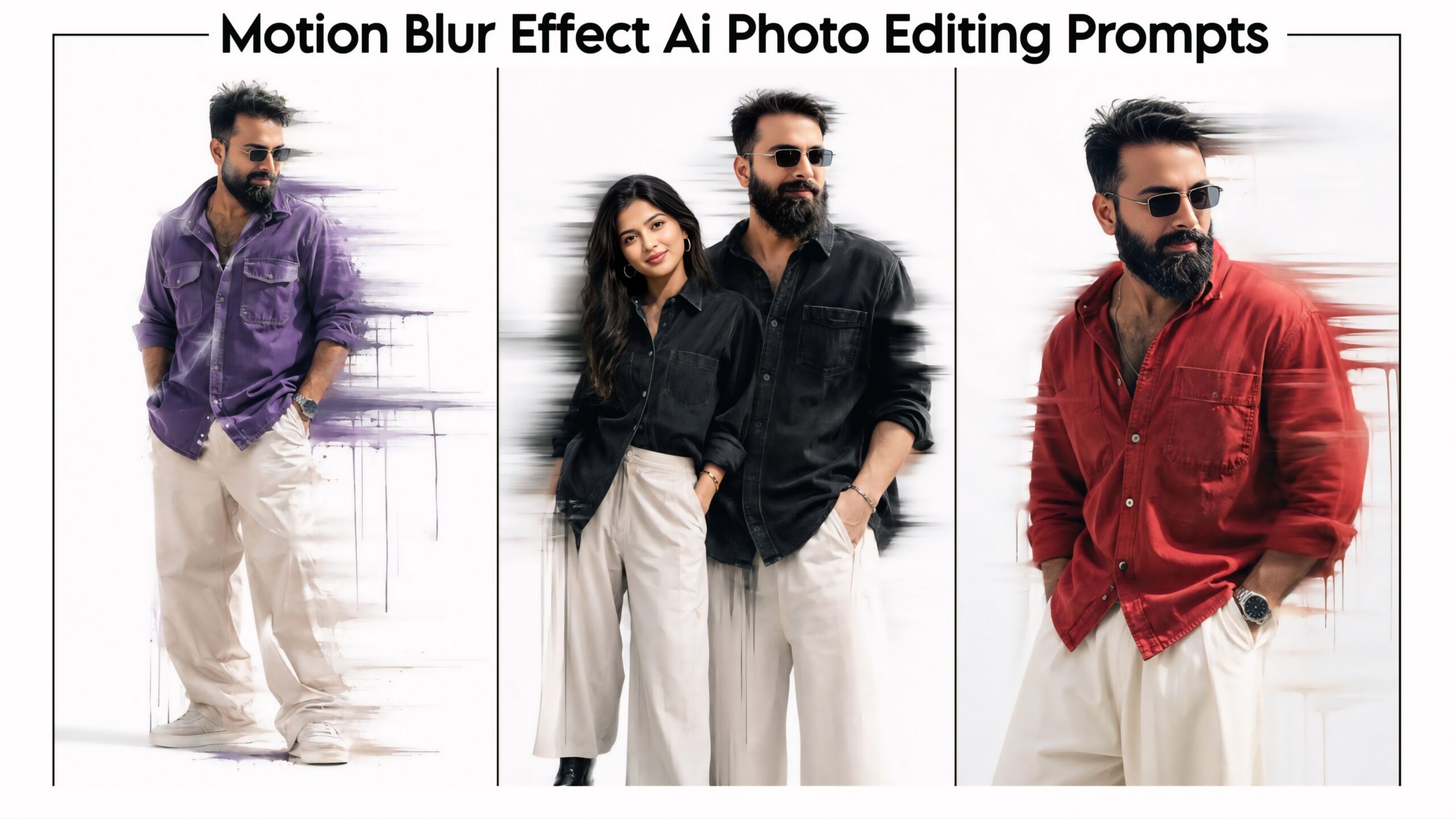
We have curated the latest trending photo editing styles for you here. These prompts combine a motion blur effect with a ‘glitch’ aesthetic, creating a truly unique look. You will find options featuring various poses and locations, different outfit colors, and subjects ranging from solo girls to couples; you can even choose to generate images featuring only girls. We highly recommend giving this a try. We regularly create and share trending AI prompts and templates for you, and you are welcome to share them with your friends as well.
Motion Blur Effect Ai Photo Editing Prompts ChatGPT | Speed Blur Effect Photo Editing
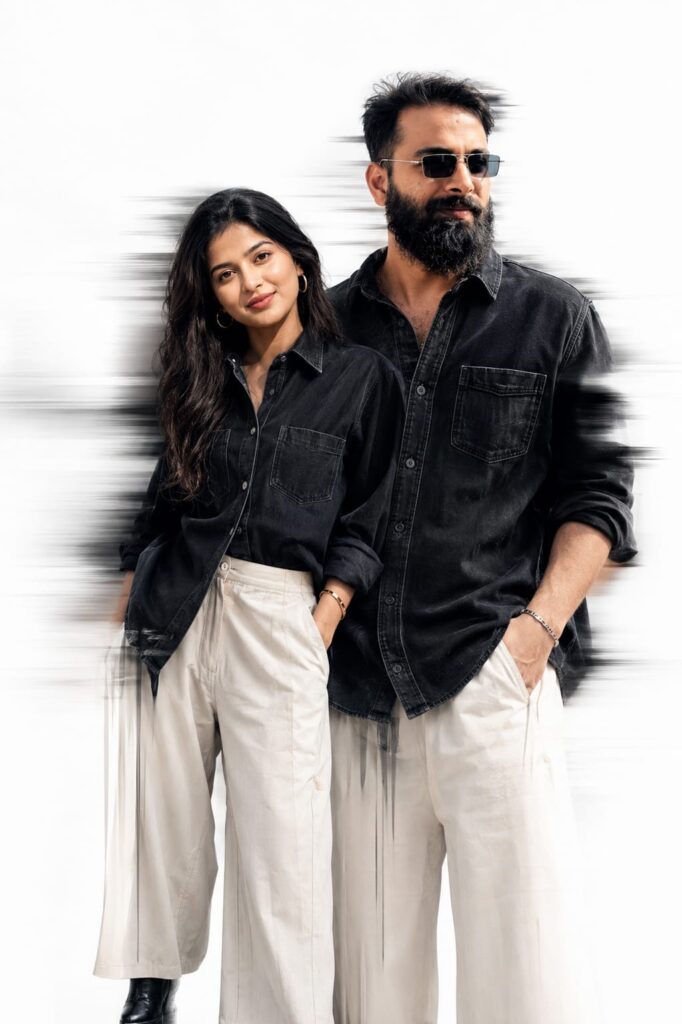
A Uploaded image create Fashion editorial portrait of stylish adults standing a clean light-gray studio background. black denim shirts with large front pockets and loose off-white wide-leg trousers. The man has textured curly hair, a full beard, and is looking down in a relaxed pose pockets. High-fashion streetwear aesthetic, coordinated couple styling, minimal backdrop, soft studio lighting, sharp details, realistic skin tones, premium magazine photoshoot, dynamic motion-blur streaks behind them, modern urban fashion campaign, ultra-realistic, high resolution, 85mm lens, professional photography. Upload image face matching minimal aesthetic fashion, solid bright white background, dramatic lighting, motion blur dripping effect around the body, glitch smear effect, soft shadows, high contrast, cinematic look, ultra realistic, 4K, sharp details, editorial fashion photography style. Don't change face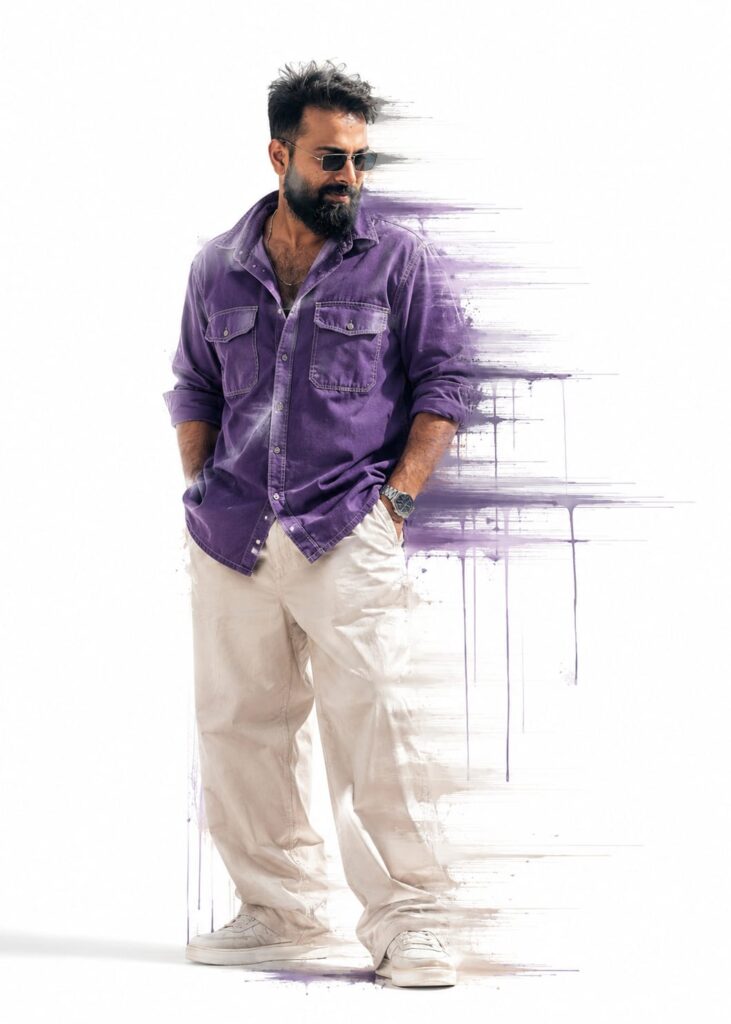
A Uploaded image create Fashion editorial portrait of stylish adults standing a clean light-gray studio background. Purple denim shirts with large front pockets and loose off-white wide-leg trousers. The man has textured curly hair, a full beard, and is looking down in a relaxed pose pockets. High-fashion streetwear aesthetic, coordinated couple styling, minimal backdrop, soft studio lighting, sharp details, realistic skin tones, premium magazine photoshoot, dynamic motion-blur streaks behind them, modern urban fashion campaign, ultra-realistic, high resolution, 85mm lens, professional photography. Upload image face matching minimal aesthetic fashion, solid bright white background, dramatic lighting, motion blur dripping effect around the body, glitch smear effect, soft shadows, high contrast, cinematic look, ultra realistic, 4K, sharp details, editorial fashion photography style. Don't change face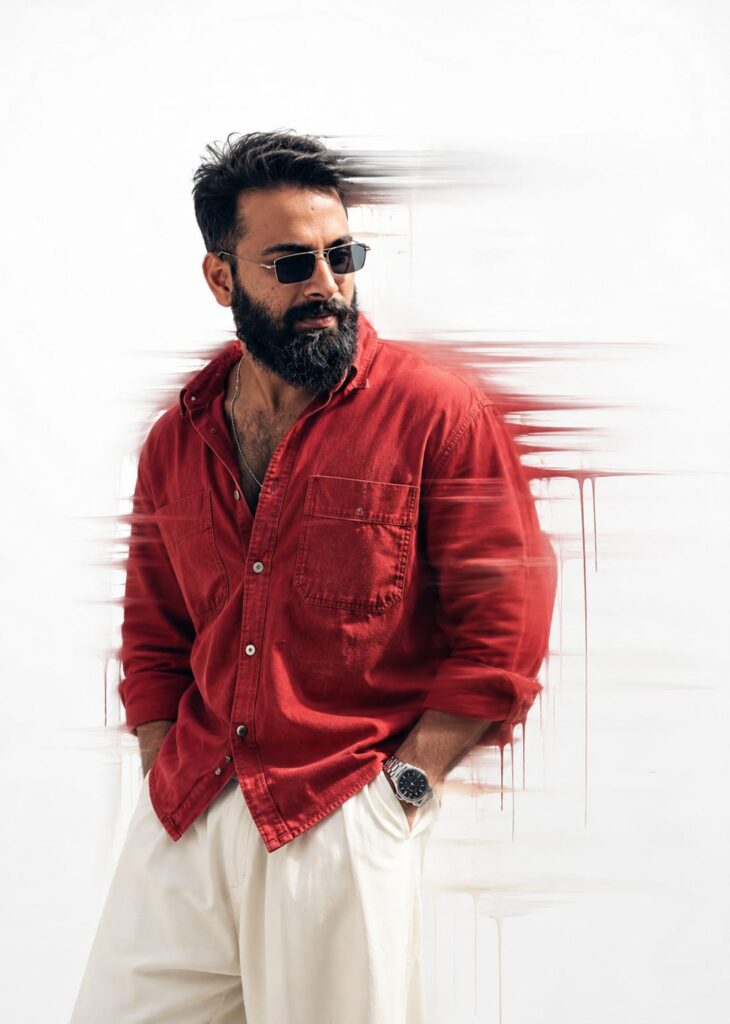
A Uploaded image create Fashion editorial portrait of stylish adults standing a clean light-gray studio background. red denim shirts with large front pockets and loose off-white wide-leg trousers. The man has textured curly hair, a full beard, and is looking down in a relaxed pose pockets. High-fashion streetwear aesthetic, coordinated couple styling, minimal backdrop, soft studio lighting, sharp details, realistic skin tones, premium magazine photoshoot, dynamic motion-blur streaks behind them, modern urban fashion campaign, ultra-realistic, high resolution, 85mm lens, professional photography. Upload image face matching minimal aesthetic fashion, solid bright white background, dramatic lighting, motion blur dripping effect around the body, glitch smear effect, soft shadows, high contrast, cinematic look, ultra realistic, 4K, sharp details, editorial fashion photography style. Don't change face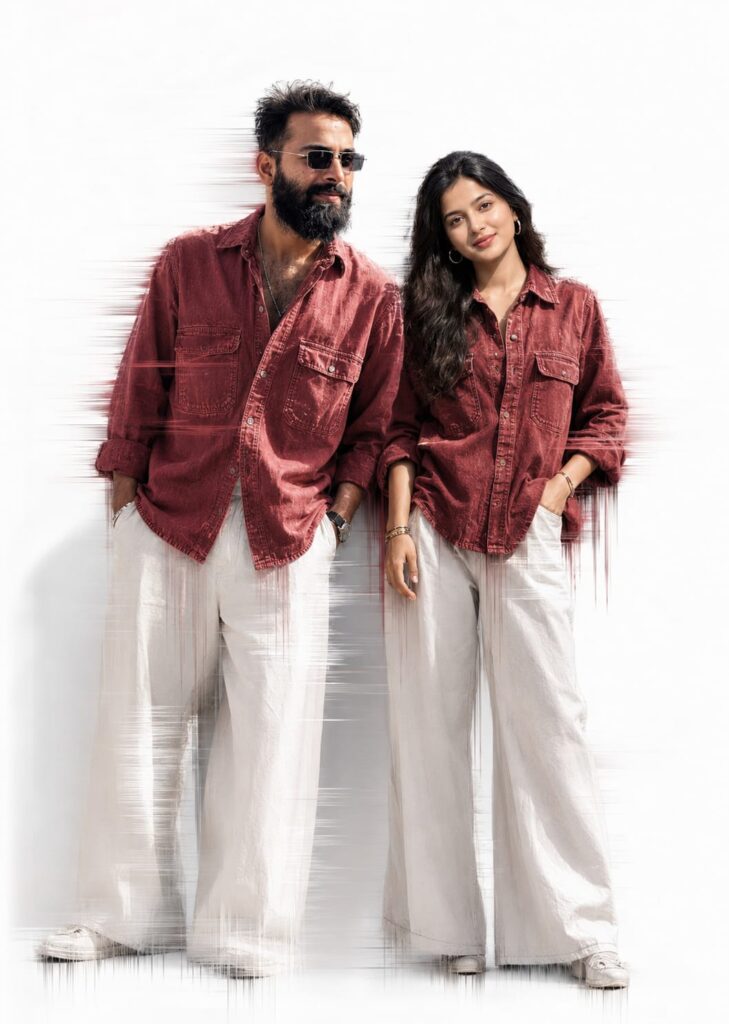
A Uploaded image create Fashion editorial portrait of stylish adults standing a clean light-gray studio background. red denim shirts with large front pockets and loose off-white wide-leg trousers. The man has textured curly hair, a full beard, and is looking down in a relaxed pose pockets. High-fashion streetwear aesthetic, coordinated couple styling, minimal backdrop, soft studio lighting, sharp details, realistic skin tones, premium magazine photoshoot, dynamic motion-blur streaks behind them, modern urban fashion campaign, ultra-realistic, high resolution, 85mm lens, professional photography. Upload image face matching minimal aesthetic fashion, solid bright white background, dramatic lighting, motion blur dripping effect around the body, glitch smear effect, soft shadows, high contrast, cinematic look, ultra realistic, 4K, sharp details, editorial fashion photography style. Don't change face

How To Make Motion Blur Effect Ai Photo Editing Prompts
To create this “Motion Blur Effect” photo, you will need an app called ChatGPT; I have provided a download link below. After downloading, log in using any Gmail account. Next, locate the “+” icon at the bottom, click it, and upload the photo you wish to edit. Then, simply copy the prompt corresponding to the style you like, paste it alongside your photo, send it, and wait a brief moment for your photo to be generated. You can then download the result using the download option provided below; the process is the same for both.
Conclusion on the Motion Blur Effect
As you know, the prompts I share are always unique and distinct, and they work 100% of the time. This particular AI prompt for “Motion Blur Effect” photo editing is fantastic. I have provided all the necessary details—you simply need to follow the steps to create your photo. If you encounter any issues during the process, please let me know in the comments; you can also comment if you need any other types of prompts.