Shin-chan Style AI Portrait Photo Editing: Friends, in this article, I will introduce you to the “Shin-chan style” photo editing trend that is currently going viral on Instagram. People are achieving viral status by creating these images, and inspired by this, we have created a set of AI prompts specifically for you. With the help of these prompts, you can transform your own photos—and do so with just a single click! After all, people are constantly looking to do something fresh, exciting, and up-to-date; with new trends emerging every day, people are evolving right alongside them. So, by utilizing these AI prompts, you too can now give your photos a unique and distinctive look.
These AI prompts are designed for use with Google Gemini—and as you are well aware, this technology is set to become even more advanced in the near future. People are already leveraging AI to create photos and videos, posting them across platforms like YouTube, Instagram, and Facebook to earn hundreds of thousands. If you master the effective use of AI, you can expect to achieve significant growth and success moving forward. You, too, have an excellent opportunity to learn AI; use it to create your own photos and videos, share them on Instagram and Facebook, and earn a substantial income—for as you can clearly see, AI is the dominant trend right now.
Trending Ai Photo Editing Prompts
About Shin-chan Style AI Portrait Photo Editing
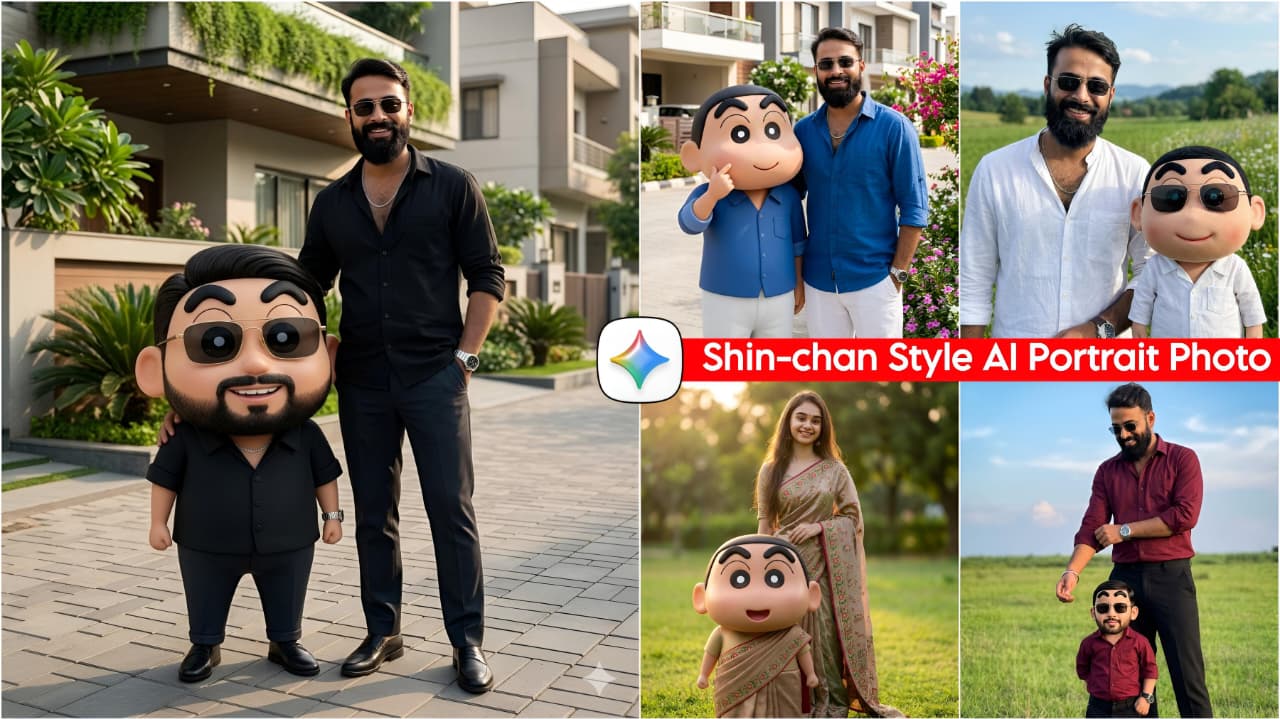
In this package, we have provided you with a total of 10 AI prompts in the Shin-chan style. These prompts feature various poses and settings, utilizing trendy outfits—specifically a combination of trousers and a shirt—that look incredibly stylish and unique. Additionally, we have incorporated an image of Shin-chan himself, positioned right beside you in the frame; this adds a distinct charm to the photo that people are absolutely loving. If you use these AI prompts, you won’t even believe that the images were generated by AI; they appear completely realistic and natural—as if they were captured and edited using a professional DSLR camera. Furthermore, with every prompt I provide, your face is matched with 100% accuracy.
Shin-chan Style AI Portrait Photo Editing
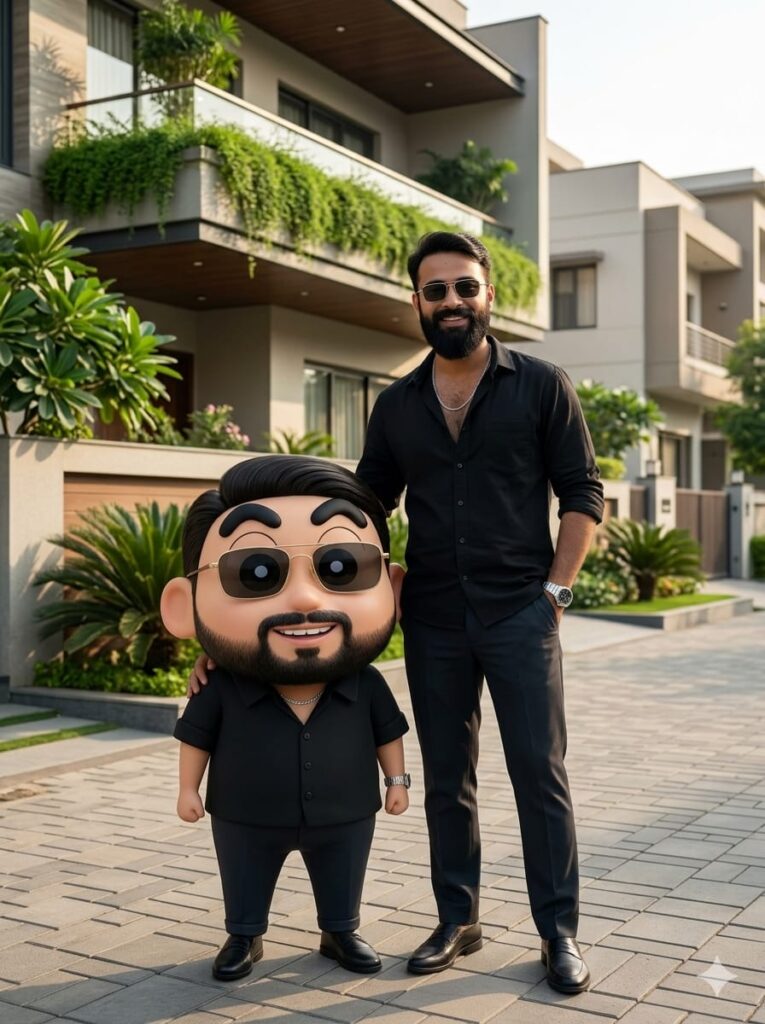
Cinematic full-body shot of a handsome young man and a realistic 3D Shin-chan character standing together in a modern residential colony. The young man has a realistic face, a subtle smile, and is wearing a black casual shirt, dark trousers, a stylish watch, and sunglasses. Standing right next to him is a life-sized, realistic version of Shin-chan, designed with the exact same facial features as the man to look like his mini-twin. Shin-chan is also wearing the identical outfit: a black shirt, trousers, watch, and sunglasses. They are standing in front of a beautiful house with a balcony filled with lush green plants. The lighting is cinematic and natural, highlighting ultra-HD details, clean facial features, and realistic textures. 3:4 aspect ratio, 8k resolution, hyper-realistic style. Don't change face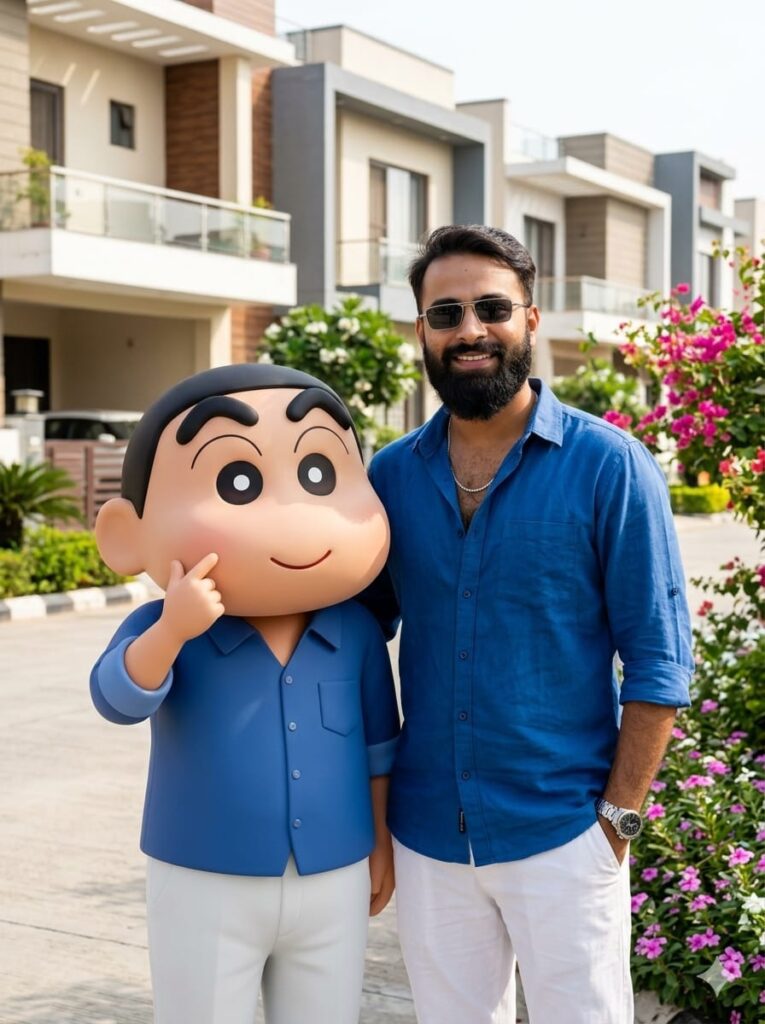
A hyper-realistic, cinematic full-body shot of a confident young man and a life-sized, realistic 3D Shin-Chan standing side-by-side in a beautiful residential colony. The young man has a realistic face and a subtle smile, wearing a crisp blue button-down shirt with the sleeves being actively rolled up by his hands, paired with white trousers, a stylish watch, and sunglasses. Next to him, a realistic 3D version of Shin-Chan is dressed in the exact same outfit—blue shirt, white pants, and sunglasses—with a facial structure that mirrors the young man’s features for a matching "twin" effect. They are standing in front of a modern house with vibrant, colorful flowers climbing the exterior walls. The lighting is natural yet dramatic, featuring soft sunlight and ci…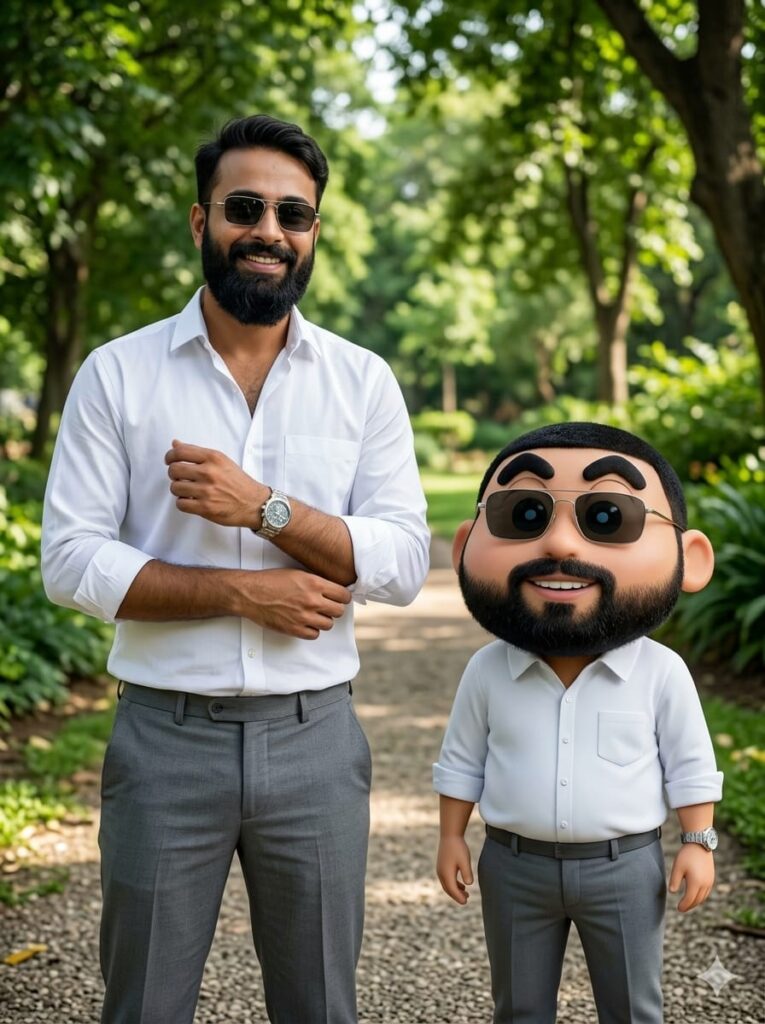
A hyper-realistic full-body shot of a handsome young man standing in a lush green park, wearing a crisp white shirt, grey trousers, a stylish watch, and dark sunglasses. He is captured in a natural pose, using one hand to neatly fold the sleeve of his shirt with a subtle, charming smile. A few feet in front of him stands a 3D realistic version of Shin-chan, dressed in the exact same outfit: white shirt, grey trousers, watch, and sunglasses. Most importantly, the facial features of the young man and the Shin-chan character are digitally matched to look identical, creating a "twin" effect. Cinematic natural lighting, soft bokeh background of park trees, ultra-HD, 8k resolution, clean facial details, 3:4 aspect ratio. Don't change face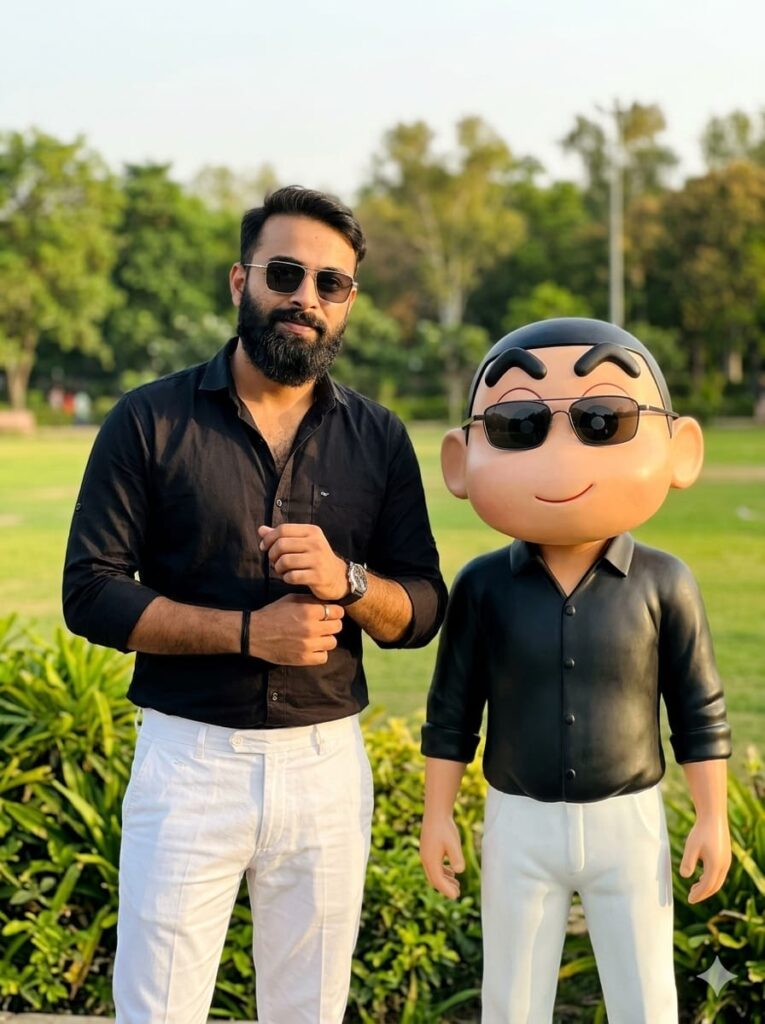
A hyper-realistic cinematic shot of a stylish young man and a life-sized, realistic 3D Shin-chan standing in an open park. The man is wearing a crisp black shirt with rolled-up sleeves, white trousers, a luxury watch, and dark sunglasses. He has a subtle, confident smile while adjusting his shirt sleeve with one hand. Standing a few feet in front of him is Shin-chan, designed with a realistic human-like skin texture and the exact same facial features and expression as the man. Shin-chan is wearing a matching miniature black shirt, white pants, and sunglasses. The background features lush park greenery with soft bokeh and natural golden hour lighting. Ultra-HD, 8k resolution, highly detailed skin textures, clean faces, 3:4 aspect ratio. Don't change face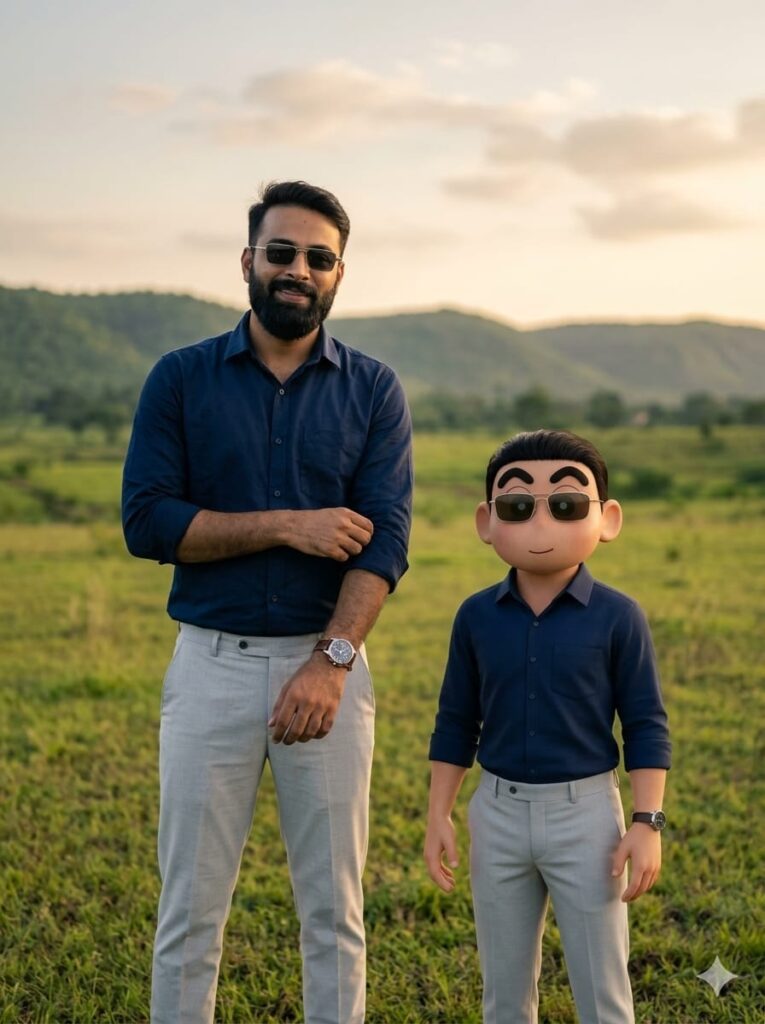
Full-body cinematic shot of a handsome young man and a life-sized Shin-chan standing in a vast open field. The young man has a realistic, clean-shaven face with a gentle smile, wearing a navy blue shirt, light gray trousers, a stylish watch, and sunglasses. He is captured in a natural pose, using one hand to fold the sleeve of his shirt. Standing a few feet in front of him is Shin-chan, uniquely rendered in a hyper-realistic style to match the man’s facial features and expression. Shin-chan is wearing the exact same outfit: a tiny navy blue shirt, light gray trousers, watch, and sunglasses. The lighting is golden hour cinematic, with natural textures, ultra-HD details, and a clear focus on their matching faces. Aspect ratio 3:4. Don't change face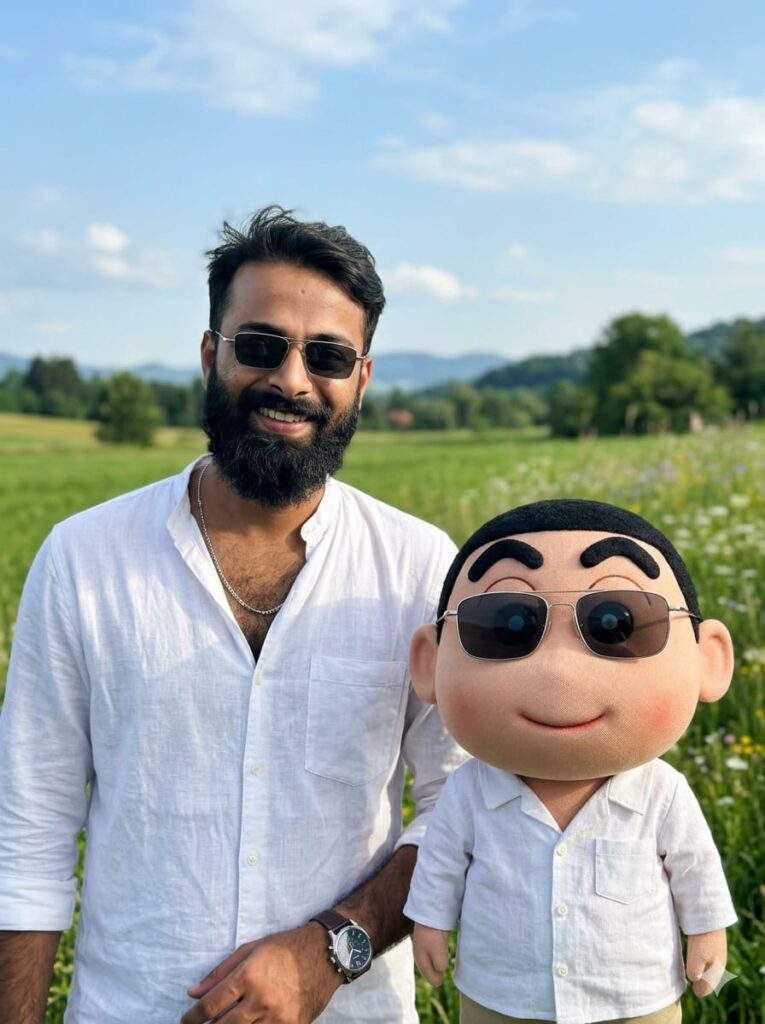
A hyper-realistic cinematic shot of a beautiful young man and a life-sized Shin-chan character standing in an expansive open field. The girl has a subtle, natural smile, wearing stylish casual attire, a sleek wristwatch, and trendy sunglasses. Standing slightly ahead of her is Shin-chan, uniquely designed with a realistic texture and facial features that mirror the girl's expression and style, wearing an identical mini-version of her outfit. The lighting is soft, natural, and cinematic, highlighting clear facial details and textures. Ultra-HD quality, 8k resolution, vibrant yet natural colors, bokeh background of the green field, 3:4 aspect ratio. Don't change face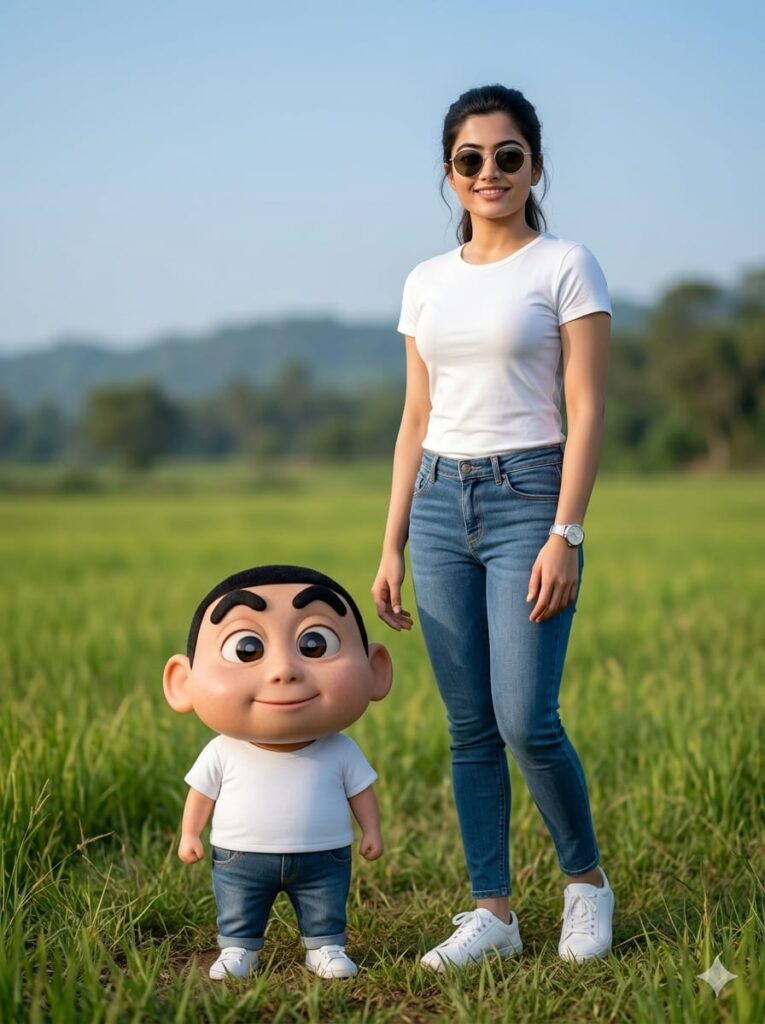
A hyper-realistic cinematic shot of a beautiful young girl and a life-sized Shin-chan character standing in an expansive open field. The girl has a subtle, natural smile, wearing stylish casual attire, a sleek wristwatch, and trendy sunglasses. Standing slightly ahead of her is Shin-chan, uniquely designed with a realistic texture and facial features that mirror the girl's expression and style, wearing an identical mini-version of her outfit. The lighting is soft, natural, and cinematic, highlighting clear facial details and textures. Ultra-HD quality, 8k resolution, vibrant yet natural colors, bokeh background of the green field, 3:4 aspect ratio. Don't change face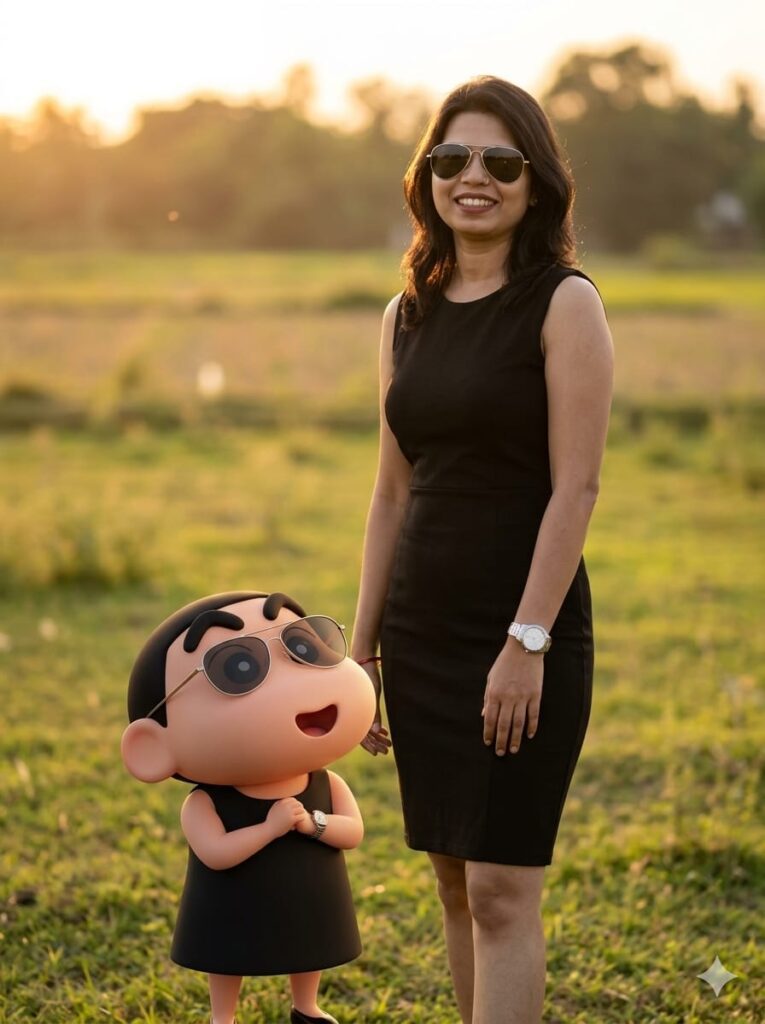
A hyper-realistic cinematic portrait of a young girl with a natural, subtle smile, wearing a stylish fitted sleeveless dress, a luxury wristwatch, and sleek sunglasses. Standing in a vast, sun-drenched open field. A few feet in front of her, facing her, is a stylized yet realistic Shin-Chan character wearing the exact same outfit—a miniature fitted sleeveless dress, watch, and sunglasses—with a facial expression that uncannily matches the girl's features for a twin-like appearance. Background features soft natural bokeh, warm cinematic golden hour lighting, and ultra-high-definition details. 8k resolution, clean facial features, 3:4 aspect ratio. Don't change face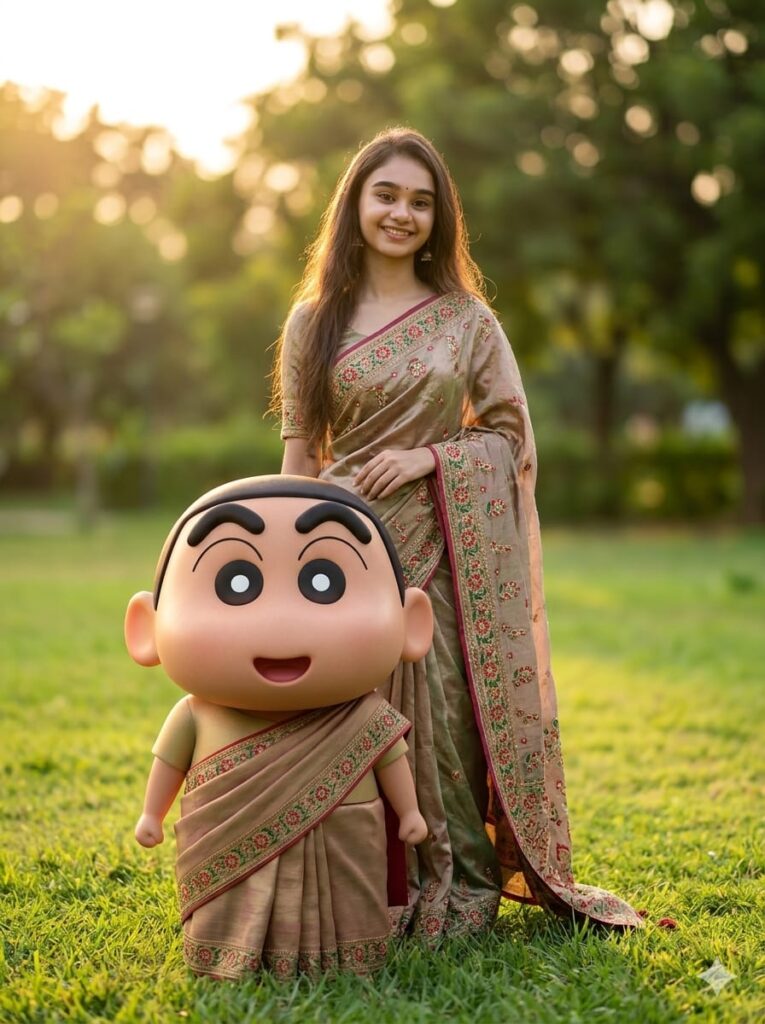
A hyper-realistic cinematic portrait of a beautiful young girl and a life-sized, realistic 3D version of Shin-chan standing in a lush green park. The girl is wearing a sophisticated, perfectly fitted traditional saree, looking toward the camera with a subtle, graceful smile. A few feet in front of her, Shin-chan is standing, styled with a matching face and wearing an identical miniature version of her saree. Both characters share synchronized facial expressions and matching features for a twin-like appearance. The background features soft-focus natural park scenery with golden hour cinematic lighting, deep contrast, and natural shadows. 8k resolution, ultra-HD, highly detailed skin textures, clean facial features, 3:4 aspect ratio. Don't change face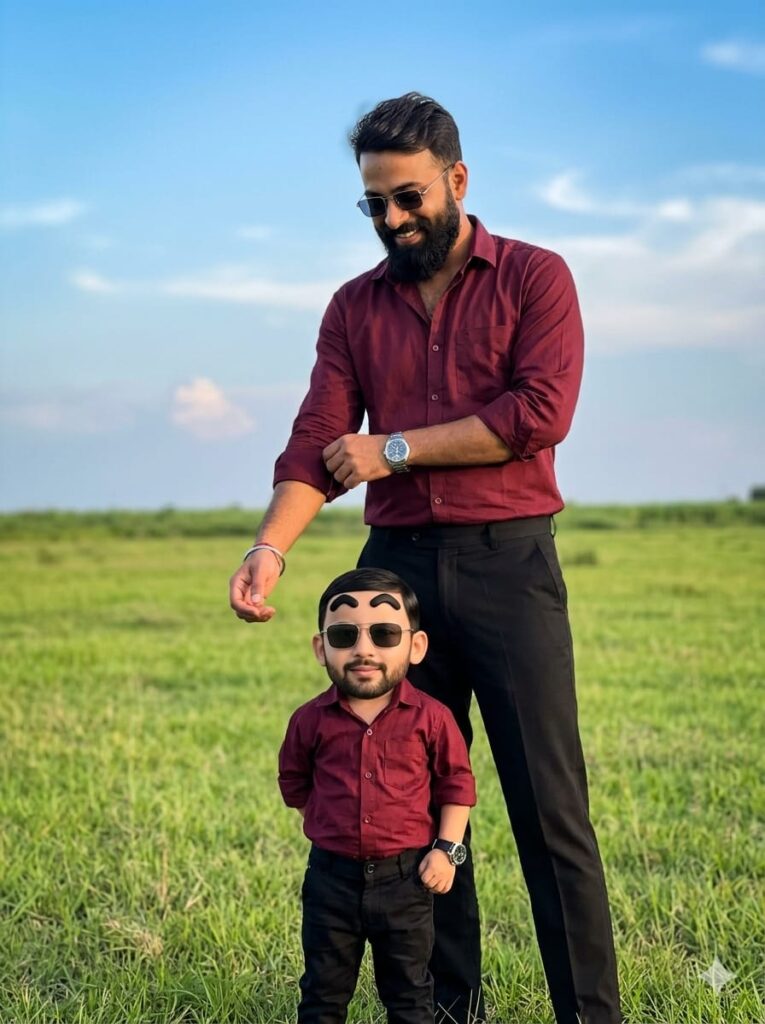
Cinematic full-body shot of a handsome young man standing in a vast open field, wearing a maroon button-down shirt, black trousers, a stylish watch, and sunglasses. He is realistically captured while casually folding his shirt sleeve with one hand, featuring a soft, natural smile. A few feet in front of him stands the character Shin-Chan, reimagined with a realistic human-like face that perfectly matches the young man’s facial features. Shin-Chan is wearing the exact same outfit: a maroon shirt, black trousers, watch, and sunglasses. The lighting is cinematic and natural, highlighting ultra-HD details and clean facial features. 3:4 aspect ratio, hyper-realistic, 8k resolution. Don't change face
How to Use Shin-chan Style AI Portrait Photo Editing
These are the AI prompts for creating Shin-chan style portraits. To use them, first click on the link provided below. Upon clicking, you will be directed to the app; proceed to download it. Once installed, log in using your Gmail account. Next, locate the ‘+’ icon on the left side of the screen and click on it. Then, upload a photo of your face. From the available options, select the style you like best and copy the corresponding prompt provided below it.
Now, open Google Gemini, paste the copied prompt into the chat, and send it. In just a few moments, your photo will be generated and ready. You can then download the image; additionally, if you wish to make any further edits or customizations, you are free to do so.
Conclusion: Shin-chan Style AI Portraits
Friends, as you already know, the prompts I provide are always distinct and unique—and they work 100% of the time. This particular AI prompt is truly fantastic, allowing you to create AI portraits in the signature Shin-chan style. I have outlined all the necessary details above; all you need to do is follow the instructions to transform your own photos. If you encounter any issues while creating your image, please feel free to let me know in the comments section. Additionally, if you are looking for any other specific types of AI prompts, you can always reach out to me via the comments.